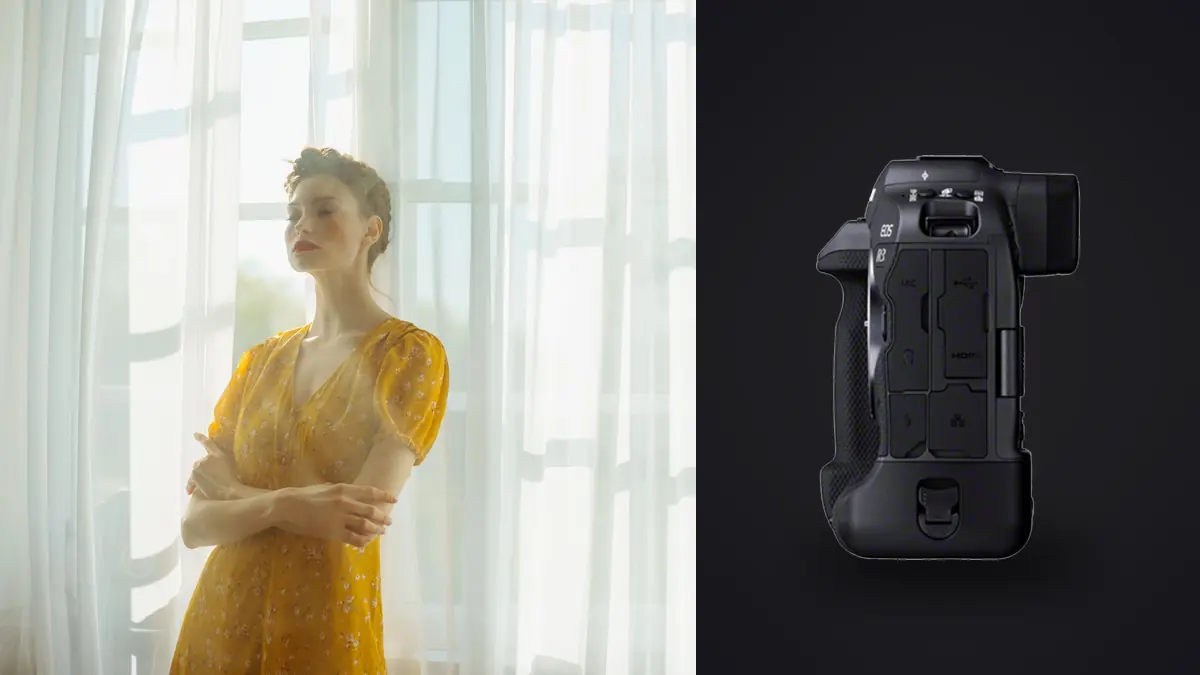
The Canon EOS R3 was built and marketed for sports and photojournalism. Nobody at Canon put "boudoir" on the spec sheet. And yet in the last couple of years I've watched it show up in more intimate-portrait kits than I expected, sitting next to softboxes and silk robes instead of sideline gear. Once you actually shoot a session with one, the reasons stop being surprising. A handful of features that exist for tracking a wide receiver turn out to matter just as much when your subject is three feet away on a bed by a window, holding a pose for half a second before it shifts into something more natural.
This isn't a spec dump. I've shot boudoir and intimate couples work with the R3 for about a year and a half now, paired mostly with RF glass I already owned from event work. What follows is what actually changed in my process, what didn't, and where the camera's strengths and its very real drawbacks show up in a genre that has almost nothing in common with the sports photography it was designed for.
Why the R3 Keeps Showing Up in Boudoir Kits
Three things drive the adoption, and none of them are resolution. Twenty-four megapixels is plenty for albums and large prints, and boudoir clients rarely order anything past a 20x30. What they do care about, whether they say it or not, is how comfortable the session feels, and comfort is where the R3's design choices start paying off.
First is the stacked sensor's readout speed, which kills rolling shutter distortion during movement. Boudoir sessions involve a lot of small physical adjustments, a shoulder rolling back, hair being repositioned, weight shifting from one hip to the other. None of that is fast the way a sprint is fast, but it's constant, and a camera that skews verticals or warps edges during those micro-movements produces frames you have to explain away in post. Second is the autofocus system, specifically Eye Control AF, which I'll get into below because it changes how I direct a session, not just how I focus. Third is genuinely usable high ISO performance in low, warm light, which is the default lighting condition for most boudoir work I book.
Eye Control AF: The Feature That Actually Changes the Session
Eye Control AF gets talked about mostly as a sports and wildlife trick, letting you put the AF point wherever your eye is looking through the viewfinder without touching a joystick. In a boudoir setting it does something different and, more valuable: it lets you keep eye contact with the subject instead of dropping your face behind the camera to nudge an AF point around.
Intimate portraiture runs almost entirely on trust and rhythm. A client who's nervous about being photographed in this context reads every pause, every fumble, every moment where the photographer seems distracted by the gear instead of them. Dual Pixel CMOS AF II tracks the eye reliably even at f/1.2, but the part that matters here is that Eye Control AF means I can glance at where I want focus, half-press, and keep talking. The calibration takes a few minutes at the start of a session (it drifts if you change your eyeglasses or your seating position relative to the finder, so I recalibrate whenever I switch from standing to kneeling for a low angle), but once it's dialed in it removes one more thing standing between the photographer and the person in front of the camera.
I'll be honest that it isn't flawless. In very low, warm ambient light with strong color casts, I've had it drift off the near eye onto an eyebrow or a strand of hair often enough that I still keep a thumb near the joystick as a backup. It's a genuine improvement, not a replacement for paying attention.
Working in Low, Warm Light Without Flash
Boudoir sessions often happen in hotel rooms or private homes, shot with window light or a single continuous source, because flash tends to flatten skin and kill the mood. That means high ISO work is a daily reality, not an occasional push.
The R3's dual-gain sensor design is genuinely good up to ISO 6400 with minimal chroma noise, and usable to 12800 if I'm willing to do noise reduction that costs a little texture in skin. Past that I try not to go unless I have no choice, because fine detail in skin and fabric starts breaking down in a way that no amount of RAW processing fully recovers. Here's roughly how I set up depending on the light source I'm handed:
| Light Source | Aperture | ISO Range | Shutter Speed | Notes |
|---|---|---|---|---|
| North-facing window, overcast day | f/1.8-f/2.2 | 800-2000 | 1/125-1/200 | Soft and even, my default for skin-forward close crops |
| Direct window light, late afternoon | f/2.8-f/4 | 200-640 | 1/160-1/250 | Watch for hot spots on skin, meter for highlights |
| Single continuous LED (bounced) | f/2-f/2.8 | 1250-3200 | 1/125 | Where the R3's high ISO earns its keep |
| Golden hour through sheer curtain | f/1.4-f/1.8 | 400-1000 | 1/160-1/250 | My favorite combination, shallow depth hides most background clutter |
| Dim hotel room, no modification | f/1.2-f/1.4 | 3200-6400 | 1/100-1/125 | IBIS lets me hold the shutter speed lower than I'd risk on an unstabilized body |
That last row is where the in-body stabilization earns its place in the kit. Canon rates it up to eight stops with certain RF lenses, and while I don't trust the marketing number to the decimal point, I can comfortably hand-hold at 1/60 with the RF 50mm f/1.2 in a dim room and get sharp eyes more often than I used to with a gimbal-stabilized lens alone. That matters because a tripod in an intimate session tends to make the room feel more clinical, more like a shoot and less like a conversation, so anything that lets me stay handheld and mobile is worth having.
Lens Pairings That Actually Get Used
I own four RF lenses I rotate through for this work, and they don't get equal use. Here's the honest breakdown of what I reach for and why, not a generic "these all work great" list.
| Lens | Max Aperture | Best For | How Often I Use It |
|---|---|---|---|
| RF 50mm f/1.2L USM | f/1.2 | Close, intimate crops with shallow falloff | Most sessions, my default lens for the first hour |
| RF 85mm f/1.2L USM DS | f/1.2 | Compressed backgrounds in smaller rooms, flattering facial perspective | Second most, though it needs more working distance than most bedrooms allow |
| RF 35mm f/1.8 Macro IS STM | f/1.8 | Wider environmental frames, detail shots (jewelry, fabric texture) | A handful of frames per session, not a workhorse here |
| RF 70-200mm f/2.8L IS USM | f/2.8 | Shooting from outside a smaller space to give the client room | Rare, mostly for clients who want more physical distance from the camera |
The 85mm DS deserves a specific note. The "DS" stands for Defocus Smoothing, which uses an apodization element to round off the bokeh transition. In practice that means less of the busy, doubled-edge look you sometimes get from very fast glass wide open, which matters more in boudoir than most genres because backgrounds are often cluttered (a nightstand, a lamp, patterned wallpaper) and you're leaning hard on shallow depth to make it disappear. The tradeoff is that the DS element eats close to two stops of light, so at f/1.2 you're effectively metering closer to f/1.7 to f/2, which pushes ISO back up in exactly the low-light rooms where you were trying to avoid it.
Silent Shutter and the Psychology of the Room
The R3 can shoot fully electronically at up to 30fps with zero shutter sound, and mechanically up to 12fps. For boudoir work I almost never use either extreme. What matters is that I can drop to fully silent single-frame shooting, which changes the room in a way that's hard to describe until you've shot both ways. A mechanical shutter clacking away next to someone who's already self-conscious about being photographed adds a countable, audible reminder of the camera every single frame. Silent shooting removes that. Subjects relax faster and hold natural micro-expressions longer when they stop flinching at shutter noise, and it is common for them to comment unprompted that they forgot anyone was shooting.
The catch is that fully silent electronic shutter can introduce banding under certain LED or fluorescent sources, which shows up more in home shoots than studio ones since I don't control the ambient lighting in someone's bedroom. I test a few frames at the start of every session under whatever ambient light is present before committing to silent mode for the rest of it.
The File Volume Problem, and Where the Culling Actually Happens
Here's the part nobody puts in camera reviews. A 90-minute boudoir session shot the way I shoot, in short bursts as a pose settles rather than one frame at a time, regularly produces 800 to 1,200 RAW files. Most of those are the same pose repeated four or five times with tiny variations in expression, hand position, or where the eyes land. Sorting that volume by eye is the single most time-consuming part of the whole job, and it's worse in this genre than most because the difference between a keeper and a reject is often something small: whether the eyes are fully open, whether a hand looks relaxed or stiff, whether focus landed on the near eye or drifted half an inch onto a cheekbone at f/1.2.
This is where I lean on imagic rather than eyeballing every frame in a folder. Its duplicate and burst clustering groups those near-identical sequences automatically, so instead of scrolling through fifteen frames of the same pose I'm comparing five clustered groups and picking the sharpest, best-expression frame from each. The local sharpness and focus scoring matters even more here than in most portrait work, because shooting a lot of a session at f/1.2 to f/1.8 means the margin for missed focus is genuinely tiny, and a camera-side "in focus" indicator on a 3-inch LCD doesn't tell you whether the eyelash or the eye itself is the sharp point.
The privacy angle is the part that actually made me switch tools, though. Boudoir images are about as sensitive as photography gets, and I was never comfortable running someone's private session through a culling tool that synced previews to someone else's cloud before I'd even had a chance to review them myself. imagic processes everything locally on my machine, nothing gets uploaded anywhere during culling or editing, which is a real answer to a question people sometimes ask directly: where do these files go before the photographer sees them. "Nowhere but my laptop" is a much better answer than the alternatives.
The other feature I use constantly for this genre is apply_my_style. Boudoir work is about a specific look as much as a specific photographer, usually warm, soft-contrast, skin-forward retouching that stays consistent across every gallery. I trained it on a set of my own previously finished edits, and it now gives me a starting point across a full culled set that's already close to my usual grade before I touch a single slider, instead of me manually applying the same white balance and contrast curve to 200 selects one frame at a time. It doesn't finish the edit, but it removes the repetitive first pass, which used to be the most tedious hour of every editing session. If your current process is closer to the way I used to work, dragging every RAW into a folder and eyeballing sharpness one at a time, it's worth reading through how AI photo culling actually works before you assume it can't handle a genre this detail-sensitive. I also went back through some general workflow tips when I was rebuilding my culling pipeline around the R3's file volume, and more than a few of them applied directly.
Where the R3 Gets in the Way
I don't want to oversell this. The R3 is a big camera. Body alone is over a kilogram, and with the 85mm f/1.2 mounted you're carrying close to two kilograms of gear one-handed for an hour or more while also directing a session, adjusting light, and talking a subject through posing. My wrist knows about it by the end of a long day. It's also a visually imposing body, chunky grip, integrated vertical grip built into the chassis, and a first-time subject may well comment that it looks "intense" compared to the smaller mirrorless bodies they've seen online. For a genre where making the subject comfortable is half the job, a smaller body like an R8 or an a7C would read less intimidating on first impression, even if it's a worse tool once the session is underway.
Battery life is fine for a single session (a full 90-minute session fits on one LP-E19 with room to spare), but the camera runs warm during long silent-shutter bursts in a hot room, which happens more than you'd think when you're shooting in a bedroom with the AC off to avoid fan noise on video capture.
Frequently Asked Questions
Is the Canon EOS R3 overkill for boudoir and intimate portrait work?
In terms of burst speed and buffer depth, yes, most of what makes it a sports camera goes unused in a bedroom. But the autofocus reliability at wide apertures, the low-light sensor performance, and the silent shutter option are all genuinely useful here, so "overkill" only applies to the parts of the spec sheet built for a different job, not the parts that actually get used in this genre.
What ISO range is realistic for ambient-light boudoir sessions with this camera?
I keep my working range between 400 and 6400 for the vast majority of frames, with 6400 to 12800 reserved for genuinely dim rooms where I'm not willing to add a second light source. Past ISO 12800, noise reduction starts costing enough fine detail in skin that I'd rather adjust the light or accept a slower shutter speed instead.
Does Eye Control AF actually work reliably for this kind of shooting?
Once calibrated for your seating or standing position, yes, for the majority of frames. It does drift in very warm, low-contrast light and needs recalibration if your position relative to the viewfinder changes significantly (kneeling versus standing, for example). I still keep the joystick as a manual backup rather than relying on it exclusively.
How should I handle culling and storage for sensitive sessions shot on the R3?
Treat the RAW files the way you'd treat any confidential client record: local storage, encrypted backup, and a culling process that doesn't route images through a third-party cloud service before you've even reviewed them. That's the specific reason I moved my culling to a local tool rather than a cloud-synced one, and it's worth checking any software you're considering against that standard, not just its feature list, before it touches private boudoir files. If you're comparing options, our culling software comparison breaks down which tools process locally versus in the cloud.