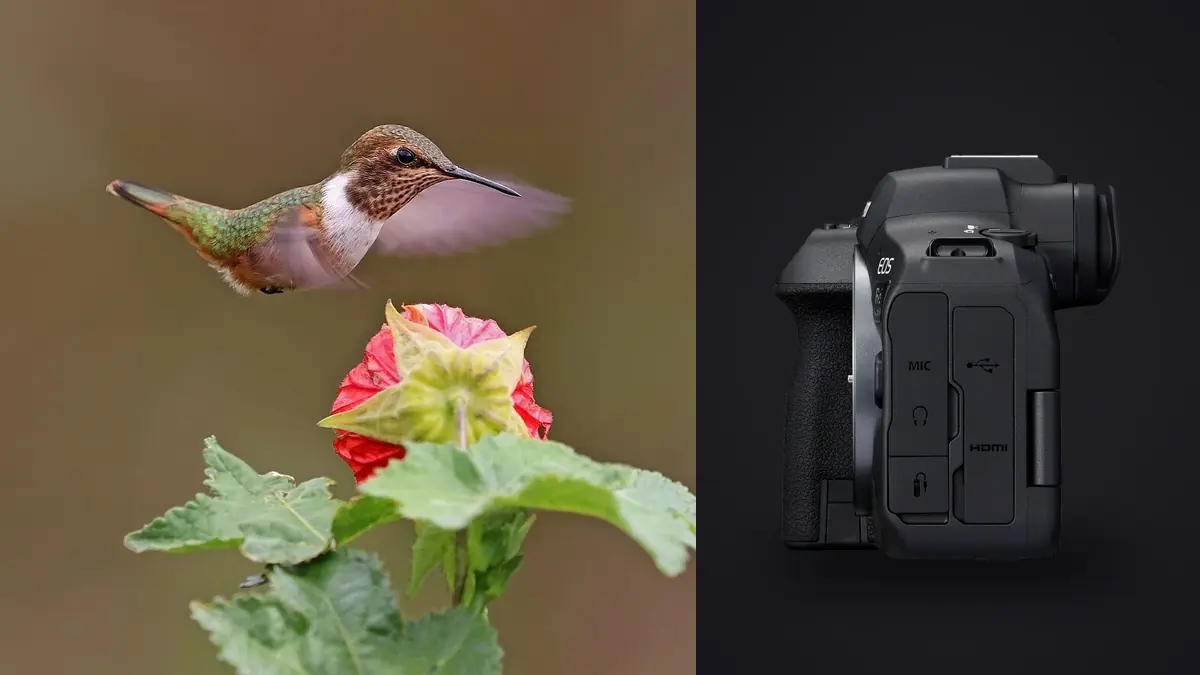
The first time I took the R6 Mark II out for ospreys, I came home with 2,600 frames from maybe forty minutes of actual shooting. That number still surprises people who haven't shot a stacked-adjacent sensor at 40 frames per second in electronic shutter. The camera itself is not the hard part of bird-in-flight work anymore. Getting your settings to match the bird in front of you, and then getting through the pile of files afterward, is where most people lose the afternoon.
This isn't a spec sheet rehash. It's what I've settled on after a couple of seasons pointing this body at everything from lazy turkey vultures riding thermals to swallows doing their absolute best to give autofocus a nervous breakdown.
The buffer is the real ceiling, not the frame rate
Forty frames a second sounds like a number that solves everything, and for a second and a half it does. Canon's own figures put raw buffer depth somewhere in the low forties at full electronic shutter speed before the camera has to slow down and let a card catch its breath, and that number moves depending on whether you're shooting full RAW, C-RAW, or RAW plus a JPEG for quick review. In practice, shooting C-RAW only on a fast CFexpress card, I can hold 40fps through most of a raptor's stoop. Add a second JPEG copy or drop to a UHS-II SD card in the second slot and that window shrinks noticeably, sometimes to under a second of true full-speed shooting before you feel the frame rate sag.
The practical fix isn't buying the fastest card money can find, though that helps. It's shooting in shorter, more deliberate bursts. A goose landing on water has a very specific window, wings cupped, feet forward, maybe half a second of real shape. Holding the shutter down for the entire three-second approach just guarantees a slower buffer clear and a folder full of frames where the bird is still forty feet up and boring.
Setting up autofocus for something that won't hold still
Animal Detection with the Birds priority option is genuinely good on this body, close enough to what the R3 does that I stopped missing my old gear within a weekend. It finds an eye on a kestrel hovering against a grey sky in a way that older Canon bodies simply couldn't. But detection only helps once the AF area has something to detect, so area mode still matters.
For anything with a predictable flight line, cranes coming into a roost, herons working a shoreline, I run Whole Area AF with tracking switched on and let the camera hunt for the subject across the frame. For small, fast, erratic fliers against cluttered backgrounds, I switch to a smaller Flexible Zone and do more of the aiming myself, because letting the whole frame hunt for a subject when there are three other birds and a fence line in view just invites the AF to grab the wrong thing at the wrong moment.
Back-button focus stays on for all of it. Bird-in-flight work involves a lot of moments where you want to release focus entirely, track the flock's shape with your eye, then re-acquire on one bird as it breaks off. Having focus tied to the shutter button makes that awkward.
The three AF Case sliders, and how I actually use them
Canon replaced the old numbered Case 1 through 6 menu with three sliders: Tracking Sensitivity, Accel/Decel Tracking, and Subject switching sensitivity. The presets are still there as starting points, but I've stopped using them as anything more than a reset button. Here's roughly where I land depending on what's in front of the lens.
| Flight scenario | Tracking sensitivity | Accel/decel tracking | Subject switch | Why |
|---|---|---|---|---|
| Raptor soaring/gliding on a thermal | Locked, low | Low | Low | Steady arc, no sudden speed changes, don't want AF jumping to a passing gull |
| Swallows or swifts low over water | Responsive, high | High | Medium | Constant direction reversals need the AF to let go and re-grab fast |
| Geese or cranes in a skein | Medium | Medium | Low, locked to nearest | Multiple birds at similar distance; you want AF committed to one, not hopping down the line |
| Small bird bursting off a perch | Responsive, high | High | Medium | Explosive acceleration from a standstill, camera needs to react instantly to the jump in speed |
| Bird crossing a busy branch line | Locked, low | Low | Low | Twigs and leaves in the foreground will steal focus if the system is too eager to react |
None of this is gospel. I've had mornings where the "locked" raptor settings still let a crow steal focus because it flew directly between me and the hawk. Adjust and move on, don't chase a perfect universal setting that doesn't exist.
Shutter speed and the ISO ceiling
I shoot in Fv mode almost exclusively for flight work now, mostly because it lets me lock shutter speed and aperture while leaving ISO on auto with a floor and ceiling I've set myself. For anything wing-beat heavy, small songbirds, ducks taking off, I want 1/2500 or faster to freeze the wingtips without turning them into a blur that reads as motion smear rather than intentional panning. Larger, slower-flapping birds like herons or eagles hold up fine at 1/1600, sometimes 1/1250 if the light is thin and I want to keep ISO from climbing into territory where the 24.2 megapixel sensor starts losing detail in shadow recovery. I cap Auto ISO around 12800 for anything I intend to crop hard, which is most bird photography given how rarely the subject fills the frame the way you'd like. Past that point the sensor is still usable for web sharing but starts fighting you on prints. Wide open aperture is the default with most of the affordable RF telephotos anyway, since f/6.3 to f/9 apertures don't leave much room to stop down before diffraction becomes the bigger concern than the aperture itself.
Electronic shutter has a catch worth knowing about
The 40fps mode uses a fully electronic shutter, and while the R6 II reads its sensor faster than the original R6 did, it isn't a stacked sensor the way the R3 or R1 are. Fast horizontal motion, a peregrine in a stoop crossing the frame, wings hammering during takeoff, can show a bit of skew or banding under certain artificial light. I haven't run into it under open sky, but I've seen it crop up shooting gulls under stadium-style lighting at dusk. If you notice diagonal smearing on wingtips that doesn't match the bird's actual shape, that's rolling shutter, not a focus problem, and dropping to the 12fps mechanical mode solves it at the cost of frame rate.
Glass that actually pairs well with this body
The RF 100-500mm f/4.5-7.1L is still my default. It's light enough to hand-hold for a full morning, autofocuses fast enough to keep up with the AF system described above, and the built-in extension to 500mm covers most perched and flight work without a teleconverter. When I need more reach for distant raptors or shorebirds that won't tolerate approach, the RF 200-800mm earns its weight, though at nearly three pounds heavier it changes how long I can comfortably hand-hold versus needing a monopod.
Teleconverters work natively with the L-series RF supertelephotos and the camera keeps full AF, though a 1.4x on the 100-500mm pushes the maximum aperture to f/10 at the long end, which starts to slow AF acquisition noticeably in flat light. I use the converter for perched portraits more than active flight tracking for that reason. Older EF glass adapted through the RF mount still works, and an EF 100-400mm II with the basic adapter performs almost identically to native RF options, useful if you're not ready to replace a lens you already trust.
What happens after the shutter stops
This is the part nobody warns you about before you buy into 40fps shooting. A single three-second pass from a tern diving on bait fish can produce well over a hundred frames, and across a two-hour session at a nesting colony that adds up to numbers that make a laptop fan spin just opening the folder. Most of those frames are near-duplicates of each other, the bird a few degrees further along the same wingbeat cycle, and only two or three from the whole burst actually have the wings in a shape worth keeping. I run everything through imagic before I touch an editor. It scores sharpness and focus accuracy locally on the machine, no upload, which matters when you've shot at a spot with no signal and don't want gigabytes of RAW files leaving your laptop anyway. It also clusters the burst sequences and near-duplicate frames together, so instead of scrolling through 140 nearly identical wingbeat frames one at a time, I'm looking at a handful of clusters and picking the sharpest pose from each. For a session like the tern colony example, that's the difference between an hour of culling and about twelve minutes.
Once I've got the keepers picked out, the apply_my_style feature saves a second chunk of time. It's trained on my own past edits rather than some generic wildlife preset, so a first pass on a fresh batch of osprey shots already leans toward how I usually treat backlit water and blue sky, and I'm only nudging from there instead of building the look from zero on every image. If your workflow is buckling under bird-in-flight volume specifically, the mechanics of why culling tools work this way are covered in more detail in how AI photo culling actually works, and there's a broader rundown of shaving time out of the whole process in 10 tips for a faster photo workflow.
A few field habits that matter more than any menu setting
Wind direction decides where birds take off and land more reliably than anything else, since most species launch and land into the wind. Position yourself with the wind at your back relative to a likely perch or nest, and you'll get more approach-angle shots than departure shots, which are almost always the more interesting frame. Shooting into low morning or evening sun for a rim-lit wing is worth the metering headache, though I do bump exposure compensation up around a stop in those conditions since the camera's meter reads the bright sky and underexposes the bird by default. I also stopped chimping between every burst. Checking the rear screen after each pass costs you the next three seconds of a session, and with a bird that's already circling back, that's often the only other chance you get. Trust the AF settings you dialed in before you started, and save the real review for when you're back at the car.
Frequently Asked Questions
Can the R6 Mark II actually keep up with something as fast as a swift or swallow?
Mostly, yes, with caveats. The detection system finds a bird-shaped subject reliably even at odd angles, but swifts and swallows change direction faster than almost anything else in the sky, and no camera's tracking algorithm predicts a mid-air 90 degree turn. Expect a lower hit rate on these species than on raptors or waterfowl regardless of settings, and treat a 20 to 30 percent keeper rate from a burst as a good outcome rather than a sign something's wrong.
Is the RF 100-500mm enough lens, or do I need something longer right away?
For most in-flight work where the bird is reasonably close, nesting colonies, shorelines, raptors working a field edge, 500mm is enough once you accept some cropping in post. Buy longer glass once you know you're regularly shooting subjects that won't let you get closer, like skittish shorebirds or birds over open water, rather than assuming you need it from day one.
Why do my flight shots look soft even when the AF confirmation box was on the eye?
Usually it's shutter speed, not focus. A confirmed eye lock at 1/1000 on a bird whose wings are moving at several hundred degrees per second will still show motion softness in the wingtips even with a perfectly placed focus point. Push shutter speed up before assuming the AF system failed you.
Do I need CFexpress cards for this, or will a fast SD card get me by?
If you're shooting the 40fps electronic mode in bursts of more than a second, CFexpress in the primary slot makes a real difference in how quickly the buffer clears between passes. Shooting 12fps mechanical or keeping electronic bursts short, a fast UHS-II SD card is workable, just expect the camera to throttle sooner if you hold the shutter down through an entire extended flyby.