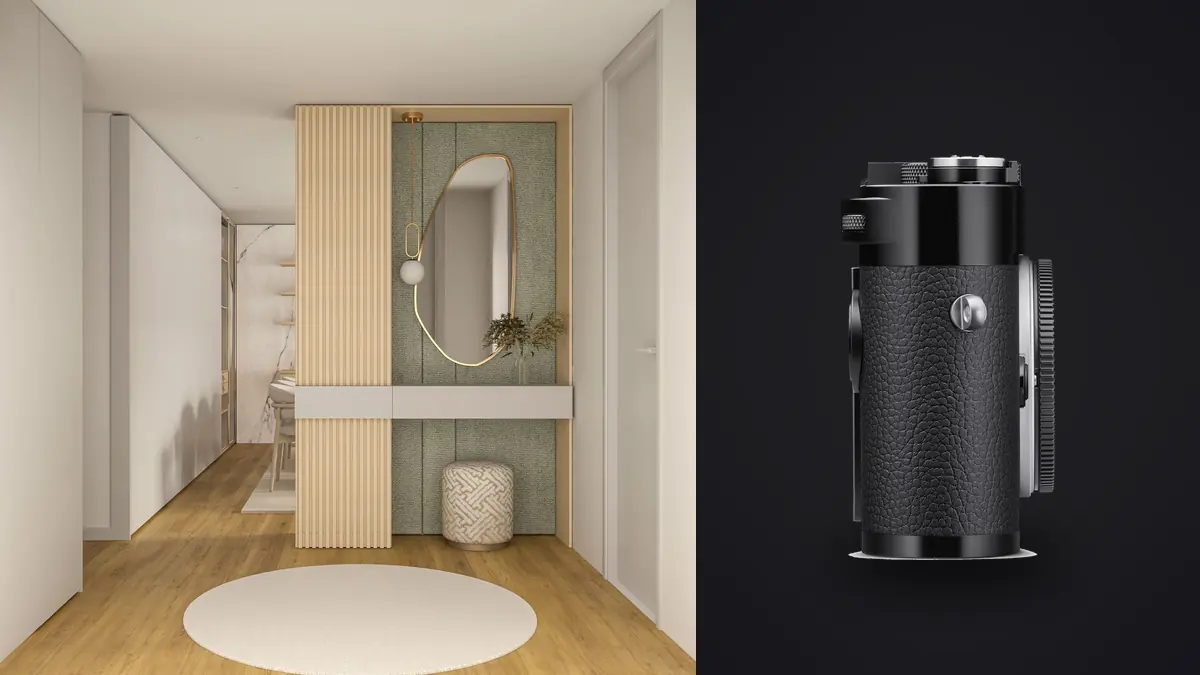
I spent four days shooting a boutique hotel renovation in Porto with an M11 body and three M-mount lenses, and by the end of day two I already knew which parts of the job the camera was built for and which parts it was fighting me on the entire time. Architectural interior work is a strange niche for a rangefinder to end up in. Nobody needs autofocus tracking a staircase. Nobody needs a burst rate fast enough to catch a dining room in motion, because the dining room isn't moving. But everybody needs edge-to-edge sharpness at f/8, dead-level verticals, and files clean enough to survive a two-meter print for a design portfolio or a double-page magazine spread. The M11 gets a surprising amount of that right. It also gets some of it wrong in ways no amount of brand loyalty talks you out of once you've missed a shot because of it.
What the Sensor and Body Actually Give You
The 60-megapixel BSI sensor is the headline spec, but the feature that matters more day to day for interior work is triple resolution capture: 60, 36, or 18 megapixels, chosen in-camera before you shoot rather than downsampled afterward. For a listing shoot where the final images live on a real estate site at 2000 pixels wide, you can drop to 18MP DNG and get smaller files, faster buffer clearing, and less to cull through that evening. For a hero shot destined for a printed lobby wall, shoot the same room again at 60MP. That flexibility, decided per room rather than per project, is genuinely useful in a way that surprised me the first time I used it.
Dynamic range at base ISO 64 is the other piece that matters specifically for interiors. Rooms with a window in frame are the default lighting problem in this genre: you're balancing a bright exterior against a dim corner three meters back, and the sensor either holds both or it doesn't. The M11 holds a blown-out sky's edge detail and a shadowed reading nook in the same frame better than any Leica sensor before it, which means fewer exposure brackets per setup than I used to shoot on the M10-R. I still bracket, because I don't trust any single-frame recovery when the file is going to be viewed at full resolution, but I'm shooting three frames per angle now instead of five.
The shutter is close to silent, and that's not a spec-sheet line, it's a real working advantage. Shooting a staged home with the seller's furniture still in it, or a restaurant an hour before service, a loud shutter draws attention and makes people self-conscious about being in your way. The M11's shutter barely registers in a quiet room. Combined with a compact body that clears tight stairwells and doorframes a bulkier mirrorless rig catches on, it's a genuinely comfortable camera to carry room to room for six or eight hours.
The Lens Question
Architecture and interiors want rectilinear wide glass with controlled distortion, because a barrel-distorted door frame or a bowed skirting board reads as an error in a way that's forgivable in a street shot and unforgivable in a client deliverable. The M-mount wide-angle catalog, both Leica and third-party, is genuinely strong here, but the lenses behave differently enough that picking one isn't a matter of just grabbing the widest number.
| Lens | Focal length / max aperture | M11 frame lines | Best use in interiors | Rendering notes |
|---|---|---|---|---|
| Voigtländer Super Wide-Heliar 15mm f/4.5 III | 15mm, f/4.5 | None built-in, needs finder or live view | Small rooms, tight bathrooms, cramped hallways | Visible corner softness wide open, cleans up by f/8, mild vignetting on white walls |
| Leica Super-Elmar-M 18mm f/3.8 ASPH | 18mm, f/3.8 | None built-in, needs finder or live view | Whole-room establishing shots | Very controlled distortion for the focal length, but heavy corner shading uncorrected |
| Voigtländer Color-Skopar 21mm f/3.5 | 21mm, f/3.5 | Approximate 21mm lines on M11 | Budget-friendly walkaround wide for editorial interiors | Slight pincushion, sharp center from f/5.6, softer extreme corners |
| Leica Elmarit-M 21mm f/2.8 ASPH | 21mm, f/2.8 | Native 21mm frame lines | Available-light interiors, dusk chapel and hallway work | Excellent corner-to-corner sharpness stopped down, usable wide open for dim rooms |
| Leica Summicron-M 28mm f/2 ASPH | 28mm, f/2 | Native 28mm frame lines | Detail shots, furniture, material close-ups within a room | Fastest of the group, minimal distortion, less useful for full-room coverage |
Frame Lines and the Limits of the Rangefinder Patch
The M11's brightline finder covers down to 28mm natively, with 21mm approximated. Anything wider and you're framing off an accessory optical finder or the rear screen and EVF, which for anything that has to be framed precisely means the EVF, every time. I don't trust an optical finder's approximate framing when a doorframe clipped at the edge is going to be noticed. The Visoflex 2 solves this cleanly with a live histogram and an electronic level, but it slows the shot down, and slowing down is fine for tripod work and a problem when a location manager gives you twenty minutes in an occupied space.
The rangefinder patch itself is precise enough for architecture at f/8 to f/11, where depth of field is forgiving. It gets genuinely harder to trust at f/2.8 in a dim interior, focusing on a doorway six meters back with low contrast edges. I've missed focus on the M11 in ways I never would on a modern contrast-detect body, and it's almost always in exactly that scenario: dim room, wide lens near its widest aperture, focusing on something without a strong vertical edge to lock the patch onto.
Verticals Aren't Solved by the Camera, They're Solved by You
Leica has never made a shift lens in M mount, and that's the honest ceiling on this camera for architecture. A Canon TS-E or a Fujifilm GFX with an adapted shift lens corrects converging verticals optically, in the frame, before you ever open a laptop. The M11 doesn't have that option, full stop. The workaround is old and reliable: level the camera on a tripod using the electronic level in the EVF, shoot a bit wider than your final framing to leave room for a perspective correction crop, and fix the verticals in post. It works, but it costs you resolution at the edges of the frame exactly where the M-mount wide lenses are already at their weakest optically.
Where the verticals genuinely have to be perfect (elevation shots of a facade, formal interior shots for an architecture firm's own portfolio) it helps to carry a second, cheaper body with a tilt-shift lens just for those specific frames, and to keep the M11 for everything handheld: material details, available-light shots through doorways, the kind of editorial-feeling frames used on a website rather than in a spec sheet. It's not an elegant solution, but it's an honest one, and it beats pretending the M11 alone covers the whole brief.
Getting a Day's Files Into a Deliverable Set
A modest single-family home shoot generates 300 to 500 raw files once you count three-to-five-frame exposure brackets across a dozen rooms and angles. A hotel project runs well past a thousand. Manual rangefinder focus means a real percentage of those frames, even from a careful shooter, land slightly off: a doorway edge that looked locked through the patch but reads soft at 100% on a 60MP file. Finding those misses before a client sees them, out of hundreds of nearly identical bracket sets, is the least glamorous and most necessary part of the job.
This is where I lean on imagic rather than scrolling through folders at 1:1 zoom for an hour. Its local sharpness scoring flags which frame in a bracket set is actually the sharpest before I commit to a final edit, which matters a lot more on a manual-focus body than it would on an autofocus one. The duplicate and burst clustering groups the bracket sets automatically instead of leaving me to eyeball which five files belong to the same setup, which saves real time once you're past a few hundred DNGs. If you haven't compared how different culling approaches handle this kind of volume, how AI photo culling actually works is worth a read before you settle on a workflow. All of this runs locally on the laptop, files never leave the machine, which matters more than usual on real estate work where a listing isn't public yet and a seller doesn't want their home's interior sitting on someone else's server before launch day.
Once the culling pass is done, I use imagic's apply_my_style feature, trained on my own past interior edits, to get a consistent starting grade across the set: a neutral white balance baseline with slightly lifted shadows, the same look I use across every set so a gallery doesn't feel like it was edited by three different people depending on the day. It's a one-time purchase rather than a subscription, which for a working photographer juggling several small tools already is one less recurring cost to justify at tax time. The general approach of training a personal look from your own edit history rather than starting from a generic preset is covered in more depth in this walkthrough on matching your own editing style.
Where the M11 Genuinely Falls Short
No autofocus is a non-issue for static rooms and a real problem the moment a job includes the design team walking through a space for candid shots alongside the architecture. No in-body stabilization means handheld shots in dim interiors below about 1/30s need either a very steady hand or a higher ISO than I'd like, since there's no sensor-shift safety net. Battery life drops noticeably when you're framing through the EVF for precision rather than the optical rangefinder, and a full day of interior work with brackets and live view framing will chew through two batteries where a quieter shooting style might get by on one.
The bigger issue is return on investment, and it's worth saying plainly: if your business is volume real estate photography at a flat rate per listing, the M11 makes no financial sense next to a mirrorless body with autofocus and a shift lens adapter, both of which get you technically comparable or better files for a fraction of the cost. Where it earns its place is in higher-end design and hospitality work, where a client is partly paying for the process and the photographer's eye as much as the raw technical output, and where the compact, quiet body genuinely changes how comfortable people are with you in their space.
Frequently Asked Questions
Do I actually need a tilt-shift lens to shoot architecture properly on an M11?
Not strictly, but you need a plan for verticals since the camera can't correct them optically. Leveling on a tripod and correcting perspective in post gets you most of the way there for interior work where you're not printing a facade elevation at billboard size. For that kind of precision work, most photographers I know who shoot both genres carry a second body with an actual shift lens rather than trying to make the M11 do everything.
Which M-mount lens is sharpest for tight interior rooms?
For pure corner-to-corner sharpness in a small room, the Elmarit-M 21mm f/2.8 ASPH is the one I reach for most, stopped down to f/5.6 or f/8. The 18mm Super-Elmar gets you more of the room in frame but with noticeably heavier corner shading that needs correcting, and the Voigtländer 15mm is the tool for genuinely cramped spaces where you have no other option, accepting softer corners as the tradeoff.
Can the M11's rangefinder actually nail focus in low interior light?
At f/8 or narrower, yes, reliably, because depth of field covers minor patch errors. Wide open in a dim room focusing on low-contrast subjects like a plain doorway or a wall six meters back, it's noticeably less reliable than a modern autofocus system, and I've had misses I wouldn't have on other cameras. Using the EVF's focus magnification for anything shot near wide open in dim light is worth the extra few seconds.
Is 60 megapixels overkill for a typical interior or real estate shoot?
For a standard listing that ends up at 2000 pixels wide on a property site, yes, and that's exactly why the triple resolution mode matters: dropping to 18MP for that kind of job keeps files manageable without buying a different camera. The 60MP mode earns its keep on hospitality, design portfolio, or editorial work where a client might print or crop aggressively, and it's worth choosing per shoot rather than defaulting to maximum resolution out of habit.