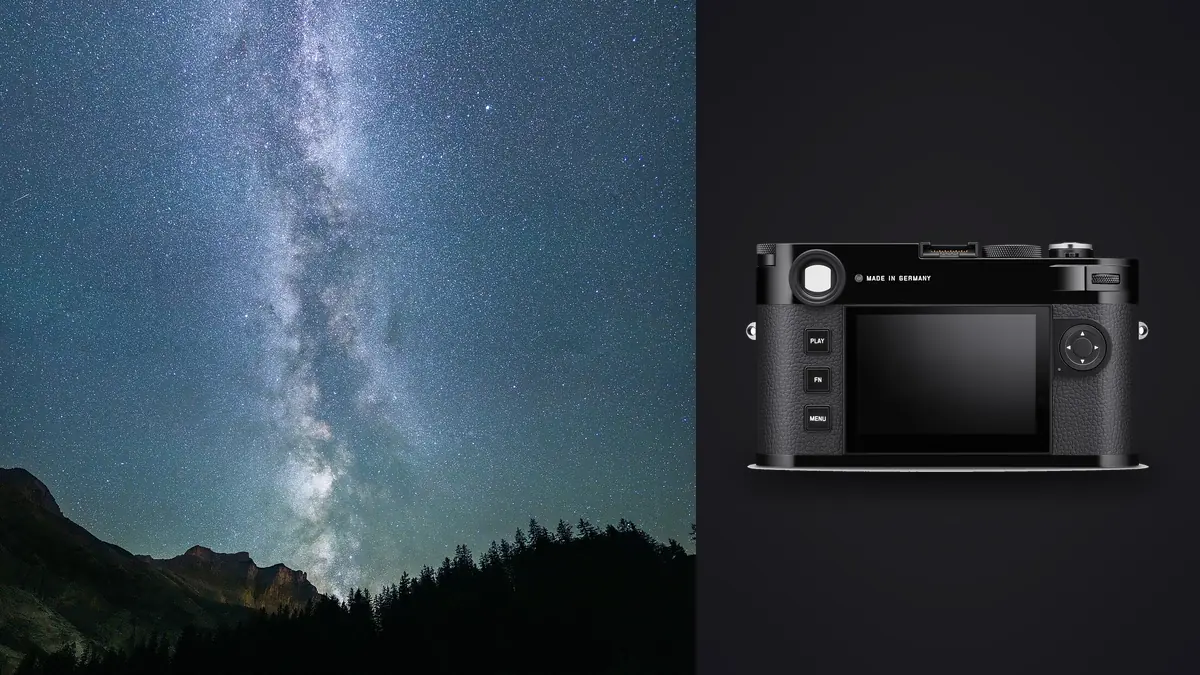
A Leica M11 night shoot produces files that need context. A dark frame can look blank in a browser, a slightly shifted composition may be the only clean foreground exposure, and a sequence intended for stacking should not be culled as though it were a burst of duplicate portraits. The camera records DNG files, but the usefulness of those files depends on preserving their order, capture settings, and purpose from the card through the final composite.
This RAW Workflow treats star points, foreground frames, calibration frames, and accidental exposures as different classes of material. It is designed for the M11's manual-focus, interchangeable-lens approach and for software that will later align and combine files. The method does not assume that one automated score can judge an entire night sequence correctly.
Design the folder structure before darkness
Create the project folders before leaving for the location. At minimum, separate original DNG files, calibration material, working renders, stack outputs, and final exports. Add a plain-text sequence log that can be edited on a phone or written on paper. The log should identify lens, approximate focus setting, aperture, exposure pattern, foreground strategy, and the frame numbers at each transition.
The camera clock should be correct because capture time becomes the most reliable link between notes and files. If multiple bodies are present, synchronize them closely enough that a time sort remains meaningful. Use a fresh card or a clearly separated card folder for the session. The objective is to prevent daylight test photographs and unrelated personal files from appearing between frames that must later be aligned.
Start each major sequence with a visual slate that will be obvious in thumbnails, such as a hand-lit frame or a deliberately short exposure of the foreground. End it with a different marker. Do not point a bright light into other photographers' exposures or disturb wildlife simply to make a marker. A brief lens-cap frame can work when it will not be confused with a planned dark frame.
Preserve capture groups instead of chasing one hero file
A star stack depends on consistency. Once a sequence begins, hold framing, focus, aperture, and white balance unless the plan specifically calls for a change. Exposure time and interval should also remain stable for the sky group. If focus is adjusted, stop the sequence and begin a new group rather than mixing two focus planes under one label.
Foreground exposures often need a separate treatment because the land does not move with the sky. Record them as a distinct group, even if they share the same composition. A blue-hour foreground, a low-ISO long exposure, and a light-painted foreground are not interchangeable. The notes should state which method was used so the later composite does not become an undocumented blend.
Calibration frames require their own labels. Dark frames are made with the same exposure conditions but no light reaching the sensor; flat and bias frames serve different correction purposes and may not be necessary for every workflow. Do not identify a black accidental exposure as a valid dark without confirming how it was captured. Calibration quality depends on method, not appearance.
Copy and verify every card before reorganizing
At ingest, copy each card into a card-specific source folder. Verify the file count, total size, and the ability to open representative DNG files from the beginning, middle, and end. Make a second copy on separate storage before renaming or moving files into thematic folders. A thumbnail cache is not a backup, and a successful first frame does not prove that the final sequence copied correctly.
Keep original names until sequence boundaries have been checked against the field log. If renaming is required, use a monotonic number that preserves capture order and never reuse a number across cards. The stack application may sort alphabetically rather than by metadata, so test the naming convention with a small group before applying it to the whole night.
Store the untouched source folders as read-only working references where practical. Place all alignment renders, masks, and composite experiments elsewhere. This separation makes it possible to restart processing without wondering whether an original DNG was modified or omitted.
Run a technical cull without breaking a stack
First review sequence boundaries at thumbnail size. Remove obvious accidents from the working set, such as frames made while touching the tripod, walking through the foreground, or changing a setting. Then inspect stars at useful magnification. Look for focus drift, dew softening, wind vibration, airplane trails, satellite trails, cloud, and accidental light. A frame with a trail may still be repairable, so mark the defect rather than deleting the source.
Automated sharpness and exposure scoring can help locate anomalies, but a night-sky frame violates many assumptions used for ordinary photographs. Large dark areas are intentional, point stars occupy few pixels, and adjacent stack frames are supposed to resemble one another. imagic supports DNG and can group near-duplicates locally, yet a grouped astrophotography sequence must be reviewed as source material for combination. Do not let a representative-frame suggestion discard the remaining stack members.
Use statuses for inclusion, exclusion, calibration, and uncertain frames if the application permits, or maintain parallel collections outside it. Culling in imagic never deletes originals. If a score seems implausible, check whether it is stale before relying on it. Reselection changes ranking from stored scores; it does not perform fresh analysis.
Measure sequence quality across time
Focus can drift as the lens and air temperature change. Compare an early, middle, and late frame at the same magnification. Do not judge only the center: inspect stars near each corner because field curvature, coma, and a slight tripod shift can affect the edges differently. A sequence may need to be split into two stacks if focus or framing changed materially.
Cloud and sky brightness also evolve. A thin cloud layer may lower contrast without looking dramatic in a thumbnail, while moonrise or nearby lighting can create a gradient across later frames. View a quick contact sheet with identical provisional settings. Differences that disappear under automatic per-frame adjustments will become obvious when every frame shares one baseline.
Choose stack membership according to the combining method. Median-style rejection can handle some transient trails, while another process may require manual cleanup. The workflow should record why frames were excluded. A reproducible decision is more valuable than an unexplained folder containing only the apparent winners.
Develop DNG inputs consistently
Apply lens profile, chromatic aberration correction, white balance, and basic tone settings consistently across the sky group. Avoid heavy local adjustments before alignment. Strong sharpening, clarity, denoising, or geometric changes can alter stars and make frame matching less reliable. If the stacking application accepts RAW directly, document its demosaicing settings; if it requires rendered intermediates, export every source with the same recipe.
Protect star color by watching channel clipping rather than only the combined histogram. A neutral-looking sky is not mandatory, but large white-balance changes should be applied coherently. Remove hot pixels and color noise with restraint. Calibration and stacking should do part of the cleanup, and excessive smoothing can turn small stars into irregular blobs.
Foreground files can receive a separate development baseline, especially when captured at another time or exposure. Keep that distinction visible in filenames and adjustment records. When sky and foreground are combined, the final image should remain plausible in direction of light, horizon transition, scale, and local color, even when the capture times differ.
Build and inspect the stack outside the culling stage
imagic is not an HDR or panorama merge application, and the same boundary applies to specialist star alignment and stacking. Use appropriate stacking software for registration, rejection, and combination. The local culling stage prepares a trustworthy set of source files; it does not create the astronomical composite.
After alignment, inspect the edges for rotation gaps, doubled foreground features, stretched corner stars, and local rejection artifacts. A stack can reduce random noise while preserving a systematic problem across every input. Compare the stack with individual frames to determine whether a strange feature came from the sky, the lens, alignment, or the combining method.
Save a high-quality master before creative finishing. Keep the source list or project file beside it so the combination can be rebuilt. The Camera Hardware guides provide broader camera context, and the photography blog collects related capture and processing references.
Finish, export, and archive a reproducible result
Complete global contrast, color, and localized foreground balancing on a master file that retains sufficient precision for later revisions. Create output-specific copies only after the master is stable. Web JPEG, print TIFF, and a projection file may need different dimensions, color spaces, and sharpening. Avoid repeatedly resizing an already compressed delivery file.
Review the exported image at actual display size and at magnification. Check the horizon, small bright stars, shadow banding, corner quality, and metadata. If location privacy matters, remove precise coordinates from public derivatives while keeping private records secure. The image caption should distinguish a tracked sky, a blended foreground, or a composite made at different times when that information affects interpretation.
Archive original DNG files, calibration frames, notes, the inclusion list, stacking project data, a high-quality master, and final outputs. Keep at least one copy away from the working computer. A strong archive allows the stack to be rebuilt with new software without altering the historical source.
Preserve lens and location metadata that the DNG cannot explain
M lenses may not always provide a complete electronic identity to the file, and an adapter, coded lens setting, or manual profile choice can affect later correction. Record the exact lens, any filter, and whether in-camera lens detection was automatic or manually selected. That note helps explain corner shading, color drift, or a correction that looks inappropriate after import. It also prevents a later processor from silently applying the profile of a similar but different optic.
Location notes should describe practical conditions without forcing sensitive coordinates into public metadata. Record elevation where relevant, approximate temperature, moon state, nearby artificial light, haze, and whether a tracker was used. These facts help diagnose gradients and star shape. They should not be embellished into atmospheric measurements that were never made.
If a public caption identifies a dark-sky site, confirm that access was lawful and that disclosure will not encourage trespass or damage. Keep navigation details, parking notes, and private-property permissions in the project record. Exported social files can carry a general place name while the protected archive retains the precise working information.
Frequently asked questions
Should near-identical Leica M11 star frames be reduced to one?
No, not when the files are members of a planned stack. Their similarity is the basis for noise reduction and transient rejection, so preserve the full accepted sequence and label it clearly.
Can imagic combine the star stack?
No. imagic can assist with local DNG review, quality signals, and grouping, but it does not provide HDR, panorama, or specialist astronomical stacking. Use dedicated alignment and stacking software for the composite.
When should a night sequence be split into separate stacks?
Split it when focus, framing, aperture, sky brightness, or another material capture condition changes. Separate groups are easier to process consistently and diagnose than one mixed sequence.