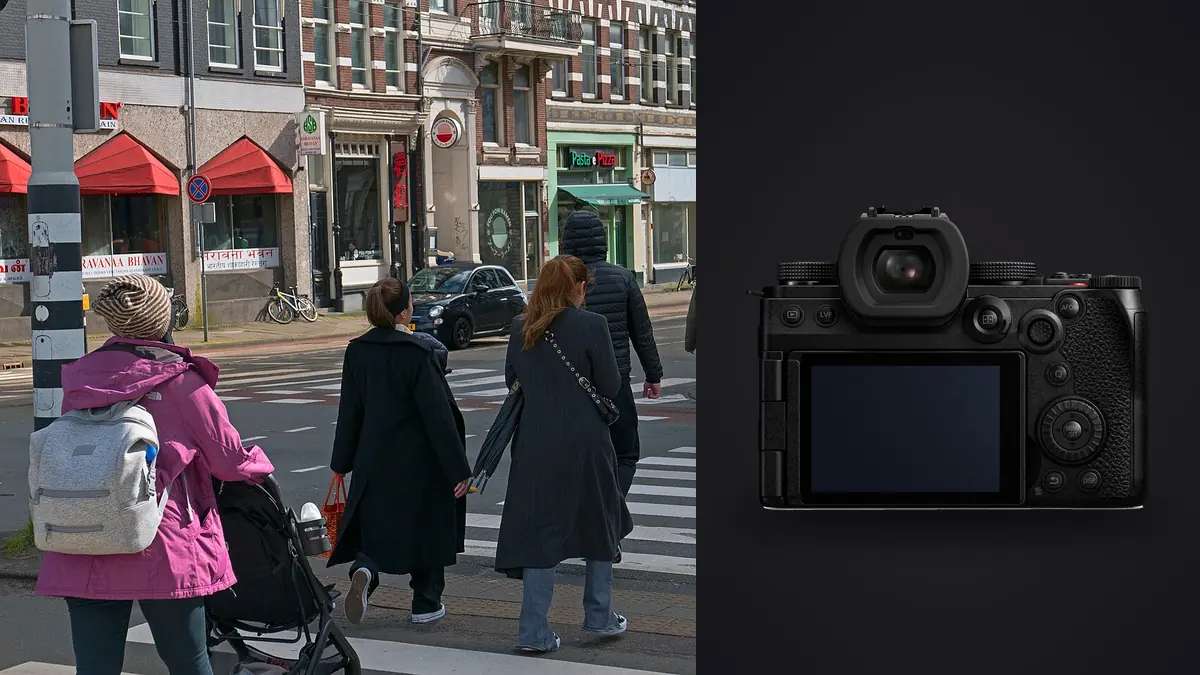
The Lumix S5IIx shows up in a lot of street and documentary photography conversations lately, usually framed as "the black S5II with the video stuff." That's mostly accurate, and it matters more than it sounds like it should, because the video stuff is exactly what you don't need for candid work on foot. What you actually care about when you're weaving through a market or following someone down a block for twenty minutes is whether the autofocus keeps up, whether the shutter draws attention, and whether the body survives you carrying it all day without a strap redesign. I've spent enough time with this camera on personal long-form projects to have opinions on all three, and a few of them cut against the marketing.
What the "x" actually buys you
Strip away the spec sheet and the S5IIx is the same 24.2MP sensor, same phase-hybrid autofocus system, and same in-body stabilization as the standard S5II. The differences that Panasonic leads with, ProRes internal recording, ProRes RAW over HDMI, unlimited record time, and USB-C tethered streaming, are video features. None of them touch how the camera behaves as a stills tool. The all-black cosmetic finish is real and some people care about that for reasons that have nothing to do with image quality (less conspicuous on the street, arguably, though I'd push back on how much that matters once a 24-70 is hanging off the front of it).
If you shoot documentary work that's stills-only, you're paying a premium for a video pipeline you'll never open. That's not a knock on the camera, it's a warning against buying the "x" out of brand loyalty to the aesthetic when the plain S5II does the identical job for less. I'd only recommend the x variant to someone who occasionally shoots short interview or behind-the-scenes clips alongside their still work and wants one body instead of two.
Handling for hours on your feet
Body weight with a battery loaded comes in around 740g, which sits in an awkward middle ground. It's not a rangefinder you forget is on your neck, but it's noticeably lighter than the R6-class DSLR-shaped bodies people used to lug around for this kind of work. Paired with one of the compact primes it balances well one-handed, which matters more than people admit when you're also holding a coffee, a door, or a kid's hand while trying to get a frame off.
The grip is deep enough for bare-hand carrying without a wrist strap digging in, and the front dial sits exactly where my index finger rests, which sounds trivial until you've used a body where it doesn't. Where the S5IIx loses points is the mechanical shutter sound. It's not loud in absolute terms, but it has a distinct mechanical clack that carries in a quiet room or a hushed street corner in a way a Fuji X100-series leaf shutter simply doesn't. Switch to electronic shutter and it goes essentially silent, but then you inherit rolling shutter on anything moving fast through frame, cyclists, kids running, a hand gesture mid-sentence. For genuine documentary candids where the shutter sound itself would change the moment, I default to electronic and just accept the occasional skewed edge on fast subjects. For everything else, mechanical, because a slightly bent vertical line on a stationary subject never happens.
Autofocus when you don't get a second attempt
This is where the S5II generation actually earned its reputation. The original S5 relied on contrast-detect only and hunted visibly in anything but good light, which made it a genuinely bad choice for unpredictable human subjects. The phase-hybrid system in the S5II and S5IIx fixed that almost completely. Human detection tracks a body even when the face is turned away or partially blocked by a doorway, a shoulder, another pedestrian, which is the normal state of affairs on a real street rather than a posed shoot.
I run back-button focus with continuous AF locked to human detection and let the camera hunt for a subject rather than pointing a single AF point at anything. In a market or a protest or any scene with more than one moving person, the camera's tendency to grab whoever's closest and largest in frame is usually right, and when it isn't, a quick joystick nudge reassigns it faster than recomposing with a single point ever would. Where it still occasionally embarrasses itself is backlit doorways and shop windows with strong reflections, where it'll lock onto a mannequin or a poster before the actual person. Nothing fatal, just worth knowing before you trust a single frame in that lighting.
Picking lenses that match the pace
Documentary and street work punishes slow, heavy glass. You need something you can raise and shoot in under a second, ideally without the lens barrel announcing itself first. Panasonic's compact S-series primes are built for exactly this, and they're the reason I'd pick this system over a comparable Sony or Canon body with an equivalent-spec but much larger 35mm f/1.8.
| Lens | Weight | Min. focus | Best use on this body |
|---|---|---|---|
| Lumix S 18mm f/1.8 | 350g | 0.24m | Wide environmental context, tight interiors, storefronts |
| Lumix S 24mm f/1.8 | 360g | 0.24m | General walk-around, closest to a "normal" documentary field of view |
| Lumix S 35mm f/1.8 | 295g | 0.24m | Portrait-leaning candids, one subject with some background separation |
| Lumix S 50mm f/1.8 | 300g | 0.45m | Compressed street scenes, working from further back in crowds |
| Lumix S 20-60mm f/3.5-5.6 | 350g | 0.15m (wide) | Travel and scouting days when you don't know what you'll find |
My actual kit for a full day of documentary shooting is the 24mm and the 50mm, swapped depending on whether I'm working close or hanging back. The zoom is honest about being a scouting tool, not a working lens, the variable aperture closes down too fast in anything but daylight to trust for candid interiors. All four primes share the same 67mm filter thread and roughly the same control ring feel, so muscle memory transfers cleanly when you swap mid-shoot, which matters more on a moving assignment than any single spec on the sheet.
Low light without a flash
IBIS is rated at up to 6.5 stops with a stabilized lens, and in practice I can hand-hold the 35mm down to around a quarter second for a static subject without visible shake, though obviously your subject has to cooperate by not moving. For anything with motion in it, that stabilization number is irrelevant, you still need shutter speed to freeze the subject, not just the camera.
Where this sensor generation is genuinely good is high-ISO cleanliness. I shoot documentary interiors and evening street scenes up to ISO 6400 without hesitation for editorial use, and files hold usable detail up to about 12800 if I'm willing to do noise reduction work afterward and accept some loss of fine texture. Panasonic markets dual native ISO circuitry mainly around the video side of this camera, but the underlying sensor design is the same one doing the work in stills, and it shows up as noticeably less color noise in shadows compared to the older S5.
Color and file handling for fast turnaround
For documentary work that needs to move quickly, I shoot RAW plus a JPEG set to L.ClassicNeo, which gives a desaturated, slightly cool look that needs almost no adjustment before sending a same-day selection to an editor or a subject. For long-form black-and-white projects I'll switch the JPEG profile to one of the Leica Monochrome-derived looks and just use those files as a shot-selection reference, doing the actual grade later from RAW.
The gap between "fast enough JPEG to send now" and "actual finished file" is where most of my post-shoot time disappears, and it's also where the volume problem shows up. A single afternoon of documentary shooting on this body, especially leaning on the electronic shutter's higher burst rate for sequences, easily produces two or three thousand frames, most of them near-duplicates of the same three or four seconds of action.
The part nobody mentions until the card fills up
Nobody warns you before buying into this camera that the real bottleneck isn't the gear, it's what happens after the shoot. Burst shooting at 9fps mechanical or up to 30fps electronic is fantastic for catching the exact frame where someone's expression lands right, but it also means sorting through a folder where forty near-identical frames separated by fractions of a second all look correct at a glance. That's genuinely hard to do accurately by eye, especially at the end of a twelve-hour shoot day when your judgment about "which one is actually sharpest" starts to slip.
This is the specific problem I built my culling pass around when I started using imagic for this workflow. It scores focus and sharpness locally on the machine, so it'll flag which frame in a ten-shot burst of someone mid-stride actually has the sharpest eyes rather than making me zoom into each one at 100%. It also clusters bursts and near-duplicates automatically, which on a documentary shoot with this kind of volume is the difference between a culling pass that takes twenty minutes and one that eats an entire evening. Because everything runs on-device with no cloud upload, it's also a reasonable answer to the fact that documentary and street subjects sometimes haven't agreed to have their faces sitting on someone else's server before you've even made a final selection. If you want more on how automated culling actually scores frames rather than just guessing, this breakdown of how AI photo culling works covers the mechanics in more depth than I can here.
Once the culling pass narrows a shoot down, I lean on imagic's apply_my_style preset, trained on my own past edits rather than some generic film emulation, to get a fast first pass on the L.ClassicNeo-shot files before I do targeted adjustments by hand. It's not a substitute for actually grading a body of work you care about, but for the daily-turnaround stuff it closes most of the gap between "shot it" and "sent it." For anyone trying to shave time out of a similar high-volume workflow, these workflow tips are worth a read alongside whatever culling tool you end up using.
Frequently Asked Questions
Is the S5IIx meaningfully different from the S5II if I never shoot video?
No, and this is worth being blunt about. The sensor, autofocus system, IBIS, and shutter mechanism are identical between the two. The x variant's advantages are all on the video side (ProRes recording, RAW output, streaming). If your work is stills-only documentary or street photography, the standard S5II gets you the same results for less money.
How noticeable is the shutter sound for candid work up close?
The mechanical shutter has an audible clack that will draw attention in a quiet space, a library, a hushed interior, a one-on-one conversation. It's not loud compared to older DSLRs, but it's not silent either. Switching to electronic shutter solves this completely but introduces rolling shutter distortion on fast-moving subjects, so the choice becomes situational rather than a settings-menu decision you make once and forget.
Does the active cooling fan add bulk or noise that matters for street shooting?
Physically it adds a small amount of body depth compared to a fan-less design, but I've never found it to affect handling or one-handed carrying. Fan noise is inaudible in any environment with normal ambient street sound, and for stills-only shooting the fan barely engages at all since it's there primarily to manage heat during extended video recording.
What's the best first lens for someone starting documentary work on this body?
The 24mm f/1.8 is the closest match to how documentary photographers actually see a scene, wide enough to hold context without distorting faces at normal working distance, and fast enough for interiors without a flash. I'd pick it over the 35mm as a starting point specifically because it forces you to work closer to your subjects, which is a habit worth building early rather than hiding behind a longer, more comfortable focal length.