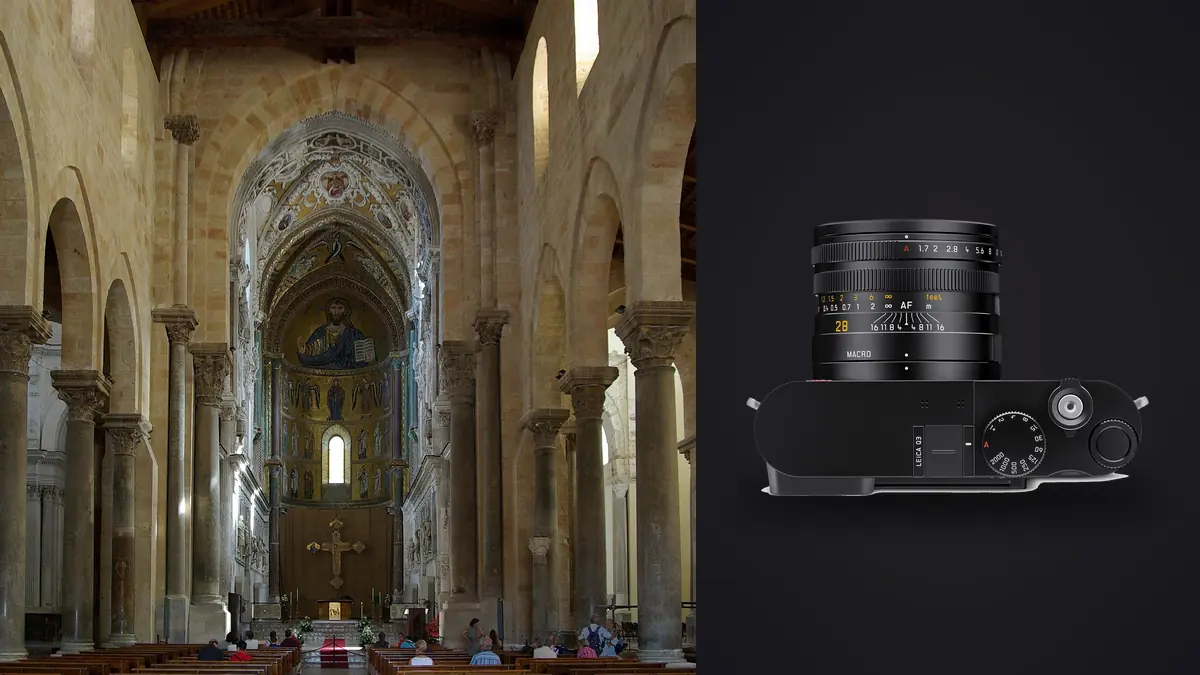
I started bringing a Leica Q3 to interior and architecture shoots almost by accident. I wanted "something less clinical than the usual real estate wide shots" for a showroom project, and I grabbed the Q3 instead of my usual tilt-shift kit because it was already in the bag from a street shoot the day before. Three years and plenty of interior shoots later, it has become the camera I reach for on interior work more often than my full architecture rig, though not for every shoot, and not without some real compromises I want to walk through honestly rather than sell you on.
Is a fixed 28mm actually wide enough for interiors?
This is the question every architecture photographer asks before they try the Q3, and the honest answer is: it depends on the room, and it depends on how you feel about foot-zooming. A 28mm equivalent is comfortable in living rooms, open kitchens, lobbies, and anything with reasonable ceiling height. It starts to struggle in the rooms that actually need help: narrow hallways, small bathrooms, walk-in closets, stairwells. On a recent boutique hotel job I couldn't back far enough into a compact ensuite to get the vanity and the shower stall in the same frame, and ended up doing a two-shot pano stitch instead, which is a fine workaround but adds a step most real estate shooters with a Rokinon 14mm never have to think about.
What softens this limitation is the 60-megapixel sensor. The Q3 has in-camera crop modes that simulate 35mm, 50mm, and 75mm framing in the viewfinder and JPEG preview, but the DNG always records the full 28mm frame at full resolution. In practice that means I shoot loose on purpose in tight spaces, knowing I have room to trim converging edges, remove a door frame creeping into the corner, or straighten a composition later without dropping below the resolution a large print needs. It's a different mental model than carrying multiple primes, and it took me a few shoots to stop reaching for a lens that wasn't there.
Dealing with converging verticals without a shift lens
Point any wide lens up at a doorway or a run of kitchen cabinets and the verticals lean inward. Architecture photographers usually solve this with a tilt-shift lens and physical rise, or by keeping the sensor plane dead level and cropping in from a wider capture. The Q3 doesn't give you shift movements, obviously, so I lean on the second method almost exclusively: mount on a tripod, use the electronic level in the EVF to get the back of the camera perfectly vertical, and accept that I'll lose some ceiling or floor in the frame.
The Q3 does include a perspective-correction assist that nudges converging lines straight using the extra resolution as crop headroom, and I've tested it on a handful of shots. It works, but I still prefer doing the correction manually in Lightroom's Transform panel where I can control exactly how much of the ceiling I'm sacrificing versus how much distortion I'm willing to leave in a wide-angle shot for character. For hero shots that go to print or a magazine spread, I always shoot level and correct by hand. For quick listing photos where nobody is measuring your door frames with a ruler, the assist is good enough and saves time.
The macro switch is more useful here than you'd expect
Design clients care about materials in a way that general architecture clients often don't. Grout lines, cabinet hardware, stitching on an upholstered headboard, the grain on a walnut countertop, these detail shots sell a renovation or a product line as much as the wide establishing shots do. The Q3's macro toggle, a small lever on the lens barrel, shifts internal elements to let you focus down to around 6cm from the front element. I use it constantly for hardware call-outs and texture shots that a standard 28mm minimum focus distance simply can't reach.
The catch is that toggling in and out of macro mode is a manual, slightly fiddly motion, and I've missed a couple of quick shots fumbling with it mid-shoot when someone walked into frame and wanted something different. If your job is mostly wide room shots with the occasional detail insert, budget a few extra seconds per transition rather than expecting to snap between the two like a zoom ring.
Bracketing for window light, and what happens to 200 raw files a day
Interiors almost always mean a dynamic range problem: bright daylight outside a window against a room lit by warm interior fixtures. I bracket most shots, usually a 3 or 5-frame auto-exposure sequence at plus and minus 2 stops, sometimes handheld when a tripod would slow down a walkthrough too much. On a normal day covering ten to twelve rooms with brackets, detail shots, and a couple of exterior frames at dusk, I'll come home with somewhere between 400 and 600 raw files. Sorting that by hand, room by room, bracket by bracket, used to eat most of an evening.
This is where I lean on imagic now instead of scrolling through folders in Bridge. It clusters the bracket sequences and near-duplicate handheld frames automatically, and its local sharpness scoring picks out the sharpest frame in a handheld set where camera shake varies slightly between exposures, which matters more than you'd think when you're bracketing without a tripod in a hurry. If you haven't looked at how automated culling actually groups bursts versus brackets, this breakdown of how AI photo culling works covers the mechanics better than I can in a paragraph here. All the processing runs locally on the laptop, which matters when a developer or hotel brand has a strict pre-launch NDA and doesn't want interior shots touching a cloud service before the reveal date.
Q3 versus Q3 43 for this kind of work
Leica released the Q3 43 with a 43mm Summicron f/2 in place of the original's 28mm Summilux f/1.7, and it changes the interior-photography calculus more than a lot of the marketing copy suggests. The 43mm framing reads much closer to how a room actually looks to the eye standing in it, with far less of the converging-line correction the 28mm needs. But it needs more physical distance to fit a room in frame, which is a real problem in the small spaces where you already can't back up.
| Factor | Leica Q3 (28mm f/1.7) | Leica Q3 43 (43mm f/2) |
|---|---|---|
| Fitting a 3.5m x 4m room from 2m back | Comfortable, some edge distortion | Tight, often needs a stitched pano |
| Converging vertical correction needed | Moderate to heavy in small rooms | Light, closer to natural perspective |
| Macro working distance | ~6cm from front element | ~18cm, less useful for tight hardware shots |
| Best-suited room type | Hallways, bathrooms, open-plan living areas | Larger living/dining rooms, hero shots, portraits of design objects |
| Low-light wide-open aperture | f/1.7, more forgiving at dusk | f/2, a stop tighter but still workable |
| Approx. launch price (USD) | ~$5,995 | ~$6,995 |
If I had to keep only one for interior and architecture work, I'd still take the 28mm Q3, because the rooms that give me trouble are more often too small than too large. But on jobs that are mostly bigger residential spaces or design showrooms with generous floor plans, the Q3 43's more natural rendering means less time in the Transform panel afterward.
On-site practicalities: tethering, discretion, and battery math
Leica's FOTOS app lets you pull a wireless feed to a phone or iPad, which is handy on interior jobs where a designer or client wants to approve framing before you move on to the next room. It's not full studio tethering with live focus peaking on a big monitor, but for a walkthrough where the client is standing next to you, it's fast enough to build trust without a laptop cart trailing you room to room.
The body's size matters more on interior jobs than people expect. Shooting in someone's occupied home or a hotel that's still operating during the shoot, a compact rangefinder-styled body draws far less attention than a full mirrorless body on a tripod with a tilt-shift lens hanging off the front. A compact body like the Q3 "doesn't feel like a production," which helps where the space needs to stay usable between shots.
Battery life is the tradeoff for that compact body. I get roughly 250 to 300 frames per charge in real use, less if I'm chimping through the FOTOS app between shots, so I carry three spare BP-SCL6 batteries and top up over USB-C from a power bank between rooms rather than swapping constantly. It's manageable, but if you're used to a battery grip that lasts all day without thinking about it, this is an adjustment.
Where I still reach for something else
I want to be straight about the limits. For tall exterior building facades where precise, uncorrected verticals matter for architectural documentation (competition submissions, portfolio work for the architect rather than the interior designer), I still bring a dedicated shift lens on a mirrorless body. The Q3's assist and post-crop correction get close, but a physical shift movement preserves resolution and geometry in a way a digital correction can't fully match once you're dealing with a ten-story facade instead of a living room wall.
There's also no built-in ND filter, which is a small thing until you're shooting a bright, glass-walled lobby at f/1.7 for shallow depth of field on a product vignette and have to stop down or push your shutter speed past where you'd rather be. I keep a couple of screw-in NDs in the bag now specifically for that scenario.
And the single fixed focal length, even with the crop modes, means there are moments (a detail shot behind museum-style rope barriers, a fixture too high to approach) where a proper zoom would get the shot and the Q3 simply can't. Those are rare on interior jobs but not nonexistent.
Where it earns its place back
What keeps the Q3 in the bag despite those gaps is what happens after the shoot. A batch of thirty or forty interior rooms with consistent white balance and a particular way of handling window highlights is exactly the kind of repetitive grading work that used to take me a full day in Lightroom. I trained imagic's apply_my_style preset on a set of my own past interior edits, mostly how I neutralize a warm tungsten cast against daylight window light, and now a big batch gets a consistent first pass applied automatically before I go through and hand-adjust the handful of hero frames that will actually get blown up. It hasn't replaced my judgment on the shots that matter, but it's cut a meaningful chunk out of the shots that don't need much beyond consistency. If your bracket-heavy workflow is bottlenecked at the sorting-and-grading stage rather than the shooting stage, these workflow adjustments are worth reading alongside whatever culling tool you end up using.
Frequently Asked Questions
Is the Leica Q3's 28mm lens too wide for shooting small rooms?
Not too wide exactly, but it forces compromises. In compact bathrooms, closets, and narrow hallways you'll often need a two-shot stitched panorama or accept losing part of the room to converging-line correction. Larger living spaces, kitchens, and lobbies are comfortable at 28mm without extra steps.
Do I need a tilt-shift lens instead of the Q3 for real estate or architecture work?
For general interior and real estate shoots, no, the Q3's resolution and the correction tools in Lightroom get you close enough for listing photos and design portfolios. For architectural documentation of exteriors where geometric accuracy matters for a portfolio or competition entry, a dedicated shift lens still does a cleaner job than any digital correction.
Can the Q3 handle twilight exterior shots of a building?
Yes, reasonably well. The f/1.7 aperture and native ISO range give it enough low-light headroom for dusk exteriors, and I've shot usable blue-hour building shots on a small tripod without pushing ISO past 800 to 1000. It won't match a dedicated architecture body with a shift lens for ultimate corner sharpness at wide apertures, but for a single dusk hero shot it's more than adequate.
Is the Q3 43 a better choice than the standard Q3 for interior photography?
It depends on the room sizes you shoot most. The 43mm's more natural perspective needs less correction and looks better for hero shots of larger rooms, but it needs more distance to fit a space in frame, which hurts in the tight rooms where the 28mm Q3 is already the more forgiving choice.