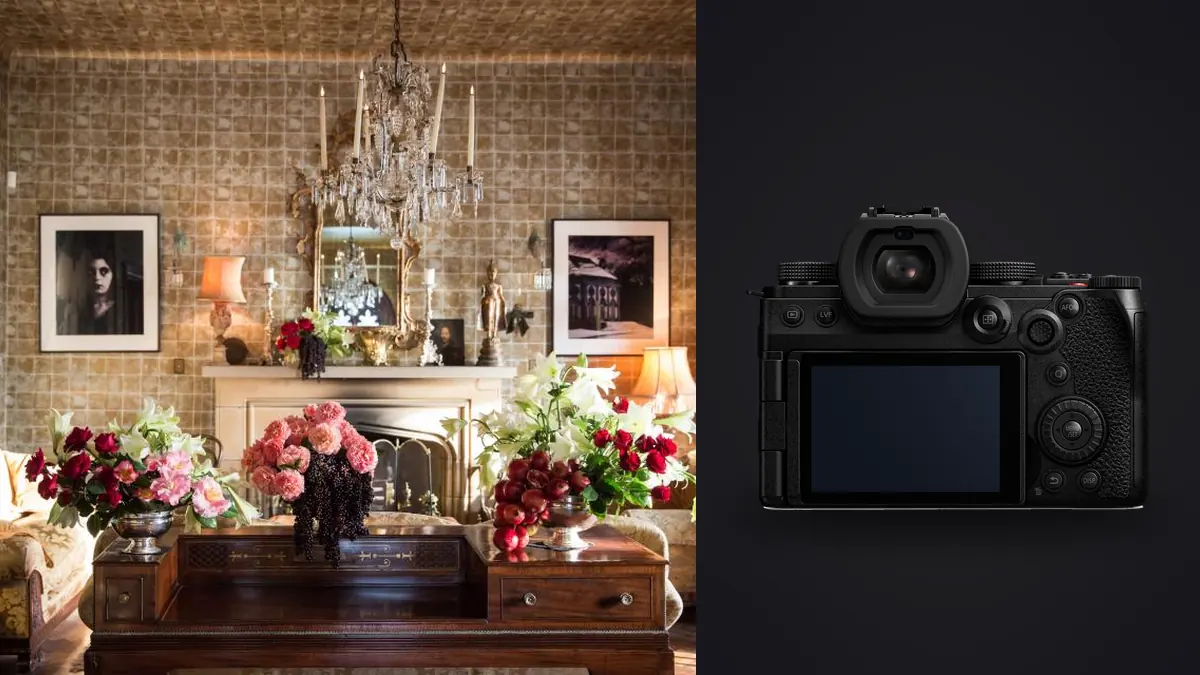
I spent four days last spring photographing a boutique hotel renovation in Porto, twenty six rooms, three restaurants, a rooftop bar, and roughly six hours of unavoidable bracket shooting because half the rooms had floor to ceiling windows facing a blinding Atlantic sky. The body on my strap for that job was a Panasonic Lumix S5IIx, which is an odd choice on paper since Panasonic built and marketed it almost entirely around video. Nobody at Panasonic wrote a single line about architectural stills when they announced it. But interiors and architecture turn out to be one of the few genres where a video first full frame body quietly has most of what a stills shooter actually needs, and after a year of running it on commercial interior jobs I want to lay out where it earns that trust and where it genuinely does not.
What the sensor and autofocus actually give you in a room
The S5IIx uses the same 24.2 megapixel full frame sensor as the standard S5II, with the same phase hybrid autofocus system. For architecture that autofocus system is mostly wasted talent. Most of my interior work is done from a tripod, stopped down to f/8 or f/11, focused manually with peaking turned on and the live view punched in on whatever detail matters most, usually a piece of joinery or a light fixture in the middle third of the frame. Where the autofocus earns its keep is on the walk through side of the job: real estate agents and hospitality clients increasingly want a short handheld video or a set of lifestyle stills with a person setting a table or opening curtains, and for that the subject detection is genuinely reliable. It holds a face through doorway transitions and mixed backlight better than the S1 body I used before it.
Twenty four megapixels is on the modest side next to a Sony a7R V or a Fujifilm GFX100S, both of which show up in architecture photographers' bags specifically for the extra crop room a large print or a magazine double page spread demands. That gap is exactly why the high resolution mode matters more here than it does for most other genres.
The high resolution mode is the feature that matters more than people expect
Switch the S5IIx into its pixel shift high resolution mode and it fires eight sensor shifted frames and merges them into a single file that Panasonic rates at roughly 96 megapixels. It only works from a locked off tripod, and it only works cleanly on a static scene. Curtains moving in the HVAC airflow, a ceiling fan, a candle flame on a restaurant table, any of that produces faint ghosting or feathering at the edges of the moving element. I use it selectively: hero shots of an empty lobby or a finished bedroom, never on a shot with staff walking through or plants near an open window. When it works, the extra resolution is real, not marketing. Cropping a vertical composition out of a wide interior shot for an Instagram carousel or a print portrait orientation stops being a compromise.
The tradeoff nobody mentions in the spec sheet is file size. A single high res mode RAW runs well past 200MB, and a hotel shoot that generates forty or fifty of them alongside several hundred normal frames adds up to a genuinely large take by the end of a multi day job. That storage and sorting problem is one of the reasons I lean on imagic for the culling pass now rather than clicking through thumbnails in a folder, more on that further down.
Light is the actual problem, not resolution
Interiors punish dynamic range more than almost any other kind of photography. A hotel room with a bright window wall and a dim reading nook in the same frame is a routine Tuesday, not a special case. The S5IIx sensor handles a single exposure reasonably well, shadows lift cleanly to about three stops before noise gets objectionable, but I still bracket most rooms at three to five exposures a stop apart and blend in post rather than trust one frame to hold both the window view and the interior detail. Dual native ISO is technically a video spec on this body, built for V-Log recording in dim function rooms and restaurant interiors after dark, but it carries over to stills too. Shooting a dinner service or an evening bar scene at ISO 3200 produces noticeably cleaner files than I got out of the older S1.
The fully silent electronic shutter is the feature I would miss most if I went back to a DSLR for this work. Occupied buildings, whether it is a boutique hotel mid service, an office during working hours, or a retail space with customers browsing, do not want a mechanical shutter clattering away every few seconds. Being able to work a room without anyone noticing the camera is firing changes how a client's staff behaves around you, and that shows up in the shots.
Weather sealing matters on the same jobs more often than people expect, because architecture briefs rarely stop at the front door. Courtyards, rooftop terraces, and covered walkways are part of the assignment, and the S5IIx's magnesium alloy body has shrugged off drizzle and dusty construction sites without complaint. I would not call it a rugged body in the way a flagship sports camera is rugged, but for the kind of exposure it gets on a design shoot it has been fine.
Lens choices: the L-mount tradeoff for interior work
This is where the S5IIx asks something of the photographer that a Canon or Nikon shooter with a dedicated tilt shift lens does not have to think about. L-mount has no native tilt shift optic. Panasonic, Sigma, and Leica between them cover wide primes and zooms well, but perspective control has to come from either software correction in post or a manual lens built for it. My working kit leans on the Panasonic 16-35mm f/4 for general room coverage, the Sigma 14mm f/1.4 for tight spaces where I need speed as much as width, and increasingly the Laowa 15mm f/4.5 Zero-D Shift, a fully manual lens with six millimeters of shift that lets me straighten a facade or a tall interior wall optically instead of stretching it in Lightroom afterward. For anyone shooting architecture seriously enough to justify it, a Cambo Actus view camera body adapted to L-mount is also worth knowing about, though that is a specialist purchase most working photographers will never need.
| Lens | Focal length | Max aperture | Distortion behavior | Street price | Best use on interiors |
|---|---|---|---|---|---|
| Panasonic Lumix S 16-35mm f/4 | 16-35mm | f/4 | mild barrel at 16mm, corrects cleanly | ~$1,300 | general room to room coverage |
| Sigma 14mm f/1.4 DG DN Art | 14mm | f/1.4 | noticeable barrel, needs correction | ~$1,600 | tight rooms, dim ambient light |
| Panasonic Lumix S 18mm f/1.8 | 18mm | f/1.8 | well controlled out of camera | ~$900 | clean verticals, minimal correction work |
| Sigma 20mm f/2 DG DN | 20mm | f/2 | mild, corrects easily | ~$650 | lighter kit for walk throughs |
| Laowa 15mm f/4.5 Zero-D Shift | 15mm | f/4.5 | near zero distortion, plus or minus 6mm shift | ~$1,400 | true optical perspective control, manual focus only |
None of those lenses are exclusive to the S5IIx, they mount on any current L-mount body, which is worth remembering if the video specific features below end up not justifying the price gap over the standard S5II for your own work.
Where the stabilization actually saves a shoot
In body stabilization gets talked about mostly as a low light tool, and it is that, but on interior jobs its bigger value is letting me skip the tripod entirely in spaces where a tripod is either impractical or not allowed. Narrow hotel corridors, tight residential stairwells, retail fitting rooms, anywhere the legs of a tripod would block foot traffic or scratch a freshly finished floor. Panasonic's own figures put the stabilization at several stops of correction depending on the lens attached, and in practice I can hand hold a wide interior at a quarter second and get a usably sharp frame more often than not, provided I brace against a doorframe or a wall. It has not replaced the tripod for hero shots where I still want the option of high resolution mode and careful bracketing, but it has replaced it for the secondary coverage shots that used to eat time setting legs up and down a hallway.
What happens after the shoot
A four day interiors job like the Porto hotel routinely comes home with three to four thousand frames once you count every bracket set, every angle variation, and every safety frame shot because a light fixture flickered mid exposure. Culling that by eye used to be the part of the job I dreaded most. I run the take through imagic now before I open Lightroom at all, letting its local sharpness and focus scoring flag the soft frames in a bracket set and its duplicate and burst clustering group the near identical exposures together so I am comparing five frames of the same window wall against each other instead of scrolling past all five individually. Everything runs on the laptop with no upload step, which matters on hospitality and corporate interiors jobs where the client has not announced the renovation yet and the files are technically under NDA until launch. If you have not looked at how that kind of local culling actually scores a frame, this breakdown of how AI photo culling works covers the mechanics in more depth than I have room for here.
The other place imagic earns its spot in the workflow is grading consistency across a job that stretches over several days and several lighting conditions. Interior work lives or dies on color accuracy and a consistent white balance treatment from room to room, and clients notice immediately if the restaurant looks warmer in the gallery than the lobby did an hour earlier. I built an apply_my_style preset in imagic from a batch of edits I was already happy with, and running new takes through it gets me to a consistent starting point before I do the room by room fine tuning that no automated tool should be doing anyway. It is a smaller time saver than the culling step but it removes a specific kind of inconsistency that used to slip through on rushed turnarounds. For anyone building out a grading approach from scratch, this guide to color grading workflow is a decent starting point regardless of what software ends up applying it.
Video: the reason this variant exists at all
It is worth being honest that the S5IIx is not really built for people like me. Panasonic's pitch is internal ProRes recording up to 4K 60p, ProRes RAW output over HDMI to an external recorder, direct recording to a USB SSD, IP streaming over a wired network, and Real Time LUT monitoring, all backed by an active cooling fan that lets it record for far longer than the standard S5II before it hits a heat limit. If a hospitality or architecture client also wants a walkthrough video alongside the stills, which happens more often now than it did three years ago, having one body that shoots both without switching kits is genuinely convenient. But if stills are the whole job, the standard S5II shares the sensor, the stabilization, and the high resolution mode at a noticeably lower price, and the video features on the S5IIx will sit unused. I would not buy the X variant on stills merits alone.
Where it falls short
No built in ND filter means daylight video work needs external glass, which is a video complaint more than a stills one, but it does affect any client who wants a slow shutter walkthrough clip shot in a bright lobby. Rolling shutter on the electronic shutter is present enough that panning shots or anything with fast movement through frame will show skew, so I stay on the mechanical shutter for handheld work with people in motion. Battery life during a long high resolution mode session drops faster than the spec sheet suggests, since every high res frame is really eight exposures plus processing time, and I carry three batteries on a full shoot day rather than the two I used to get by with. None of these are dealbreakers for interior work specifically, but they are the parts of the spec sheet that read better in a press release than they perform on a twelve hour shoot day.
Frequently Asked Questions
Do I actually need a tilt shift lens to shoot architecture on this camera?
No, but you need a plan for perspective control one way or another. Most of my verticals get corrected in Lightroom from a wide native lens shot with a bit of extra headroom, which works fine for web and most print use. The Laowa shift lens comes out for jobs where a client is printing large or where the correction angle is steep enough that software correction would cost too much resolution at the edges.
Is the 96 megapixel high resolution mode realistic to use on a real shoot, or just a spec sheet number?
It is real, but narrow in application. It needs a tripod, a static scene, and enough time in the schedule to let each shot settle, which rules it out for anything with staff or guests moving through frame. On a typical hotel job I use it on maybe ten to fifteen percent of the final frame count, reserved for the shots most likely to end up printed large or used as a magazine opener.
How does the camera handle mixed lighting in an occupied building?
Reasonably well for a single exposure, better once you bracket. The dual native ISO helps in dim function spaces and restaurants after dark, and the silent shutter means you can work through a room full of guests without drawing attention, which matters as much as the raw image quality on hospitality jobs.
Is the S5IIx worth the premium over the standard S5II if I only shoot stills for architecture and interiors?
Probably not. The stills side of the two cameras is nearly identical, same sensor, same stabilization, same high resolution mode. The X variant's price premium buys video features, ProRes recording, SSD capture, active cooling, that a stills only interiors photographer will likely never touch. Buy the S5IIx if video is part of the brief, buy the S5II if it is not.
A year in, the S5IIx has earned a permanent spot in the bag for jobs that mix stills and video, and it has been reliable enough on pure stills interior work that I have not gone looking for a replacement. It is not the camera I would recommend to someone who only ever shoots architecture stills and never touches a video file, but for the growing number of jobs that want both from one photographer, it has quietly become the body I reach for first.