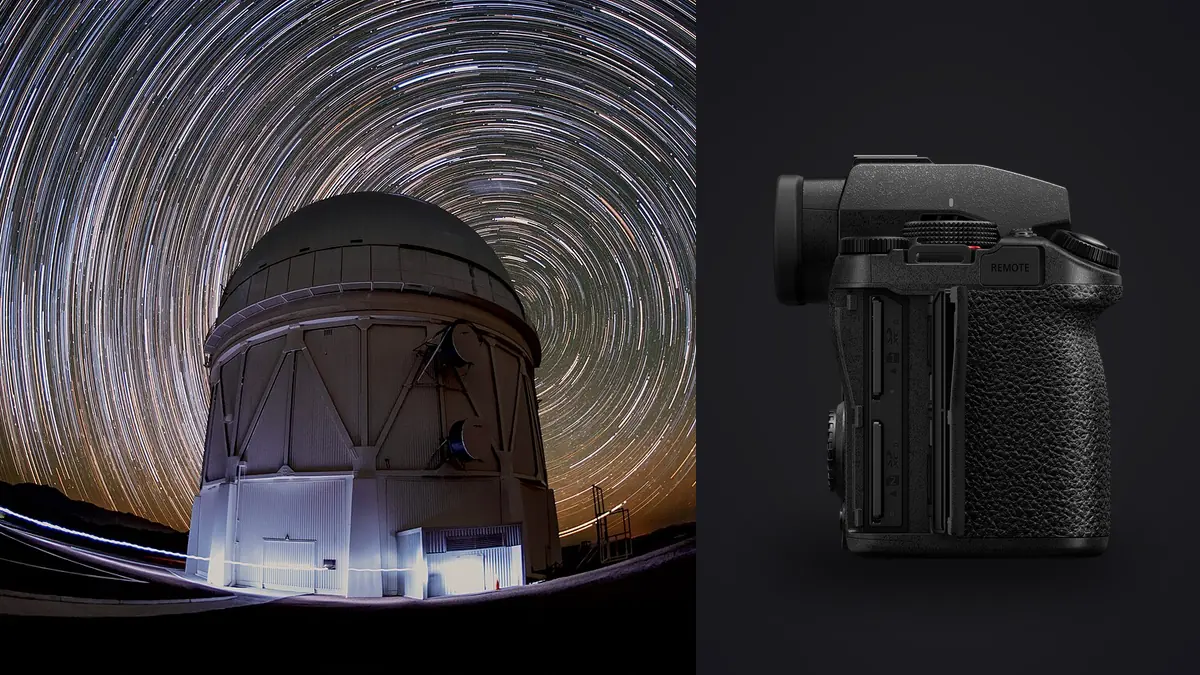
I bought the S5IIx for corporate video work, not for astrophotography. It sat in a Pelican case doing interview setups and product b-roll for the better part of a year before I ever pointed it at the sky. What finally pushed me to try it on a star stacking project was simple: I already owned it, I didn't want to rent a dedicated astro body for a weekend trip out to the Alabama Hills, and I was curious whether a camera Panasonic sells almost entirely on its video credentials could hold up for a stack of two hundred RAW frames of the Milky Way.
It held up better than I expected, with a handful of specific limits worth knowing before you commit a whole night to it. This is a rundown of what actually works, what the spec sheet glosses over, and how the full star stacking workflow plays out on this particular body, from the first sub-frame to the finished composite.
S5II or S5IIx: for stills at night, it barely matters
Get this out of the way first, because it changes what you should actually buy. The S5IIx and the plain S5II share the same 24.2 megapixel sensor, the same phase-hybrid autofocus system, the same in-body stabilization, and the same weather sealing. Every difference Panasonic built into the IIx variant lives on the video side: internal ProRes recording to a USB SSD, 5.9K ProRes RAW output over HDMI, waveform and vector scope overlays, wired network streaming, and an all-black cosmetic finish. None of that touches how a RAW stills file comes off the sensor.
If you are buying a body specifically for night sky stacking and have no video use case for the IIx's extras, save yourself the premium and get the S5II. I only ended up testing this on the IIx because it's what was already in my bag. Everything below applies equally to both.
What the sensor actually does after dark
The 24.2MP sensor in this generation was Panasonic's first full-frame chip with on-sensor phase detection, a real jump from the contrast-only DFD system in the original S5. For daylight autofocus that mattered a lot. For night sky work it matters less than the ISO behavior does.
In practice I found the noise floor genuinely usable up through ISO 3200, still workable at ISO 6400 if you're stacking enough frames to average it down, and rough enough at ISO 12800 that I only reach for it when the sky is unusually dark and I need the extra light more than I need clean shadows. The rear screen lies to you at night, by the way. Anything looks bright enough against a black desert horizon at 2am. Trust the histogram, not your eyes, and trust the blinkies over both.
Here's roughly what I've settled on for a 20mm-ish wide lens at f/2, based on a season of testing rather than a spec sheet:
| Focal length | Max single sub before visible trailing | Working aperture | Notes |
|---|---|---|---|
| 14mm | ~25 seconds | f/1.4-f/2 | Coma shows in corners past f/2 on most primes this wide |
| 20mm | ~18 seconds | f/1.4-f/2.2 | My default framing for Milky Way arches |
| 24mm | ~15 seconds | f/1.8-f/2.8 | Good middle ground if you want more foreground detail |
| 35mm | ~10 seconds | f/1.8-f/2.8 | Needs more subs to compensate for the shorter exposure |
| 50mm | ~6-7 seconds | f/1.8-f/4 | Only worth it on a tracker at this focal length |
Those numbers assume a 24 megapixel sensor at 100% crop scrutiny, which is stricter than most people actually pixel-peep their final export at. If your finished image is getting resized for web or print at a reasonable size, you can push a couple seconds past these figures and nobody will notice.
Getting focus on something you can barely see
Autofocus on stars is where I had the most mixed results. Panasonic rates this generation's low-light AF sensitivity at roughly -8 EV on paper, which sounds like it should lock onto anything brighter than a candle a mile away. In the field, against a genuinely dark sky with no moon, the autofocus hunts on dim stars more often than it locks, and it locks with more confidence on a bright planet or a first-magnitude star than on the Milky Way core itself.
What I actually do every session is manual focus with focus peaking turned up and the rear screen magnified to 10x on the brightest star I can find near my framing. Infinity focus marks on L-mount lenses are not reliable enough to trust blind, and the actual infinity point shifts slightly as the lens housing cools over the course of a few hours, especially on hot summer nights that cool fast after sunset. I re-check focus roughly every 45 minutes on a long session rather than assuming it holds. A cheap Bahtinov mask still earns its place in the bag for this camera the same way it does for any other.
Star trails versus stacked points: pick one before you start
It's worth separating two different techniques that both get called "star stacking," because they need opposite settings. Stacking short subs to build a clean, low-noise, pinpoint-star image (the Milky Way look) wants many exposures short enough to freeze star movement, aligned and averaged in software. Star trails want the opposite: long total exposure time, with the earth's rotation deliberately left visible as arcs.
Panasonic doesn't give the S5IIx an in-camera live-compositing preview for trails the way some competing systems do, where you watch the trail build up on the LCD in real time. What you get instead is a solid built-in interval timer, buried in the shooting menu under time lapse settings, that will fire a sequence of identical exposures back to back for as long as your battery and card hold out. For trails, I set it for a run of 200 to 300 frames at 15 to 20 seconds each with almost no gap between shots, then stack the sequence afterward in dedicated trail software like StarStaX rather than relying on anything the camera does itself. It's an extra step compared to bodies with a true live composite mode, but it works, and it gives you more control over which frames to drop from the final trail.
Running the actual shoot
A few practical things that matter more than they sound like they should. The S5IIx will charge and run off USB-C power delivery while shooting, which means a power bank zip-tied to the tripod leg turns a 45-minute session into an all-night one, and I use this on every stacking trip now. The weather sealing is rated to -10°C, which has held up through a couple of genuinely cold nights in the Sierra foothills without the body locking up, though I still keep it in a jacket between sequences once the temperature drops that far, mostly to slow dew formation on the front element.
Switch to the electronic shutter for the actual sequence. It removes the small amount of mechanical vibration a shutter mechanism introduces at these exposure lengths, and it saves your mechanical shutter's actuation count for daytime work, which matters if this is also your only working body. Set the built-in interval timer to the number of subs you want with a one-second buffer between exposures rather than trying to hold down the shutter button or use a cheap third-party intervalometer, since the in-camera version doesn't introduce any extra lag between frames.
Culling two hundred subs before you stack any of them
This is the part nobody warns you about before your first serious session. A night of shooting subs for one composition easily produces 200 to 400 RAW files once you count framing tests, twilight exposures, a few where a plane dragged a streak through the frame, one where the tripod got bumped, and the ten or so at the end where dew had started fogging the front element and you didn't notice until you got home. Feeding all of that straight into a stacking program wastes processing time and, worse, can visibly soften your final stack if enough soft frames get averaged in.
I run the folder through imagic before it goes anywhere near a stacker. The local sharpness and focus scoring is the useful part here, since it flags the frames where focus drifted over the session or where a gust of wind blurred the exposure, without me having to zoom into three hundred thumbnails one by one on a laptop screen at a campsite. Because it runs entirely on-device, this also matters in a very literal way at most dark sky sites, where there's no cell signal to speak of and nothing worth uploading two hundred RAW files to anyway. It's the same time saving described in this rundown on faster photo workflow, just applied to a folder of near-identical night sky subs instead of a wedding gallery.
One thing worth knowing before you rely on it here: turn down or ignore imagic's duplicate and burst detection for astro sequences. It's built to catch near-identical frames from a wedding burst or a sports sequence, and star stacking subs are deliberately near-identical to each other by design, so left on a default sensitivity it will flag good subs as duplicates that you actually want to keep every single one of. The sharpness scoring is what earns its keep on this kind of shoot, not the clustering.
Which stacking program to actually use
None of this is specific to the S5IIx, but a few notes from working with its .RW2 files specifically:
| Program | Platform | RAW handling | Best for |
|---|---|---|---|
| Sequator | Windows, free | Reads .RW2 directly, no conversion needed | Fast Milky Way stacks with a foreground blend, easiest learning curve |
| DeepSkyStacker | Windows, free | Older builds choke on newer .RW2 files, update first or convert to 16-bit TIFF | Deep sky targets, more control over registration |
| Starry Landscape Stacker | Mac, paid | Handles .RW2 fine via its own RAW engine | Landscape astro with a lot of foreground detail |
| Siril | Cross-platform, free | Reads .RW2, needs a script or the GUI stacking workflow | More technical control, scripting repeatable stacks |
Sequator is where I'd point anyone starting out with this camera. It handles the foreground and sky as separate regions automatically, which saves a lot of manual masking later, and I've never had it fail to open a .RW2 straight off the card. DeepSkyStacker is the one to reach for once you want more control over rejection thresholds and registration methods, but budget time to fight with RAW compatibility on an older install before you get there.
Lenses that are actually worth pairing with it
The L-mount lens catalog for wide, fast primes has gotten genuinely good. My most-used combination is the Sigma 14mm f/1.4 DG DN Art, which controls coma in the corners better than almost anything else I've used at this focal length, at the cost of being a heavy, front-loaded lens that makes the whole rig a little nose-heavy on a lightweight travel tripod. The Panasonic Lumix S 18mm f/1.8 is the one I actually pack more often, since it's compact enough to not need a counterweight and still holds up reasonably well wide open once you're a couple hundred pixels in from the extreme corner. If money's tighter, the Laowa 15mm f/2 Zero-D in L-mount is a fully manual lens with barely any distortion and solid corner sharpness for well under half the price of the Sigma.
Getting a usable image out the other end
Once a stack is done, you're left with one flattened TIFF or PNG per composition rather than hundreds of subs, and that final file still needs the same color and contrast decisions any night sky image needs: pulling back green in the shadows, controlling how warm the foreground reads against a cool sky, deciding how much of the airglow to keep. If you've already built a color treatment you like for astro work in Lightroom or Capture One, imagic's apply_my_style feature can carry that same treatment across a batch of finished composites from a trip, trained on your own past edits rather than a generic preset pack, which saves re-doing the same six adjustments on every stack from a multi-night trip.
None of this makes the S5IIx a dedicated astro camera, and it isn't trying to be one. But between the phase-hybrid AF, a sensor that's genuinely usable to ISO 6400, a built-in interval timer, and USB-C power delivery for long sessions, it does the job of one well enough that I stopped feeling like I needed to rent something else for a weekend trip. If you're weighing whether to buy specifically for this, and you don't need the IIx's video extras, get the plain S5II and put the difference toward a fast wide prime instead.
Frequently Asked Questions
Can the S5IIx actually autofocus on stars, or is manual focus required every time?
It can lock onto brighter stars and planets in decent conditions, but against a genuinely dark sky with no moon it hunts more often than it locks reliably. I treat autofocus as a starting point at best and always confirm with 10x magnified manual focus and peaking before starting a sequence.
Do I need a star tracker, or is the in-body stabilization enough for stacking?
IBIS does nothing for star stacking exposures, since it's built to counteract handheld camera shake and your camera is locked down on a tripod for every sub. A tracker matters if you want single exposures longer than the numbers in the table above without trailing, but stacking many short untracked subs is a legitimate and much cheaper alternative for wide-angle Milky Way work.
What's the longest single exposure I can get away with on a 20mm lens before stars trail?
In my testing, around 18 seconds at pixel-level scrutiny before trailing becomes visible on a 24 megapixel sensor. You can push a few seconds beyond that if your final output is downsized for web or print rather than viewed at 100%.
Should I bother shooting RAW if I'm going to stack the frames anyway?
Yes, always. Stacking software gets much better alignment and noise reduction results from RAW data than from compressed JPEGs, and you'll want the extra dynamic range in post to balance a bright foreground against a much darker sky. Shooting JPEG-only for a stacking session is one of the few genuinely hard-to-fix mistakes you can make on a night like this.