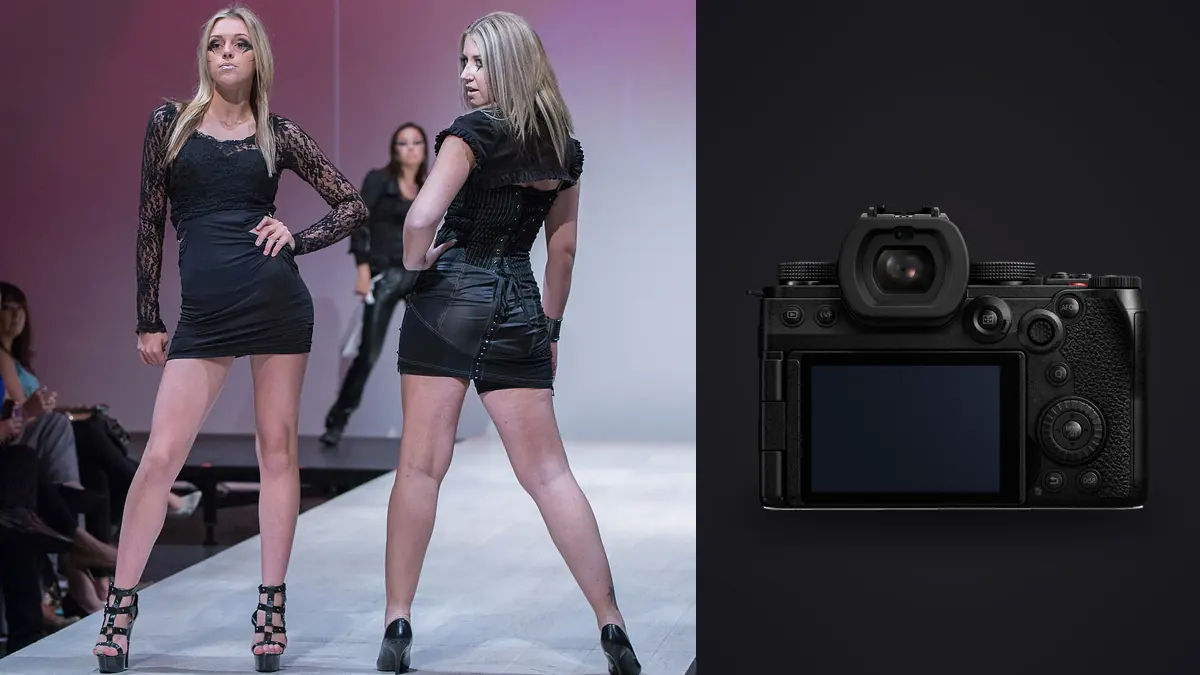
A commercial fashion lookbook is not a portrait shoot with more outfits. You've usually got a rented studio or a location booked for a fixed window, a stylist steaming garments between looks, a hair and makeup team on the clock, and a client (often the brand's marketing lead, sometimes the founder) who wants to see selects before the model has even changed out of the current outfit. The camera has to keep up with that pace without becoming the bottleneck, and after two seasons of shooting lookbooks with a Panasonic Lumix S5IIx as my primary body, I've got specific opinions about where it earns its keep and where it doesn't.
Why the "x" variant matters for this specific job
The standard S5II and the S5IIx share the same 24.2-megapixel full-frame sensor, the same phase-detect autofocus system (Panasonic's first in a full-frame body, and a real improvement over the contrast-detect wobble on the original S5), and the same in-body stabilization. What the IIx adds is almost entirely about output flexibility and connectivity, and on a lookbook set that turns out to matter more than the spec sheet suggests.
Two things get used constantly. First, the all-black finish and slightly beefed-up cooling mean you can run longer behind-the-scenes video clips (lookbook briefs now often call for a 30-45 second reel alongside the stills, cut from B-roll) without the camera flagging a thermal warning halfway through a look. Second, and this is the one nobody mentions until they've tried it, the S5IIx can push a live feed out over USB-C or a wired LAN adapter without any third-party capture card. On a shoot where the brand's creative director is dialing in from another city, that live feed replaces the awkward "email me a JPEG every ten minutes" routine entirely. Art directors can watch the feed on a laptop in a hotel room, giving real-time direction on pose and crop while the photographer is still adjusting a light.
What you give up by not shooting the plain S5II
Mostly nothing, if the budget allows it, but the IIx costs more for features a lot of stills-only shooters won't touch. If your lookbook work never includes a video deliverable and you're not streaming to a remote client, the S5II does the same stills job for less money. I'd only steer someone toward the IIx specifically if hybrid delivery (stills plus a short vertical reel for the brand's Instagram) is part of the contract, which on lookbook briefs it often is now.
Autofocus and the burst discipline a moving garment demands
Fabric moves in ways a static portrait subject doesn't. A wrap dress catching air mid-turn, a scarf settling after a walk, hair falling back into place after a head toss, all of that requires shooting in short bursts rather than single frames if you want the one moment where the garment reads correctly and the face isn't mid-blink. The S5IIx's phase-detect AF holds onto eyes reliably even with a model walking toward camera at a moderate pace, which the older contrast-detect S5 genuinely struggled with in continuous mode.
The tradeoff is volume. A four-look, half-day lookbook shoot easily generates 1,200 to 1,800 RAW frames once you account for bursts on every meaningful pose. Sorting that by eye, look by look, at the end of a ten-hour day is where a lot of photographers lose an evening they don't have, especially with a client expecting a first-pass select gallery by the next morning. This is the exact problem I built my culling pass around imagic for: it clusters near-identical burst frames automatically and ranks them by a local sharpness score, so instead of scrubbing through fourteen nearly-identical frames of the same turn, I'm looking at the two or three the software already flagged as sharpest. It runs the analysis on my machine, nothing leaves the laptop, which matters more than it sounds like on unreleased-collection work (more on that below). If you haven't used an automated first pass before, our explainer on how AI photo culling actually works covers the mechanics in more depth than I will here.
Sync speed, ISO behavior, and a color opinion
Studio strobes on a lookbook set are usually Profoto B10s or similar monolights, and the S5IIx's mechanical shutter syncs cleanly to 1/250s, which is plenty for freezing most fabric motion under flash duration alone. Where it gets more interesting is the dual native ISO circuit carried over from Panasonic's cinema line. Shooting under continuous LED (which a lot of lookbook sets now use so the same lighting rig serves both the stills camera and a second body shooting video) the second native ISO point around 2000 keeps noise controlled without cranking the strobe-equivalent output, which on longer days saves real time not having to re-meter every time you swap from flash to continuous.
On color: Panasonic's out-of-camera skin tone rendering runs slightly warmer and less contrasty than what I got used to on Sony bodies, which for fashion work I actually prefer as a starting point, it needs less correction to avoid the slightly plasticky look strobe-lit skin can get. For stills-only days I shoot the standard photo profile rather than V-Log, because V-Log stills need more grading work than the result justifies. V-Log earns its place specifically on the video B-roll, where I'm grading it alongside the stills to match, and that's the one place in the workflow where a color-grading pass genuinely helps; if you're building that muscle, the guide to color grading workflow is a reasonable starting point for matching a log video profile back to your still frames.
A look-by-look settings breakdown from an actual shoot day
Rather than a generic spec table, here's roughly what a recent six-look lookbook day looked like on the settings side, because "it depends on the shot" is more useful with real numbers attached.
| Shot type | Resolution mode | Shutter / aperture | Frames captured | Kept after cull |
|---|---|---|---|---|
| Hero look, static pose | 24MP standard | 1/250s, f/6.3 | ~40 per look | 3-4 |
| Movement / walk-turn | 24MP standard, high-speed burst | 1/320s, f/5.6 | ~110 per look | 4-6 |
| Detail / fabric close-up | 96MP handheld high-res | 1/160s, f/8 | ~15 per look | 2 |
| BTS vertical reel clip | 4K/30 video, standard photo profile or V-Log | 1/60s shutter angle equivalent | 3-5 clips per look | 1-2 usable clips |
The 96MP handheld high-res mode gets underused by most people who own this camera because it requires the subject and camera to hold reasonably still across the multi-shot composite, but for a locked-off detail shot of embroidery or a button placket, it's genuinely useful when the client wants a print-catalog crop that a 24MP file would strain to deliver at full bleed.
Lens choices that actually earn their keep on this genre
The L-mount alliance is the practical reason I stuck with Panasonic bodies rather than jumping to Canon or Nikon glass. My working kit is a Panasonic S 24-70mm f/2.8 for the walk-and-turn sequences and general coverage, a Sigma 85mm f/1.4 DG DN for tighter hero portraits where I want the background to fall away cleanly, and a Sigma 105mm f/2.8 macro that gets pulled out specifically for embroidery, stitching, and jewelry detail shots paired with that 96MP high-res mode. Sigma's L-mount lenses run noticeably cheaper than Panasonic's own S-Pro line for very similar optical performance, and on a genre where you're buying two or three primes plus a standard zoom, that price gap adds up across a kit.
One practical note on the 24-70mm specifically: wide open at f/2.8 it's sharp enough across the frame that I rarely stop down further even for group looks with two models, which keeps shutter speed comfortable under continuous lighting without pushing ISO into the second native-ISO range unnecessarily.
The confidentiality angle nobody puts in a spec comparison
Pre-season lookbook work is almost always shot under an NDA. The client hasn't announced the collection yet, and most contracts now specifically restrict where the RAW files can travel before delivery, sometimes explicitly naming cloud services the brand doesn't want images touching. That's a workflow constraint as much as a legal one: whatever culling or preview tool you use between the shoot and delivery has to run without uploading anything anywhere. It's a good reason to skip cloud-based culling services and do that step in imagic, which does its sharpness scoring and duplicate detection entirely on the local machine. When a brand's legal team asks where the images were processed before delivery, "on a local laptop, no cloud service touched" is a much easier sentence to say than trying to explain a SaaS tool's data retention policy.
Where the S5IIx isn't the right call
I'll be blunt about the limits. 24 megapixels native is fine for web, social, and most print catalog work, but if a client wants billboard-scale or full double-page magazine spreads without cropping, a 45+ megapixel body still has more headroom, the 96MP mode is a composite and doesn't help with a moving subject. The lack of a built-in flash (true of both S5 II bodies, not unique to the IIx) means you're carrying a separate trigger for any strobe work, one more thing to forget in the bag. And the electronic shutter, while fast enough for most fashion movement, still shows rolling shutter skew on genuinely fast whip-pans or a model doing a quick spin under a fast continuous burst, so for that specific shot I switch back to the mechanical shutter and accept the lower top frame rate.
Getting from card to delivered gallery
The post-shoot chain I actually run: cards get offloaded and backed up twice before anything else happens (the dual SD slots mean I'm already shooting a live backup on card two, so this is really a third copy for peace of mind). Then imagic's cull pass runs over the full take, clustering the bursts and surfacing the sharpest frame per cluster so I'm reviewing hundreds of decisions instead of over a thousand. From there I apply a starting grade using apply_my_style, the preset imagic builds from my own previously-edited photos rather than a generic film-emulation LUT, so the color and contrast baseline already looks like my own edits before I've touched a slider, and I spend my actual editing time on the handful of hero images that need individual attention rather than re-establishing a look from scratch on every frame. It's not a replacement for a real edit on the images that make the final cut, but it removes the flat, unstyled starting point that used to eat the first hour of every editing session.
Frequently Asked Questions
Is the S5IIx worth the upgrade over a plain S5II for a stills-only lookbook business?
Only if hybrid video delivery, remote client streaming, or long-form video capture (interviews, extended BTS) is part of what you sell. If every booking is stills-only with a same-day gallery, the S5II handles the photography side identically for less money.
How many frames should I budget per look when the model is moving?
In practice, a walk-and-turn sequence runs 80 to 120 frames once you include the buffer of the burst before and after the peak moment. Static hero poses need far fewer, usually under 50. Budget storage and cull time accordingly rather than assuming a flat number per look.
Does the S5IIx's sync speed limit me to slower strobe recycling on a busy set?
Not really, 1/250s mechanical sync is standard for this class of camera and hasn't been the bottleneck on any set I've worked. The recycle time of the strobe pack itself is a bigger limiting factor than the camera's sync speed.
Can I skip tethering software entirely and just use the built-in streaming for client approval?
For casual look-ins, yes, the live feed over USB-C or the LAN adapter is genuinely good enough for a remote art director to judge pose, crop, and general styling. For frame-accurate final selects you still want actual files reviewed, since a compressed live stream won't show focus misses or fine texture the way a delivered RAW will.
What card setup should I run for a full lookbook day of high-res bursts?
Two fast UHS-II SD cards in the dual slots, one set to backup/relay so you're never shooting on a single point of failure mid-look. On a six-look day mixing standard bursts with occasional 96MP high-res frames, I've landed somewhere around 180-220GB total, so a pair of 256GB cards with headroom to spare has been the comfortable middle ground rather than cutting it close on a single 128GB card.