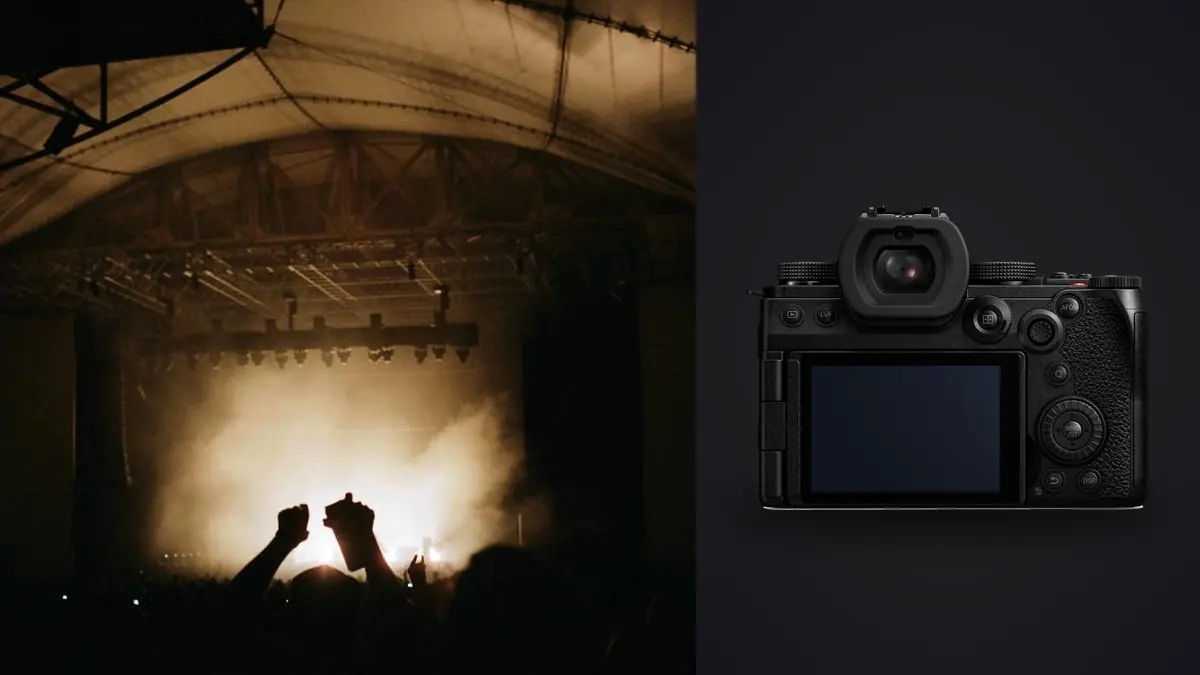
I started borrowing a Panasonic Lumix S5IIx last spring, then bought one outright after a few shows, mostly because of what happens after the show ends rather than during it. A concert body gets judged on autofocus and high ISO noise, and that's fair, but the parts of this camera that actually changed how I shoot are the flicker-aware shutter behavior under LED washes and the way the in-body stabilization lets me hand-hold a 70-200 at a shutter speed I would never trust on a non-stabilized body. This is a working guide built from small clubs and one very loud festival, not a rewritten spec sheet.
The Sensor and Autofocus in a Dark Room
The S5IIx carries the same 24.2-megapixel full-frame sensor as the standard S5II, paired with a 779-point phase-hybrid autofocus system rather than the older contrast-detect setup Panasonic shipped on the original S5. That switch matters more at a gig than almost anywhere else you'll shoot, because contrast-detect AF used to visibly pulse and hunt under single-color stage washes, and a lead singer lit entirely in red or magenta gives a contrast-detect system almost nothing to grab onto. Phase detection doesn't eliminate the problem, but it cuts the hunting down to occasional rather than constant.
Human eye and face detection holds up well on a static or slow-moving vocalist under a key light. It gets noticeably less confident the moment a strobe bank starts firing behind the performer or a moving-head fixture sweeps across their face mid-word. I've had frames where the AF box locks onto a bright rim of hair light instead of an eye that's technically still visible, just underexposed relative to the background. It's not a dealbreaker, but if you're used to a Sony or Canon flagship holding eye AF through chaos, temper your expectations here. The native ISO range runs 100 to 51200, expandable further, and while the marketing ceiling is high, I treat 12800 as the practical limit for anything I'd sell as a print or a hero image. Past that the S5IIx is usable for web-only delivery but the color starts to smear in shadow detail under mixed LED sources.
Reading the Rig Before You Touch a Dial
RGB LED washes
Most small-to-mid venues now run LED PAR cans and moving heads instead of tungsten, which means the light source itself is pulsing at a frequency tied to its driver, not a steady burn. Panasonic buries a flicker-scan function in the shutter menu on this body that measures the dominant flicker frequency and nudges your shutter speed to a value that avoids banding across the frame. It works reliably on a single, stable LED wash. It does not fully solve a rig running four different fixture brands on different dimmer curves, which is most rigs. I still run a test burst at the top of a set and check the LCD at 200% zoom for banding before I commit to a shutter speed for the night.
Strobes and moving beams
Strobes are the one lighting cue I actively watch the setlist for, because a strobe hit combined with a fast burst can produce a run of frames that are either blown-out white or nearly black depending on where in the flash cycle the shutter opened. There's no camera setting that fixes this. What helps is shooting slightly longer bursts through a strobe section rather than single frames, so you have a better chance of catching one exposure that lands between pulses.
Shutter Mode by Venue Type
I keep a rough mental table of shutter mode, speed, and AF mode by venue, adjusted on the fly once I see the actual rig. Here's roughly where I start:
| Venue / Lighting Situation | Shutter Mode | Typical Shutter Speed | ISO Range | AF Setup |
|---|---|---|---|---|
| Small club, warm wash, no strobes | Mechanical | 1/250 to 1/320 | 3200 to 6400 | AF-C, Face/Eye, wide zone |
| Arena pit, first three songs, active strobes | Electronic (silent), extended burst | 1/500 | 4000 to 10000 | AF-C, Face/Eye, single-point fallback |
| Festival mainstage, moving beams, haze | Mechanical | 1/640 | 1600 to 5000 | AF-C, zone tracking, back-button focus |
| Seated acoustic room, silent policy, static key light | Electronic (silent), required by house rules | 1/160 | 1600 to 3200 | AF-S, single point |
The electronic silent shutter is genuinely quiet, which matters more than people expect the first time they shoot a hushed acoustic set where a mechanical shutter slap is audible three rows back. The tradeoff is rolling shutter distortion on anything moving fast across the frame, like a guitar neck swung during a solo, so I avoid electronic mode for anything with big lateral motion and save it for vocalists and slower-moving performers.
Why the In-Body Stabilization Changes Your Lens Choices
Panasonic rates the 5-axis in-body stabilization at up to 6.5 stops on its own, climbing higher when paired with a stabilized lens in Dual I.S. 2 mode. In practice that means I've handheld a 70-200mm f/2.8 at shutter speeds I would have called reckless five years ago, down around 1/60 to 1/80 when the performer is holding relatively still between phrases. IBIS stabilizes camera shake, not subject motion, so it does nothing for a drummer's arms or a frontman running the length of the stage. What it buys you is the ability to shoot a wider aperture range without cranking ISO into the ceiling just to compensate for a slightly slower shutter, which matters when you're already fighting noise from a dim room.
Cards, Buffer, and a Three-Hour Set
Dual card slots, one CFexpress Type B and one SD UHS-II, let me write RAW to the fast card and a JPEG backup to the SD card simultaneously, which has saved a night more than once when a card started throwing write errors mid-set. Buffer depth on a CFexpress card is deep enough that I rarely fill it shooting mechanical high-speed bursts through a chorus, roughly 9fps with focus locked and closer to 7fps with continuous AF tracking engaged. Push into full electronic 30fps mode and you can fill a buffer fast, especially in RAW, so I reserve that mode for short, deliberate bursts rather than running it as a default.
What Happens After Load-Out
A three-song pit set with two cameras and a wide-to-tele lens swap easily produces 1,200 to 2,000 frames once you count every burst. A full headline set you're allowed to shoot start to finish can push past 4,000. Nobody is looking at all of those individually at 1am in a hotel room before a 6am flight, and this is where a lot of the actual editing time in concert photography gets lost, not in Lightroom adjustments but in just scrolling through duplicate frames from the same phrase of a song trying to find the one with both eyes open.
This is the part of my workflow where imagic actually earns its place on the laptop. Its local sharpness and focus scoring flags the frames where AF drifted onto a hair light or a strobe hit softened the whole exposure, which happens constantly in this kind of shooting, and its burst clustering groups the near-identical frames from a single continuous-AF run so I'm picking between six similar shots instead of scrolling past forty. Because everything runs locally with no cloud upload, I'm not putting exclusive show photos, some of which are under embargo until a label approves them, anywhere near a server I don't control. For a rundown of how the underlying scoring approach works, this piece on AI photo culling covers the mechanics in more detail than I need to repeat here.
Once the set is culled down to the frames worth grading, I lean on imagic's apply_my_style preset, trained on my own past edits rather than a generic look, to get a consistent color pass across a whole night's shoot in one step instead of matching white balance and contrast venue by venue. If your current cull-to-deliver process is the bottleneck rather than the shooting itself, these workflow tips are worth a read alongside whatever culling tool you land on.
Lenses That Actually Work in a Photo Pit
Pit access is usually the first three songs, no flash, and a barrier that puts you closer than you'd think. I run a 24-105mm f/4 for wide stage shots and crowd context, and a 70-200mm f/2.8 for tight performer portraits, swapping bodies rather than lenses mid-set so I don't miss anything during the change. The S5IIx body alone runs close to 740 grams, and after three hours holding a camera up over a barrier with a fast zoom attached, that weight adds up in your shoulder well before it shows up in your images. If you're shooting handheld all night, factor lens weight into the decision as seriously as you factor aperture.
Where the S5IIx Loses to the Cheaper Option
I'll say this plainly because most gear write-ups won't: if you only shoot stills, the standard S5II gets you the identical sensor, the identical autofocus system, and the identical IBIS for less money and less bulk. The S5IIx's headline additions, active fan cooling for unlimited video record time, internal ProRes recording, USB-C SSD recording, and IP streaming, are all video features. They add a small amount of weight from the cooling module and they add cost. Unless you're also delivering multicam video or livestream feeds from the same gig, which plenty of touring photographers now are asked to do, you're paying for capability you won't touch. The IIx makes sense if you are regularly asked for behind-the-scenes video clips, but if that's not your reality, buy the S5II and put the difference toward a second lens.
Frequently Asked Questions
Is the S5IIx overkill if I never shoot video at a gig?
For stills-only work, yes, mostly. The sensor, autofocus, and stabilization are shared with the standard S5II, so the extra cost buys cooling and recording features you'd never use behind a photo pass. It's a reasonable choice if there's even a modest chance you'll be asked for video clips down the line.
Does the electronic silent shutter cause visible banding under stage LEDs?
It can, depending on the fixtures. The built-in flicker-scan function helps against a single stable LED source but struggles when a rig mixes fixture brands running different dimmer curves, which is common on multi-band festival stages. Running a test burst at the top of the set and checking for banding at high zoom is worth the thirty seconds it costs you.
What's a realistic ISO ceiling for a printable concert shot on this camera?
I treat 12800 as my working limit for anything going to print or a shared gallery. It'll shoot clean past that for web-only delivery, but shadow color starts to break down under mixed LED sources beyond that point, and I'd rather open the aperture or lean on the IBIS for a slower shutter than push ISO further.
How do you realistically cull thousands of frames from one show before you're too tired to edit straight?
Sort by sharpness first, not by favorites, since a soft frame is dead regardless of expression or timing. I run everything through imagic's local scoring and burst clustering the same night so I'm choosing between a handful of grouped near-duplicates rather than scrolling a full memory card, then hand-pick from what survives that pass before any color work starts.