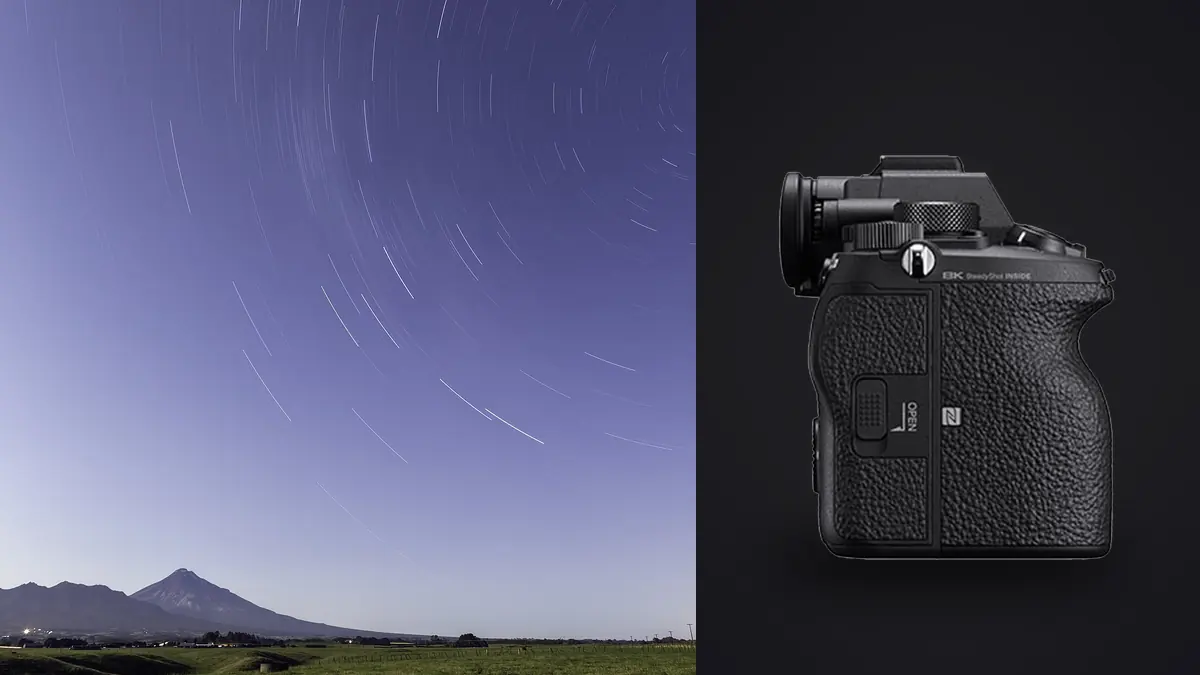
The first time I pointed a Sony A1 at the Milky Way core, I made a mistake almost everyone makes with this camera: I treated it like every other full-frame body I'd shot night sky work with and dialed in a 20-second exposure at f/2.8, ISO 6400. The frame looked sharp on the rear screen. It wasn't. Zoomed to 100% on a laptop back home, every star had smeared into a short comma-shaped streak. The A1 packs 50.1 megapixels onto the same sensor width as a 24MP body, which means each individual pixel is smaller and far less forgiving of star movement, focus error, and vibration than what most of us are used to. That single fact reshapes how you should approach night sky work with this camera, and it's the reason stacking stops being a nice-to-have and becomes close to mandatory if you want files that hold up at full resolution.
This is built around actual sessions with the A1: a tripod-only Milky Way shoot on a coastal headland, a tracked attempt with a small star tracker, and a four-hour star trail sequence on a cold October night that taught me more about battery management than I wanted to learn at 2am. What follows is the settings that matter, the menu items that quietly ruin a session if left on defaults, a working exposure table by focal length, and how I sort through the resulting pile of RAW files without losing a weekend to it.
The Pixel Pitch Problem (and Why It Makes Stacking Non-Optional)
The A1's sensor outputs an 8640 by 5760 pixel image across a 35.9mm wide frame, which works out to a pixel pitch of roughly 4.15 microns. A 24-megapixel full-frame body of the same generation, by comparison, is usually closer to 5.9 microns per pixel. That's not a trivial difference at night. Smaller pixels mean the same amount of star movement across the sensor covers more pixels, so trailing becomes visible at shorter shutter speeds than you'd expect from a lower-resolution body with an identical field of view.
Photographers have used variations of the "NPF rule" for years to estimate a maximum exposure before star trailing shows up at full resolution, and it factors in aperture and pixel pitch alongside focal length rather than the cruder "500 rule" most people learned first. Run the A1's numbers through it and the results are noticeably shorter than what you'd plan for a 24MP camera. At 20mm and f/1.8, you're looking at roughly 9 seconds before pinpoint stars start to smear, not the 25 seconds the old 500 rule would suggest. That's the trade you're making for all that resolution: shorter individual exposures, meaning more frames, meaning stacking isn't optional if you want a usable noise floor.
Sub-Exposure Guide by Focal Length
These numbers assume a static tripod (no tracker), full-frame mode, and the A1's actual pixel pitch. They're a starting point, not gospel: coma-prone lenses, wind, and how picky you are about trailing at 100% crop will move these around.
| Focal Length | Wide Aperture | Max Single Sub | Suggested ISO | Subs to Stack | Total Integration |
|---|---|---|---|---|---|
| 14mm | f/2.8 | ~16 sec | ISO 3200-4000 | 40-60 | 11-16 min |
| 20mm | f/1.8 | ~9 sec | ISO 4000-5000 | 60-80 | 9-12 min |
| 24mm | f/1.4 | ~7 sec | ISO 3200-4000 | 80-100 | 9-12 min |
| 35mm | f/1.8 | ~5 sec | ISO 5000-6400 | 100-120 | 8-10 min |
| 50mm | f/1.4 | ~3-4 sec | ISO 6400 | 150+ | 8-10 min |
Notice the pattern: as focal length climbs, your per-sub exposure window shrinks fast, so the frame count needed to hit similar total integration time climbs right along with it. A 50mm star field session on the A1 genuinely means shooting 150-plus frames if you want the same signal-to-noise result as 40 frames at 14mm. That has real consequences for your card, your battery, and how you review the take afterward.
Field Settings That Actually Matter
The A1 doesn't have a labeled "astro mode," but it has the pieces you need scattered through a few menus, and getting them wrong wastes a session more often than any lens choice does.
Interval Shooting Function. This is native to the A1's firmware, so there's no need to carry an outboard intervalometer. Set your shot count, the interval between shots, and whether to prioritize timing accuracy over AE tracking. For star stacking I set the interval a full second longer than my exposure time to give the buffer room to clear, especially on a night when I'm shooting lossless compressed RAW instead of the smaller compressed format.
Turn off Long Exposure NR. This is the one that catches people. With long exposure noise reduction on, the camera takes a matching dark frame after every single exposure and subtracts it in-camera, which doubles your time per sub. A planned 60-frame, 20-second sequence quietly becomes a 40-minute session instead of 20, and you'll often only notice when you're 30 frames in and the sky has rotated more than expected. Turn it off, shoot your full light sequence, then cap the lens and shoot 15-20 dark frames at the same ISO, shutter speed, and (roughly) the same ambient temperature at the end. Stacking software subtracts those separately, and it's faster than doing it one frame at a time in-camera.
Shutter mode. I shoot astro sequences on the electronic (silent) shutter rather than mechanical. Running 100-plus actuations every session adds up over a season, and the A1's mechanical shutter, rated for 500,000 actuations, is doing real work for you on paid shoots during the day. There's no rolling shutter concern here since you're not photographing anything moving relative to the frame.
Manual focus, always. Autofocus hunts in the dark and the AF-assist illuminator will flash into your own frame, or worse, a neighboring photographer's frame at a dark site. Use focus magnifier at maximum zoom on the brightest star or planet in the frame, nail it, then tape both the focus ring and the zoom ring if you're on a zoom lens. Cold nights cause focus creep on some lenses as the barrel contracts, so I check focus again every 20-30 minutes on long sessions.
Battery and cards. The NP-FZ100 is CIPA-rated around 430 shots, but that figure assumes regular LCD chimping between frames. In a heads-down interval sequence with the screen dimmed, you'll comfortably beat that number, though cold weather below freezing can still cut usable capacity by close to a third. I carry three batteries for anything longer than a two-hour session and keep the spares in an inside jacket pocket, not the camera bag. On cards, lossless compressed RAW at 50MP runs around 90MB per frame, so a 100-frame stacking sequence eats close to 9GB. A fast CFexpress Type A card matters here specifically because Interval Shooting Function needs the buffer clear before it can fire the next frame on schedule; a slow card turns a clean 8-second interval into a stalled, uneven one.
Tracked vs. Untracked: What IBIS Can and Can't Do
The A1's in-body stabilization is rated up to 5.5 stops, which is genuinely useful for handheld twilight work but irrelevant once the camera is locked to a solid tripod for a multi-minute star sequence. I switch SteadyShot off entirely for static astro work; on a completely still platform there's nothing for the stabilization system to correct, and on some Sony bodies a system with nothing to do can introduce a barely perceptible softness from micro-movement as it hunts. For subs under a few seconds it rarely matters either way, but it's one less variable to think about.
What actually changes the math is a star tracker. Something as simple as a Star Adventurer or an iOptron SkyGuider Pro under the tripod head lets the camera follow the sky's rotation, which means your per-sub exposure limit stops being about star trailing and starts being about tracking accuracy and periodic error instead. On a decent tracker I've pushed the A1 to 60-90 second subs at 20mm without meaningful elongation, which means the same 10-minute total integration that took 60-80 individual frames on a static tripod might take 8-10 frames tracked. Fewer frames, better signal per frame, less time spent stacking and reviewing afterward. The catch is your foreground blurs during tracked exposures if it's part of the composition, so a landscape-plus-sky shot on a tracker usually means shooting the ground separately, untracked, and blending it in during processing.
Picking Software for 50MP Stacks
Not every stacking tool handles a 50MP ARW file gracefully, and the difference shows up mostly in processing time and RAM usage rather than compatibility.
| Tool | Platform | Cost | Best for |
|---|---|---|---|
| DeepSkyStacker | Windows | Free | Deep-sky stacks with dark/flat calibration; a 60-frame A1 batch runs 15-20 min on a mid-range PC |
| Sequator | Windows | Free | Milky Way with landscape, sky-only blend mode for foreground preservation |
| Starry Landscape Stacker | Mac | ~$30-40 | Nightscape composites with a static foreground |
| PixInsight | Win/Mac/Linux | ~$300 license | Tracked, multi-night deep-sky integration; steep learning curve, worth it once you're serious |
Before any of that, though, you're sitting on 60 to 150 nearly identical RAW frames from a single interval sequence, and a meaningful chunk of them are unusable: a gust of wind shook the tripod on frame 34, a plane crossed frame 51, dew started fogging the front element by frame 90. Clicking through that pile one by one at 1am is exactly the kind of tedious sorting that ruins the fun of a night shoot. I run the sequence through imagic first, since its local sharpness scoring flags the soft frames caused by wind or focus drift before they ever reach the stacker, and since it processes everything on-device, a card full of astro RAWs from a site with no signal doesn't have to wait until I'm home with a connection to get triaged. The interval sequence also tends to trip up basic duplicate detection because every frame looks nearly identical by design; imagic's burst clustering groups the whole sequence as one set instead of treating each frame as a separate unrelated image, which makes reviewing a 100-frame stack considerably less tedious. For a deeper look at how that scoring actually works, see how AI photo culling works.
A Night on the Headland
Late October, a new moon week, a coastal spot with a decent rock formation for foreground interest. Gear was the A1, a 20mm f/1.8 GM, and a Star Adventurer 2i I'd polar-aligned in about ten minutes using the built-in scope. Settings: ISO 4000, f/1.8, 45-second tracked subs, Interval Shooting Function set for 90 frames with a 2-second buffer gap. Two things went wrong. Dew started forming on the lens hood around frame 60, which I only caught by checking the rear screen at the halfway point (a lens warmer would have prevented this entirely, and I now carry one). And I burned through my first battery faster than expected because the outside temperature dropped to around 3°C by midnight.
What I ended up with after discarding the dew-affected frames was 72 usable subs, about 54 minutes of total integration on the sky plus a separately shot 30-second foreground exposure. Stacked in Sequator with a sky-only blend, the noise floor dropped dramatically compared to any single frame, and detail held up printed at 24x36 inches in a way a single ISO 5000 exposure never would have. That's the actual payoff of stacking on this camera: not a single miracle frame, but averaging away the noise that 50 megapixels at high ISO otherwise makes very visible.
Mistakes Worth Avoiding
- Leaving Long Exposure NR on and only realizing halfway through that your planned 60-frame sequence is going to take twice as long as budgeted
- Forgetting to shoot dark frames at the session's end, at matching ISO, shutter speed, and roughly matching temperature
- Shooting RAW+JPEG out of habit, which fills a card twice as fast for no benefit when every frame is getting stacked anyway
- Skipping a mid-sequence focus check on a cold night and finding out in post that the back half of your subs drifted soft
- Using autofocus or leaving the AF-assist lamp active, which flashes into your own frame and anyone else's nearby
Frequently Asked Questions
Does the Sony A1 have a dedicated astrophotography mode?
No. There's no bulb-timer countdown overlay or labeled astro mode like some competing bodies offer. What it does have is the native Interval Shooting Function, found in the drive mode settings, which covers shot count, interval timing, and AE tracking sensitivity. Combined with manual exposure and manual focus, that's enough to run a full stacking sequence without any accessory.
How many subframes do I actually need for a clean stack with this camera?
For a wide Milky Way composition at 14-24mm, 40 to 80 frames is a reasonable working range, matching roughly the totals in the exposure table above. Fewer than that and the noise reduction from stacking becomes marginal; more than about 100-120 frames at a given ISO starts hitting diminishing returns unless you're also trying to extend dynamic range through varied exposures.
Is APS-C crop mode useful for star stacking on the A1?
Crop mode drops you to roughly 21 megapixels and a 1.5x narrower field of view, which is handy for punching in on a specific target or framing a meteor shower radiant with a mid-range lens acting like a longer one. For wide Milky Way work, stick to full-frame mode. Cropping throws away the sensor's actual light-gathering area, not just resolution, and that hurts exactly the kind of low-light performance you need at night.
Is the A1 actually worth using for astrophotography versus a dedicated cooled astro camera?
For serious narrowband deep-sky imaging on a permanent tracked rig, a cooled mono astro camera will out-resolve and out-noise-perform the A1 given enough integration time, because it's actively cooled and you're not paying for a mechanical shutter, video modes, or a stacked sensor built for 30fps stills you don't need after dark. But if you already own the A1 for everything else and want strong wide-field nightscape results without a second dedicated setup, it's a genuinely capable stacking body. You're not going to out-resolve a purpose-built observatory rig either way, and that's fine; most of us are shooting a headland at midnight, not chasing a research-grade image.
If you're building out a broader night-shooting kit and want more general field workflow tips beyond astro specifically, this rundown of faster photo workflow habits is worth a look, and imagic's free tier is enough to try the culling and clustering approach described above on your own interval sequences before committing to a full session's worth of frames.