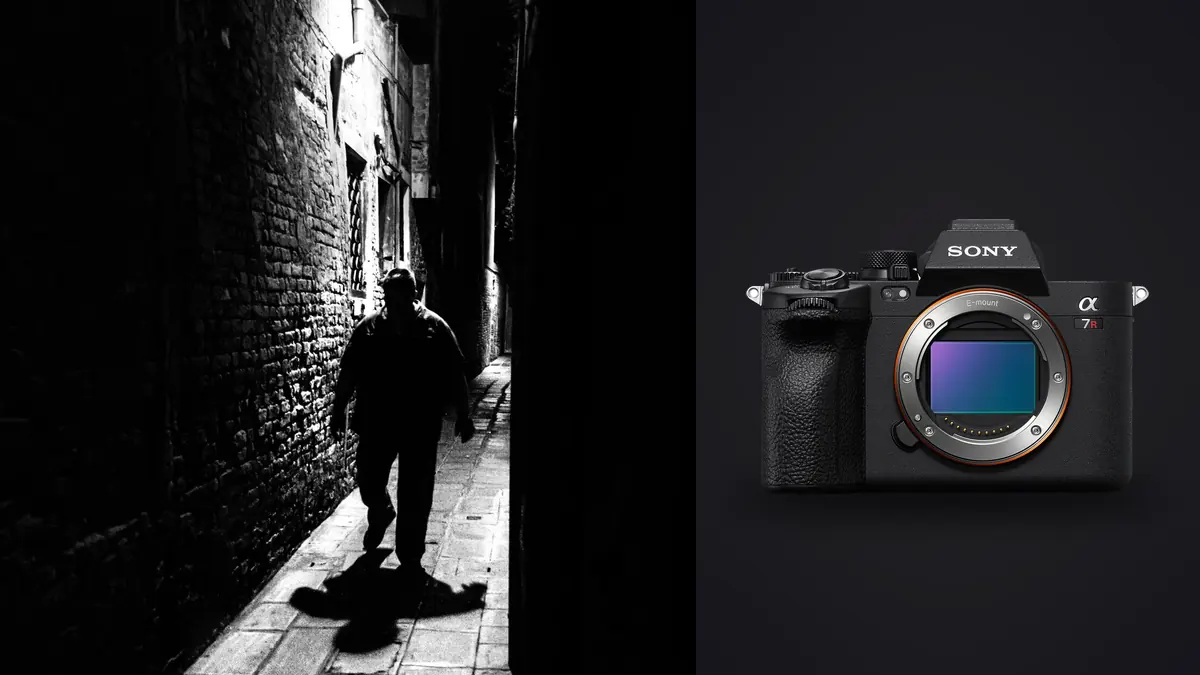
Most gear reviews treat a camera like a spec sheet with a personality grafted on top. That's not much use if you're deciding whether to carry a 61-megapixel body into a crowded market or a protest or a three-day documentary assignment where you're on your feet for twelve hours straight. The Sony A7R V is a genuinely strange fit for street and documentary work on paper: it's a resolution monster built for landscape and studio shooters, dressed up with the autofocus system from Sony's sports flagship. Whether that combination actually helps you on the street depends on things spec sheets don't cover well, so this is a rundown of what changes in practice when you take it out of the studio and into the field.
The autofocus system is the real reason to consider it
Forget the megapixel count for a second. The thing that makes the A7R V interesting for documentary work is the subject recognition AI carried over from the A9 II and refined further, tuned to detect human eyes, faces, and body position even when a subject is turned away, partially obscured by another person, or moving through hard backlight. On a crowded street this matters more than almost any other spec. You are not composing carefully and waiting for a subject to settle into a frame. You are reacting to a gesture, a look, a hand gripping a railing, and you have maybe half a second before the moment closes.
In practice, the system holds focus on a face through a surprising amount of occlusion. I've had it stick through someone walking past a subject at close range, momentarily blocking most of the frame, and pick the eye back up the instant the gap opened. It's not flawless. In deep shade under awnings, or when a subject is silhouetted against a bright storefront, it will occasionally lock onto the wrong plane and you won't notice until you're looking at the frame later at full size. That's a real failure mode worth knowing about before you trust it blindly on a paid assignment.
Continuous autofocus during burst shooting stays reliable up to the camera's full 10fps with the mechanical shutter, though the buffer is where the resolution tax starts to bite. Compressed RAW gives you a deeper working buffer than uncompressed, and for anything resembling a burst sequence on the street, that's the setting worth defaulting to.
61 megapixels, and whether you actually need them
Here's the honest tension. Street and documentary photographers rarely print billboard-sized work, and most final use is web, social, or modest print runs. Sixty-one megapixels solves a problem most street shooters don't have. What it does give you is enormous cropping latitude after the fact, which matters when you're working with a 35mm or 40mm lens and can't always physically move closer to a subject without changing the moment. Cropping a third of the frame away from an A7R V file and you still have more resolution than a full-frame A7 IV shot uncropped. That's a genuine creative tool, not just a marketing number.
The cost shows up in three places: card space, drive space, and processing time. A single uncompressed RAW file runs 120MB or more. Shoot a documentary day the way documentary work actually happens, meaning hundreds or low thousands of frames chasing sequences that might yield one usable image each, and you're looking at multiple terabytes across a multi-day assignment. That's before backups. If you're used to a 24 or 33-megapixel body, budget for it, both in card capacity and in how long your machine takes to generate previews.
| Camera | Body weight (approx.) | Shutter character | Silent/electronic shutter | Resolution | Street price (2026, new) |
|---|---|---|---|---|---|
| Sony A7R V | 723g | Noticeable mechanical click | Full silent mode, some rolling shutter risk | 61MP full-frame | ~$3,900 |
| Sony A7 IV | 658g | Quieter, softer click | Full silent mode | 33MP full-frame | ~$2,500 |
| Fujifilm X-T5 | 557g | Very quiet mechanical | Full silent mode | 40MP APS-C | ~$1,700 |
| Leica Q2 | 734g (fixed 28mm) | Near-silent leaf shutter | Not needed, leaf shutter is already quiet | 47MP full-frame | ~$5,300 |
| Ricoh GR IIIx | 262g | Near-silent leaf shutter | Not needed | 24MP APS-C | ~$900 |
Laid out this way, the A7R V's actual competitive advantage for street work isn't resolution or price, it's the autofocus and lens ecosystem breadth. If discretion and pocketability are your priority, something like the GR IIIx or the Fujifilm wins outright. The A7R V earns its place when you need to also shoot events, portraits, or paid editorial work with the same body, and want street and documentary capability layered on top rather than being the camera's whole purpose.
Size and the discretion problem
At 723g body-only, before you add a lens, the A7R V is not a small camera, and it's not trying to be. Paired with the 35mm f/1.4 GM it's a substantial handful, noticeably larger than a Fuji X100V or a Ricoh in a jacket pocket. That changes how you work. You can't pretend to be a tourist with it the way you can with a compact. People notice a camera this size, and on the street, that changes the photographs you're able to take. Some documentary photographers see this as a non-issue, arguing that a visible camera builds a kind of honesty into the interaction. Others find it kills the unguarded moments that make street photography work in the first place.
My workaround has been to shoot with the 40mm f/2.5 G or the 28mm f/2 rather than the larger GM primes. Both are compact, light, and keep the whole rig closer to what a Leica M shooter is used to carrying. You lose a stop or two of speed, which matters after dark, but the balance and low profile pay for themselves across a full day of walking.
Battery, cards, and the logistics of a long day
The NP-FZ100 battery is rated around 530 shots CIPA, but that number assumes a mix of stills shooting with normal review habits. Burn through continuous AF tracking and chimp the LCD after every sequence, and real-world numbers drop noticeably below that, especially in cold weather. For a full documentary day I carry two spares as a baseline and three if I'm shooting somewhere without easy access to power.
Card strategy matters more here than on most bodies because of file size. The dual slots take CFexpress Type A and UHS-II SD. CFexpress Type A cards are fast but expensive relative to their capacity, and for street and documentary work where you're not typically shooting long 8K video clips, UHS-II SD in the second slot as an instant backup is usually enough, with CFexpress reserved for the primary card if your budget stretches to it. What you don't want to do is discover mid-assignment that your card's write speed can't keep up with a long burst on a fast-moving scene. That's a hard way to learn a lesson.
Where the workflow actually breaks down
Nobody warns you about this part before you buy the camera, but it's the part that eats the most time. A three-day documentary assignment on the A7R V, shot the way documentary work is actually shot, with sequences of five, ten, sometimes twenty near-identical frames chasing a single gesture, can easily produce three or four thousand images. At 60+ megapixels each, that's not a folder you flip through casually in a RAW viewer over coffee. It's a genuine sorting problem, and it's the same problem regardless of which camera produced the files, just amplified by the file size here.
This is the part of the job I've stopped doing by hand. I run everything through imagic before I open a single frame in an editor. It scores sharpness and focus locally on the machine, which matters because a lot of those burst sequences look identical at thumbnail size but only one or two frames actually nailed focus on the eye. It also clusters the burst and near-duplicate sequences together automatically, so instead of scrolling past nineteen versions of the same three seconds, you're looking at one representative frame per moment with the rest tucked behind it. For documentary work specifically, where subjects are often people in public without a release form signed, the fact that this all happens offline on the machine rather than uploading a few thousand faces to somebody's cloud server is not a small detail. It's the difference between a workflow tool and a liability.
The other piece that's saved real hours is the apply_my_style feature, which trains a preset off your own past edits rather than a generic filter. Once you've graded a body of work in a consistent way, whether that's a slightly desaturated documentary look or a punchier street contrast, it can apply that same treatment across a new batch as a starting point, so you're refining rather than building each edit from a blank slate. On a body this size, cutting even thirty seconds off the base edit for each of a few hundred keepers adds up to hours by the end of a project. If you're weighing whether a tool like this fits your workflow at all, it's worth reading through how AI photo culling actually works before assuming it's just another auto-tagging gimmick, and there's a broader rundown of workflow habits worth adopting in this piece on speeding up a photo workflow generally, most of which apply regardless of what body you're shooting.
Lenses worth actually carrying
For pure street and documentary use, I'd steer away from the flagship GM zooms entirely. They're extraordinary optically and completely wrong for the job. The primes that pair well:
- Sony 40mm f/2.5 G: close to a natural perspective, small, light, fast enough for most daylight and dusk work.
- Sony 35mm f/1.4 GM: the classic documentary focal length, excellent wide open, but noticeably heavier and pricier than it needs to be for this kind of shooting.
- Sony 24mm f/2.8 G: for closer, more confrontational street work where you want environmental context in the frame.
- Sigma 35mm f/2 DG DN: a genuinely underrated third-party option, lighter than the Sony GM and considerably cheaper, with only a modest compromise in corner sharpness wide open that rarely matters at street shooting distances.
Avoid anything with a zoom ring if discretion is a priority. A zoom lens barrel racking in and out draws eyes in a way a fixed prime doesn't, and on the street that half-second of attention is often the half-second that costs you the shot.
Frequently Asked Questions
Is the Sony A7R V too large for genuine candid street photography?
It's larger than dedicated street cameras like the Ricoh GR IIIx or a Fujifilm X100V, and people do notice it more. It's not too large to work with, but it changes the kind of photograph you get. Expect fewer completely unguarded moments and more interactions where the subject is aware a camera is present, even if they're not posing for it.
Do I need to shoot uncompressed RAW for documentary work, or is compressed RAW enough?
For almost all street and documentary use, compressed RAW is the better default. It gives you a meaningfully deeper buffer during burst sequences, which matters far more on the street than the marginal detail difference recovers in post. Save uncompressed RAW for planned portrait or landscape work where you have time to shoot deliberately.
How does the A7R V's autofocus handle fast, unpredictable street scenes compared to a dedicated sports body?
It's close, but not identical. The subject recognition is excellent at holding a face or eye once it's acquired, even through partial occlusion. Where it lags a true sports-oriented body is in raw acquisition speed on a subject entering the frame from the edge at speed. For most street work, where subjects are walking rather than sprinting, the difference rarely matters in practice.
What's the fastest way to get through several thousand street frames from a multi-day shoot without losing days to editing?
Cull before you edit, and do it with something that can actually see focus and sharpness at the pixel level rather than relying on thumbnail judgment, which is unreliable at 61 megapixels. Tools like imagic handle the sharpness scoring and duplicate/burst grouping locally and offline, which turns a folder of four thousand frames into a much shorter list of real candidates before you touch a single edit. It's worth comparing a few options directly, and this comparison of photo culling software is a reasonable place to start if you haven't settled on a workflow yet.
Where this leaves things
The Sony A7R V isn't the obvious pick for street and documentary work, and I wouldn't recommend it to someone starting out in the genre with no other reason to own the body. But if you're already shooting events, portraits, or editorial work that benefits from the resolution and autofocus system, it holds up better on the street than its spec sheet suggests, provided you manage the file weight deliberately rather than letting it manage you. Pick the smaller primes, default to compressed RAW, and build a culling step into your process before you ever open an editor. Do that, and the resolution stops being a burden and starts being the reason you can crop your way out of a moment you didn't quite frame right the first time.