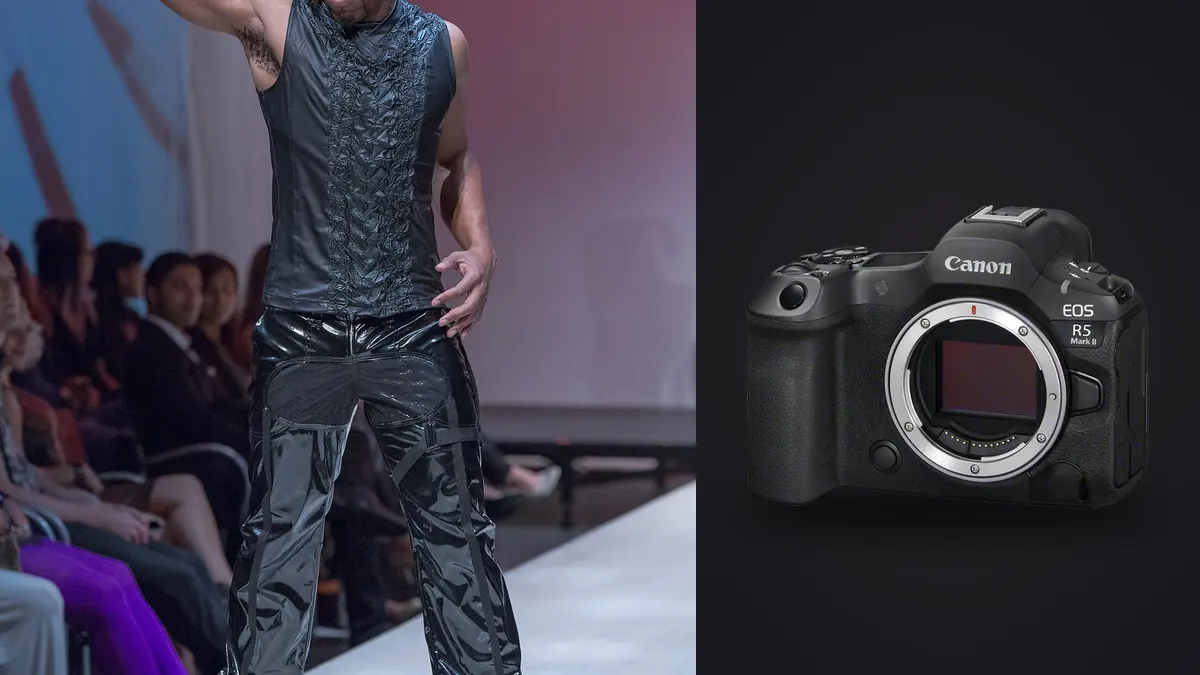
Picture forty looks, one studio day, and a client who wanted both a horizontal lookbook spread and a vertical ecommerce crop from the same frame. That kind of brief is what makes the R5 Mark II a strong fit for lookbook work. Fashion lookbook shooting is a strange discipline: it is part editorial, part catalogue, and it runs on a clock set by the stylist, not by you. The camera has to keep up with garment changes every six to eight minutes without dropping focus discipline, and it has to hand you files that survive aggressive cropping later because nobody tells you in advance which orientation the client will actually print.
This isn't a spec sheet rundown. It's what changes in a lookbook workflow once the R5 II is the primary body, where it earns its keep, and where you might still reach for other gear or lean on software to close the gap.
Why resolution flexibility matters more than raw megapixels on lookbook sets
The R5 Mark II's 45-megapixel stacked sensor gets talked about mostly in terms of speed, but on lookbook work the resolution itself is the more useful trait day to day. A single well-composed full-length frame gives you enough pixel real estate to deliver a tight vertical crop for the client's Shopify product page and a wider horizontal crop for the printed or PDF lookbook, without reshooting the angle twice. That matters because stylists rarely give you a second pass on a garment once it moves to the next look, and art directors change their minds about crop ratios after the shoot wraps, sometimes weeks later when the model and set are long gone.
Clients can ask for a square Instagram crop from a frame shot for a full-bleed spread, six weeks after delivery. With a 45MP file there's enough margin to pull that off without visible softness at normal viewing sizes. With the smaller files off older bodies, that request usually meant apologizing and explaining why the crop would look mushy blown up. That's not a dramatic upgrade story, it's just fewer awkward emails.
Shutter modes, flash sync, and where the stacked sensor actually helps
Lookbook days rarely use one lighting setup. You'll run strobes for the clean product-style shots against seamless, then switch to continuous LED panels or window light for the more editorial frames in the same session. The R5 Mark II's drive modes behave differently depending on which lighting you're under, and getting this wrong on set means either a black band across half your frame from sync failure, or a jello-warped garment edge from rolling shutter in electronic mode. Here's how I actually split usage across a typical day:
| Drive mode | Frame rate | Flash sync ceiling | Rolling shutter risk | When I actually use it |
|---|---|---|---|---|
| Mechanical shutter | Up to 12 fps | 1/250s (1/320s with a handful of RF lenses) | None | Every strobe-lit setup, roughly 80% of a lookbook day |
| Electronic 1st-curtain | Up to 12 fps | Same ceiling as mechanical, noticeably quieter | Very low | Backstage changes and quiet-set moments, same strobe logic |
| Full electronic (H+) | Up to 30 fps | Not usable with strobes, sync breaks down | Low, the stacked readout keeps garment edges honest | Continuous-light walking shots, fabric movement sequences |
| RAW burst with pre-capture | Up to 30 fps, buffers before the shutter press | Not usable with strobes | Low | Catching hair or fabric settling right as a model stops moving |
The pre-capture RAW burst mode gets underused in fashion work because people associate it with sports and wildlife, but it's genuinely useful for lookbook and editorial hybrids. Fabric has a habit of settling into its best drape about a third of a second after a model stops walking, and by the time your finger registers that and presses the shutter, the moment has usually passed. With buffered pre-capture turned on, that frame is already sitting in the buffer waiting for you.
Autofocus behaviour with garments, not just faces
Canon's eye and subject tracking on the R5 II is tuned around people, which is obviously the point, but lookbook work throws it curveballs that portrait work doesn't. Wide-brim hats, sunglasses as a styling choice, and models turned three-quarters away from camera to show a jacket's back panel all confuse eye detection more than you'd expect from the marketing copy. I've found the system holds onto the head and shoulders reliably even when the eyes are obscured, which is the behaviour you actually want, but it will occasionally jump to a bystander or an assistant crossing behind the set if you're using wide-area tracking instead of a spot or flexible zone.
My working setup for lookbook days is flexible-zone AF with subject tracking left on but the zone kept reasonably tight, not the full wide-area mode. It costs a little speed in acquiring focus on fast walks but it stops the camera from wandering off the model when there's a rack of clothes or a second stylist in frame. For static beauty-adjacent frames within the lookbook (close crops on accessories, jewelry, shoe details) I switch to single-point and manual placement, because subject tracking has no idea what to prioritize on a still-life composition.
Lenses that actually get used, not the ones on the spec sheet
The RF 85mm f/1.2 gets the glamour shots in every gear review, and it does produce beautiful separation for close editorial crops, but it spends less time on the camera during a lookbook day than people assume. Most of the actual coverage work happens on an RF 35mm f/1.4 or a 24-70mm f/2.8, because you need to move fast between full-length and three-quarter crops as the stylist adjusts hemlines and the model repositions. The 85mm comes out for maybe 15% of frames, usually the hero shots the client will use on a landing page or the cover of the lookbook itself.
One lens that is easy to underrate is a tilt-shift for flat-lay and product-adjacent shots when a client wants accessories or shoe details styled on a table rather than modeled. Keeping verticals and horizontals dead straight on a flat lay matters more to art directors than most photographers give it credit for, and correcting that in post across forty separate flat-lay setups is a real time cost you can avoid by getting it right in camera.
The real bottleneck isn't the camera, it's the pile of files afterward
Here's the math that changes everything about how you plan a lookbook day. Forty looks, three to five frames per look minimum to give the client and stylist options, and two to three burst variations per frame because the client wants to see the fabric mid-motion and settled. That's conservatively 400 to 600 exposures before lunch, and a full day frequently runs past a thousand. At 45 megapixels each, that's a genuinely large pile of RAW data to get through before you can even start retouching, let alone deliver a same-week client gallery.
This is where the camera stops being the bottleneck and the culling process becomes the actual constraint on how fast you can turn a job around. I run everything through imagic after a shoot now, mainly for two things: the burst and duplicate clustering, which groups the near-identical frames from each look together instead of making me scroll past forty variations of the same pose one at a time, and the local sharpness scoring, which flags which frame in a burst actually has the crispest focus on the garment's key seam or the model's face when fabric was moving. Given how the R5 II fills a card during a fast-paced day, having something local score sharpness across hundreds of frames per look saves real hours compared to eyeballing every burst at 100% zoom. If you haven't looked into how that kind of automated culling actually works under the hood, this breakdown of AI photo culling covers the mechanics in more depth than I will here.
The other piece that's genuinely changed my delivery timeline is the apply_my_style preset feature, which trains on your own past edits rather than a generic filter pack. Lookbook clients want visual consistency across all forty looks even though lighting shifted slightly between setups and the day ran six hours. Once I'd built up a personal edit style from previous jobs, applying it across a fresh batch gets me most of the way to a consistent base grade before I go in and hand-correct the handful of frames that need it, usually the ones shot near a window as the light changed through the afternoon. It's not a replacement for actually grading the hero images by eye, but it removes the tedious part of getting four hundred frames onto the same starting point.
There's also a practical studio reason to stick with local processing instead of a cloud-based culling tool: fashion clients are touchy about pre-release imagery leaking before a campaign or a collection drop, and plenty of studio spaces still have unreliable upload speeds anyway. Working entirely offline through imagic means the files never leave the laptop until you choose to send a gallery link, which can make clients' legal teams noticeably less nervous about signing off on the workflow.
Cards, backup, and the discipline that saves a shoot
The R5 II's dual slots take a CFexpress card and an SD card, and on lookbook days it makes sense to write RAW to the CFexpress and a JPEG backup to the SD simultaneously, rather than splitting RAW across both or mirroring identical RAW files. The reasoning is boring but practical: if the SD card fails mid-shoot, which does happen more often than manufacturers like to admit, you still have full-resolution RAW files intact on the CFexpress, and the JPEGs are more than enough to hand a stylist or client for immediate reference on an iPad between looks without waiting for a full RAW import.
Buffer clearing is the other detail that catches people out. Running 30fps electronic bursts back to back without pauses will fill even a fast CFexpress card's buffer faster than you'd think, and you'll feel it as a stutter right when you need the camera most, usually mid-walk on the best look of the day. I've gotten into the habit of using the faster burst modes only for genuinely dynamic sequences and defaulting back to the 12fps mechanical mode for standard coverage, which keeps the buffer comfortably ahead of me all day. That discipline pairs well with the broader habits in this rundown on faster photo workflows, most of which apply just as much on set as they do at the editing desk.
Is it worth the upgrade if you're shooting lookbooks with an original R5 or an R6 II
Honestly, if your current body is an original R5 and your lookbook work leans more catalogue than motion-heavy editorial, the upgrade case is thinner than the marketing suggests. The extra resolution and the faster stacked-sensor readout matter most when you're chasing fabric movement or shooting fast walks under continuous light, which is a specific subset of lookbook work, not all of it. If you're doing mostly static, strobe-lit product-style coverage, an R6 II with a good 24-70mm will get you client-ready files without the R5 II's price premium. Where the upgrade earns its cost is turnaround speed and the flexibility to reframe after delivery, both of which matter more the bigger and more demanding your client roster gets.
Frequently Asked Questions
Do I need the R5 Mark II specifically, or does the original R5 handle lookbook work fine?
The original R5 will get you through a standard lookbook day without complaint, especially for static, strobe-lit coverage. The Mark II earns its price difference mainly on fast-moving, continuous-light sequences and on the reframing flexibility that comes from the higher resolution, not on basic image quality for a still, well-lit garment shot.
What shutter speed should I use to avoid banding when mixing strobes and LED panels on the same set?
Stay at or below your mechanical sync speed (1/250s, or 1/320s with select RF lenses) for anything triggering strobes, and if you're switching to continuous LED panels for a different setup, check the panel's flicker rating before pushing shutter speed much past 1/125s, since cheaper panels will band even outside standard sync limits.
How many usable frames should I expect to deliver per look after culling?
On a typical lookbook shoot, expect to deliver two to four final frames per look to the client after culling, out of ten to fifteen captured. The gap between captured and delivered is exactly why sorting through bursts efficiently after the shoot matters as much as anything you do with the camera on set.
Is in-body stabilization enough to shoot handheld at wider apertures for lookbook stills?
For static or slow-walking subjects at 35mm to 85mm, yes, the R5 II's stabilization handles handheld shooting well below the shutter speeds you'd normally need. It won't freeze a model mid-stride at 1/60s though, so for anything with real movement you still need shutter speed doing the actual work, not the stabilization system.