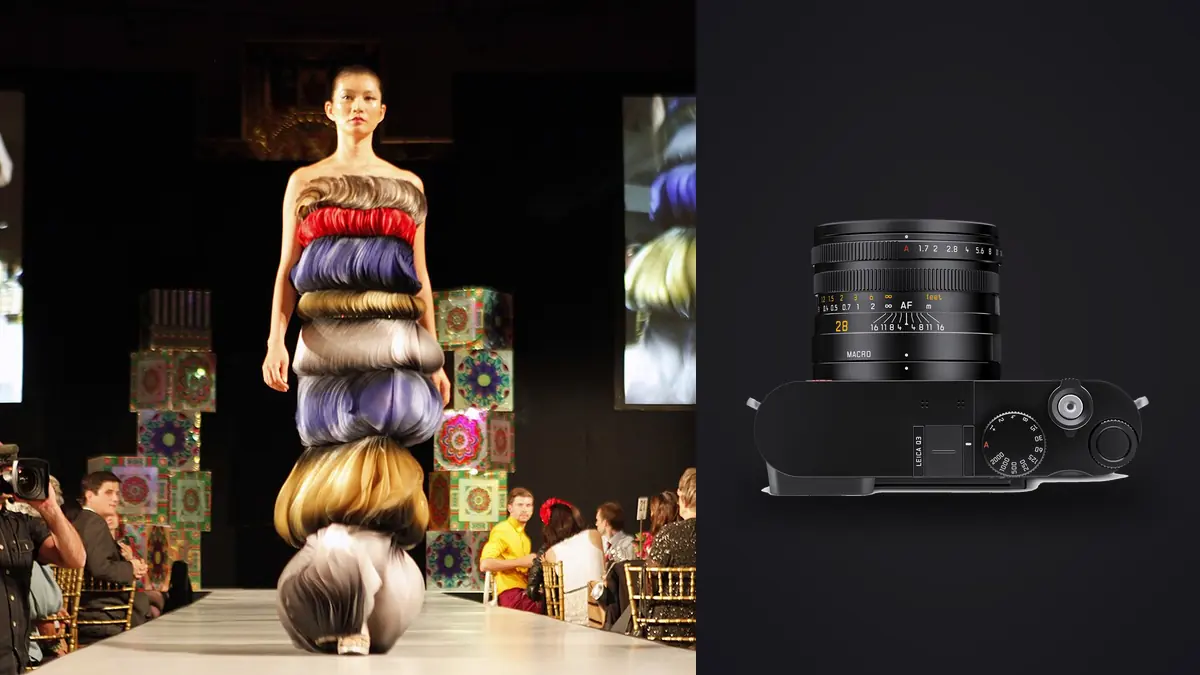
Picture getting talked into shooting a twelve-look lookbook for a small knitwear label with nothing but a Leica Q3 and a reflector. No zoom, no second body, no assistant lugging a bag of primes. The brand's creative director wants "that Leica look" she's seen on a competitor's Instagram, and the budget doesn't stretch to renting glass. You say yes before fully thinking through what shooting an entire commercial job on a fixed 28mm lens actually means. It can work, but not for the reasons you might expect going in.
The fixed lens is the whole argument
The Q3 has one lens bolted to it: a 28mm Summilux ASPH at f/1.7. You cannot change it. For most commercial work that sounds like a liability, and for plenty of jobs it is. But lookbook photography has a specific rhythm: one model, one set or one location, a sequence of outfit changes shot in roughly the same light over two or three hours. You're not chasing a moving subject across a stadium or hunting for a 200mm compression shot of a mountain. You're photographing a person standing, walking, and turning in front of a wall, a rack, or a storefront, over and over, twelve to twenty times. That repetition is exactly where a fixed lens stops being a limitation and starts being a discipline. I stopped chimping through a lens bag between looks. I moved my feet, I changed my distance to the model, I crouched or stood on a step stool instead of zooming. The pictures got more consistent across the set because the geometry of the frame was consistent, not because I was trying to match focal lengths after the fact in Lightroom. There's also a practical, unglamorous reason this works: fewer decisions on set means faster shoots. A stylist steaming a garment between changes doesn't want to wait on a photographer swapping lenses or debating between the 35mm and 50mm. With the Q3 the debate is already over.
Crop modes: the closest thing to a zoom the camera has
The 60-megapixel sensor is the part that actually makes the one-lens approach viable for lookbook delivery, because the in-camera crop modes give you 35mm, 50mm, and 75mm framing options generated from that native 28mm file. The camera shows crop lines in the EVF and embeds the crop as metadata in the DNG, but the full sensor data is still there if you want it. In practice I shoot loose at the full 28mm framing and decide the effective focal length in post, which means one press of the shutter can become an environmental wide for the brand's homepage banner and a tighter three-quarter crop for the product grid, without a second click. The tradeoff is resolution. Crop to the equivalent of 75mm and you're down to roughly 15 effective megapixels, which is still fine for web and social but starts to feel thin if the client wants large-format print swatches for a trade show booth. I treat the crop modes as a compositional tool during the shoot, not as a substitute for actually getting close when a shot genuinely needs a longer lens's compression. For a full-length lookbook shot with a plain backdrop, 28mm framing is often correct anyway. For a tight beauty crop on an accessory, I'd rather step in physically and let the lens's minimum focus distance do the work than punch in digitally and lose two-thirds of my pixel budget. Here's roughly how the crop modes shake out in real megapixel terms, and what each is best used for on a lookbook day:
| Crop setting | Approx. resolution | Where it fits on a lookbook shoot |
|---|---|---|
| 28mm (native, no crop) | ~60 MP | Full-length looks, environmental context shots, anything destined for a large web banner |
| 35mm crop | ~40 MP | Standard "hero" lookbook frame, model centered with some negative space for text overlay |
| 50mm crop | ~25 MP | Waist-up detail on tailoring, fabric texture, layered outfits where the silhouette matters |
| 75mm crop | ~15 MP | Accessory close-ups, jewelry, face-forward beauty crops for social carousels only |
Autofocus and the walking shot problem
Every lookbook has at least one sequence where the client wants movement: the model walking toward camera, a coat swinging open, hair catching in the wind from an off-camera fan. This is where I was skeptical of a fixed-lens compact going into that first job, and where the Q3 mostly won me over. The phase-detect autofocus tracks a walking subject at f/1.7 well enough that I keep a usable hit rate through a six or seven frame burst, though it's not going to out-track a flagship sports body on a subject moving diagonally across the frame at speed. For a model walking a straight line toward or past camera, which is the vast majority of lookbook movement shots, it holds focus. The catch is volume. A single "walking" setup, shot at the Q3's roughly 15 fps electronic burst rate across four or five takes to get the coat flare right, produces somewhere north of 150 frames from a movement that lasts maybe six seconds of usable footage. Multiply that by however many looks in the set need a movement shot and you've generated a genuinely unpleasant culling job by the time you're back at the desk. This is the point in the day where I stopped trying to eyeball my way through a folder of near-duplicate frames and started running the take through imagic before I even opened Lightroom. Its sharpness scoring flags which frame in that burst actually has the eyes in focus and the fabric not mid-blur, and the duplicate and burst clustering groups the takes so I'm reviewing six clusters instead of 150 individual thumbnails. On a job with a same-week delivery deadline, that's the difference between an evening task and an overnight one.
Files, color, and the tethering gap
The Q3 shoots DNG and JPEG, no proprietary raw format to fight with, which matters if you're handing files to a retoucher who isn't on Leica-specific software. Leica's color rendering out of camera leans warm and a little desaturated in the midtones compared to what I get from a Sony or Canon body straight off the sensor, which some people love unprompted and others want neutralized. I don't fight it in-camera; I shoot flat-ish and build the look in post so it's repeatable across the whole set rather than baked into JPEGs I can't undo. Tethering is the one place I'd flag as a genuine gap for a commercial lookbook workflow, not just a preference thing. The Q3 supports USB-C tethering to Lightroom and has the Leica FOTOS app for wireless transfer to a phone or tablet, but neither matches the instant, rock-solid tether you get from a Sony or Canon system body plugged into Capture One on set. If a client insists on approving every frame live on a laptop as it's shot, which does happen with brand marketing teams who want sign-off in real time, budget extra patience for the tether connection or shoot to card and do a fast SD-to-laptop import between looks instead. The latter tends to work better in practice.
Keeping twelve looks looking like one shoot
The harder problem on a lookbook isn't any single photo, it's consistency across all of them. Light shifts as the sun moves across a two-hour session, the model's energy changes, and if you're grading each outfit change individually in Lightroom you will end up with subtle mismatches: one look slightly cooler, another slightly more contrasty, and a client who can't articulate what's wrong but knows the grid doesn't feel unified. The way I've solved this without grading forty final selects by hand is to build my color treatment on the first two or three looks of the day, once I'm confident I've got the light right, and then let imagic's apply_my_style feature carry that same treatment across the rest of the selects. It's trained on my own past edits rather than a generic filter, so the output still looks like my grading choices and not a preset pulled off a marketplace. It doesn't replace a final look at each image, skin tones especially still get individual attention, but it removes the tedious first pass of getting forty-plus images into the same tonal neighborhood before I start fine-tuning.
The confidentiality angle nobody asks about until it matters
One thing that comes up on this kind of job, say shooting a resort collection lookbook three weeks before the brand's own reveal: the brand's team is often visibly nervous about where the images will sit before launch. Cloud-synced editing tools can be a hard no in those contracts, and it is easy to see why after a leak from a contractor's auto-backup. Because imagic processes everything locally and never uploads the images anywhere, culling and grading an unreleased collection doesn't require anyone to explain or negotiate around a cloud pipeline. That's not a headline feature most photographers think about until a client's legal team asks the question directly, but once you've had that conversation once, you start screening for it on every commercial job with an embargo date attached.
Where a fixed lens genuinely stops working
I don't want to oversell this. There are lookbook briefs where the Q3 is the wrong tool and it is better to say so than to force it. If the brand wants a mix of tight beauty crops on jewelry and wide group shots with three models in a single frame, a single 28mm lens with digital crops asks too much of the file at both ends: the beauty crop eats resolution, and the group shot at 28mm from a distance that keeps three people in frame introduces edge distortion you'll spend real time correcting on faces near the frame border. For that kind of brief I'd still reach for a zoom body. Battery life is a smaller but real annoyance on a full shoot day. I carry three batteries and a USB-C power bank as backup and still watch the indicator more than I do with a system camera that takes a bigger cell. And because it's a single fixed-lens body, there's no redundancy if the camera has a mechanical failure mid-shoot the way there is when you're carrying two bodies with interchangeable glass. On any one-day shoot with no reschedule option, I've started bringing a second, cheaper body as a true backup rather than relying on Leica service turnaround if something goes wrong.
What I'd tell someone considering it for their first lookbook job
If your typical lookbook is one model, one location or a simple two-set day, and the client wants a clean, consistent, slightly editorial look rather than a catalog of tightly cropped product shots, the Q3 earns its keep. The 28mm forces a shooting style that reads as intentional rather than default, the crop modes give you framing flexibility without a bag of lenses, and the files hold up fine for web, social, and reasonably sized print. Where the brief calls for genuine focal-length range, multiple subjects in frame, or heavy tethered client approval on set, I'd pair it with something else or skip it entirely. It's a specialist's tool that happens to be good at a surprisingly wide slice of commercial fashion work, not a universal solution. For anyone building out a repeatable lookbook workflow, worth reading alongside this: our breakdown of how AI photo culling actually works covers the sharpness-scoring and clustering approach in more depth, and our faster workflow tips has a few habits worth adopting regardless of which camera you shoot on.
Frequently Asked Questions
Can you shoot a full lookbook with only the Leica Q3, or do you need a second lens?
For a single-location, single-model lookbook with a straightforward brief, yes, the 28mm lens plus its in-camera 35/50/75mm crop modes cover most of the framing you'll need. Where it struggles is multi-subject group shots and very tight product macro work, both of which benefit from a dedicated lens you don't have on this body.
Do the Q3's digital crop modes hold up for print, or only web and social?
The wider crops (28mm native and the 35mm crop) hold plenty of resolution for print, well above 40 megapixels. The 75mm crop drops to roughly 15 megapixels, which is fine for web, social carousels, and reasonably sized print, but I wouldn't push it to a large-format banner without upscaling.
How do you handle culling when a walking or movement shot generates hundreds of near-identical frames?
I run the burst through imagic before opening Lightroom. Its duplicate and burst clustering groups the near-identical frames from a single take, and the sharpness scoring flags the one with focus locked on the eyes and no motion blur on the fabric, so I'm reviewing a handful of clusters instead of scrolling through the full take frame by frame.
Is Leica's color science a problem for commercial retouching workflows?
Not if you shoot with that in mind. The out-of-camera JPEG rendering leans warm and slightly desaturated, which some people like as-is, but for anything that needs real editing I shoot DNG and build the grade in post rather than relying on the in-camera look, so the color treatment stays consistent and adjustable across the whole set.