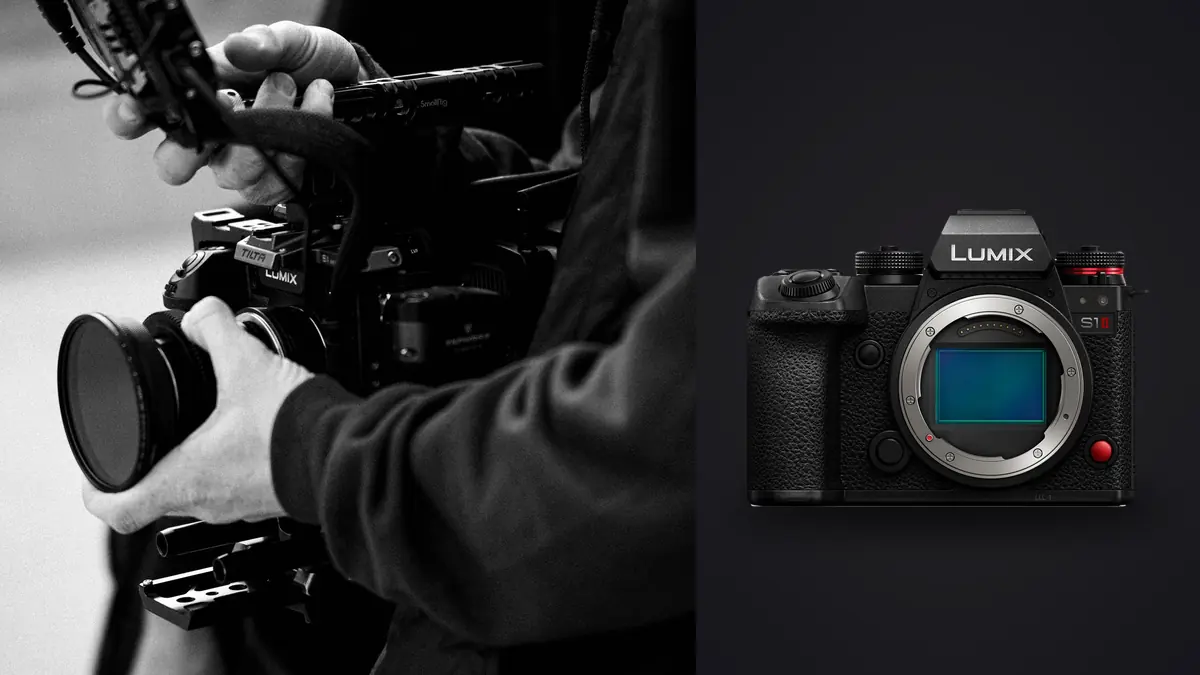
Panasonic's LUMIX S1 II is built around a burst-shooting spec sheet that sounds more like a sports body than a hybrid stills-and-video camera: up to 70 frames per second in electronic shutter mode, with 1.5 seconds of pre-burst buffering that captures frames before the shutter button is even fully pressed, according to Panasonic's own announcement. That kind of frame rate solves the problem of missing a peak moment. It creates a different problem immediately afterward: hundreds of near-identical RAW files that all need reviewing, culling, and backing up before a single one reaches an export folder.
This guide works through that second problem specifically. It starts from Panasonic's published specifications, turns the burst rate into a storage and buffer budget with the assumptions shown, and then covers what a card-to-delivery culling routine for burst-heavy RW2 files actually looks like, including where a local culling tool like imagic fits and where it does not.
What Panasonic Actually Announced About the LUMIX S1 II
Panasonic's press announcement describes the LUMIX S1 II as built around a newly developed 24.1 megapixel full-frame partially stacked CMOS sensor, paired with a Phase Hybrid autofocus system Panasonic says improves eye and face detection and adds a dedicated "Urban Sports" recognition mode for activities like skateboarding and breakdancing (Panasonic's announcement). On the stills side, the two burst figures worth planning around are an electronic-shutter SH mode rated up to 70 frames per second, and a mechanical-shutter H+ mode rated at roughly 10 frames per second, a gap that matters more for buffer clearing and rolling shutter risk than most spec sheets make obvious.
The same announcement lists 8.0-stop in-body stabilization at the center of the frame (7.0 stops toward the edges), a 5.76 million-dot electronic viewfinder, and video recording up to 5.1K at 60p and 4K at 120p, with ProRes RAW recording available internally to CFexpress Type B cards. Panasonic also states the sensor delivers 15 stops of dynamic range in V-Log below 30fps. That figure is Panasonic's own claim rather than a result from an independent test lab, and it applies to the video pipeline specifically, not necessarily to the still RAW files this guide is concerned with. Panasonic's announcement says the S1 II shipped starting late June through authorized dealers and does not publish a manufacturer suggested retail price; current street pricing is worth checking at a retailer directly rather than assuming a number here, since it can move after launch.
Turning "Up To 70 fps" Into a Frame Count You Can Plan Around
A burst rate on its own is not useful for planning a shoot day. What matters is how many frames a given rate produces over the length of a real sequence, since that number drives both the review workload afterward and the card space consumed. The arithmetic is simple: frames captured equals the rate in frames per second multiplied by how long the shutter stays down.
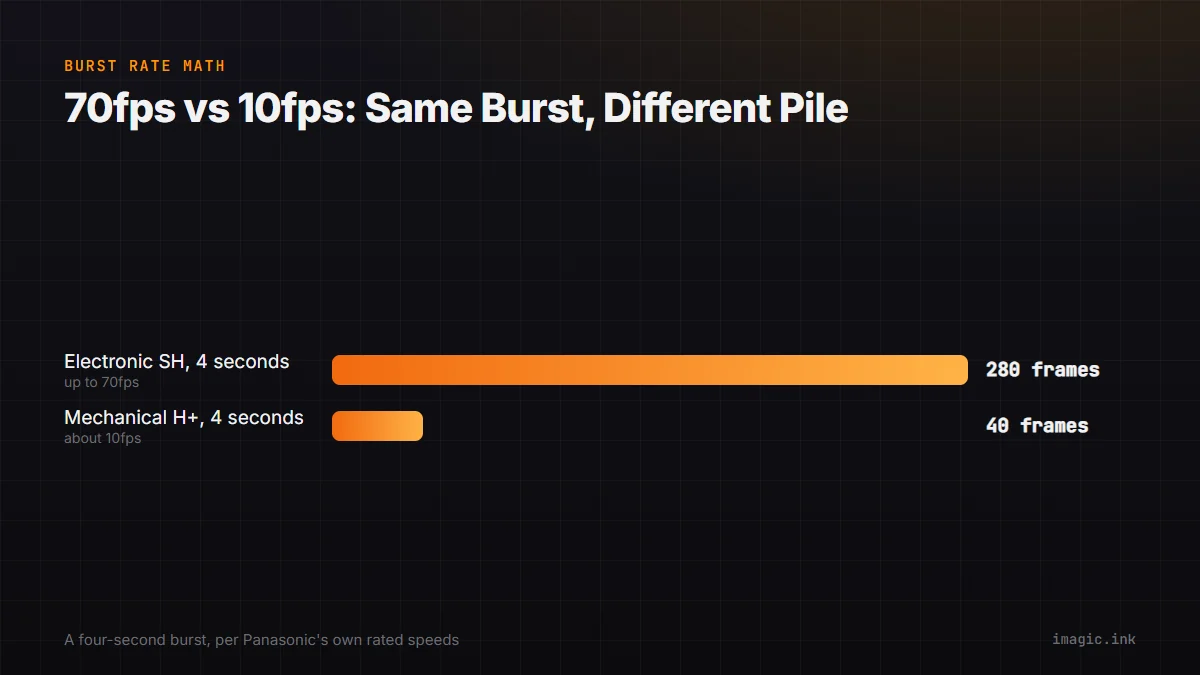
At the electronic-shutter SH rate of up to 70fps, a two-second burst produces up to 140 frames; a four-second burst, common when tracking a fast sequence like a first dance turn or a sprint finish, produces up to 280 frames. At the mechanical H+ rate of roughly 10fps, the same four-second burst produces around 40 frames, a workload seven times smaller to review afterward. Neither figure accounts for how long the camera can actually sustain that rate before its buffer fills and the frame rate drops, since Panasonic's announcement does not publish a maximum sustained burst length or buffer depth in frames. Treat the multiplication above as a ceiling based on the advertised rate, not a guaranteed frame count for every burst, and confirm actual sustained length with the card and settings in use before relying on it during a paid event.
Storage Math: What a Burst-Heavy Session Costs in Card Space
Panasonic's announcement does not publish an average RW2 file size for the S1 II, so any storage estimate has to start from an assumption the reader can swap out. A reasonable placeholder for a 24-megapixel full-frame RAW file, based on typical compression ranges across current cameras in this sensor class, is roughly 25 to 45MB per frame; check a camera's own file properties after a test shoot for the real average, since compression settings and scene detail both move that number.
Using the four-second, 280-frame burst from the previous section as an example: 280 frames multiplied by an assumed 35MB average lands at roughly 9.8GB for a single sequence. A wedding reception or a sports session that produces ten bursts of that length in a day would need close to 100GB of card space before accounting for anything shot outside burst mode. Substitute a session's actual burst count, typical burst length, and measured average file size to get a number specific to that work, and round up: card space that runs out mid-event is a bigger problem than a slightly oversized card.
The S1 II records to two card slots, one SD and one CFexpress Type B, per Panasonic's announcement. CFexpress Type B cards write faster than SD but cost more per gigabyte, and current prices for both are worth checking at the point of purchase rather than assumed from an older number. Exactly how the S1 II's menu splits recording between the two slots (mirrored backup, overflow, or a raw-and-proxy split) is a camera-menu detail this announcement does not cover; check the camera's own manual for the specific options before building a two-card workflow around an assumption.
From Card to Keeper Folder: A Burst-Sequence Culling Routine
Reviewing 280 near-identical frames from a single burst by eye, one at a time, does not scale across a full shoot day of bursts like that. A workable routine separates the mechanical review work (is this frame technically sound: is it sharp, are eyes open, is the composition usable) from the creative decision (which of the technically sound frames actually gets used), and automates the first part.
The general shape of that routine, independent of which tool runs it: ingest the full card into a working library first, so nothing gets reviewed twice. Run an automated pass that scores every frame for sharpness, exposure, and closed eyes, and groups visually similar frames from the same burst together rather than presenting them as 280 unrelated images. Review the top-ranked frame from each burst group, since that is usually where a keeper decision actually needs a human eye. Reject or flag the rest of each group without deleting anything, so a second look later is still possible. Only then move to editing and export on the small set of frames that survived that pass.
imagic's culling tools follow that shape: a directory scan ingests a shoot, an automated analysis pass scores sharpness, exposure, and closed eyes and groups near-duplicate and burst frames together, and status changes such as reject, keep, or flag are non-destructive, meaning a rejected frame stays on disk and any decision can be reversed later. None of that analysis deletes an original RAW file at any point, which matters for RW2 files shot in a two-card setup where a photographer may want to revisit an earlier reject after reviewing a client's picks. Processing runs locally on the machine doing the culling, with no upload step, which is a meaningful difference for a burst-heavy session: a 100GB day of RW2 files never has to leave the computer to get scored and grouped.
Where imagic Fits an S1 II Workflow, and Where It Doesn't
Panasonic's RW2 raw format is one of nine RAW formats imagic reads directly, alongside Canon's CR2 and CR3, Nikon's NEF, Sony's ARW, Fujifilm's RAF, Olympus's ORF, Panasonic's own RW2, the universal DNG format, and Pentax's PEF. That matters for a photographer running a mixed kit, since a burst-heavy S1 II body paired with an older camera from another brand can still sit in one culling library instead of two separate ones.
imagic is priced as a one-time license rather than a subscription: Lite at 19 EUR, Plus at 49 EUR, and Max at 99 EUR, with a 500-export free trial that does not require a card. The Max tier adds a local MCP server and command-line interface, which lets an AI coding agent or automation script drive the same ingest, score, and export pipeline described above through the tool calls documented at imagic's MCP tool reference. That server runs locally and executes the same non-destructive tools a person would use by hand; it does not edit a photograph on its own, and a local MCP server does not upload RW2 files to a model provider as part of running a tool call. What it changes is who or what is issuing the command, not where the processing happens.
Not for you if the workflow needs more than culling and batch editing: imagic has no cloud sync, no mobile app, no tethered capture, and no full digital asset management cataloging across multiple shoots and clients. A studio that needs to hand a client a shareable online gallery, or that tethers the S1 II to a laptop during a live shoot, will need a separate tool for that part of the pipeline; imagic's own trial page at imagic.ink/desktop is the place to confirm current feature scope before relying on it for a specific job.
The LUMIX S1 II Next to Other High-Burst Bodies
Two other bodies come up often in the same high-volume conversation, and each has a different limitation worth naming plainly. Canon's EOS R1 is built for exactly this kind of sports and event burst work, but checked 15 August 2026, Canon's US store lists the EOS R1 body as no longer available rather than orderable, per Canon's own product page. That status is specific to the US store; a buyer elsewhere should check their regional Canon site directly rather than assume the same listing applies. Not for you if a currently stocked new body is the requirement right now; the dedicated Canon EOS R1 burst and RAW culling guide works through buffer and file math for owners and used-market buyers specifically.
Ricoh's GR IV sits at the opposite end of the burst-speed spectrum: a fixed-lens APS-C compact with roughly 53GB of internal storage and a microSD card slot rather than a full-size SD or CFexpress path, according to Ricoh's specification page. It is not built for burst sequences at all. Not for you if the job involves any fast-action tracking; the dedicated Ricoh GR IV RAW workflow guide covers where that camera actually earns its place, which is candid and travel work rather than burst photography.
Not for you, the S1 II itself, if the video-hybrid feature set goes unused: the 5.1K and 4K recording, ProRes RAW support, and second CFexpress Type B slot are all engineering that a stills-only, high-volume shooter pays for without using. For a broader comparison of the S1 II against the Canon EOS R1, the Canon EOS R6 Mark III, and the Ricoh GR IV specifically for wedding-day coverage, see imagic's wedding photography camera buying guide, which weighs all four bodies against a full-day shot list rather than a single spec.
Frequently Asked Questions
Does the LUMIX S1 II shoot RAW files at its full 70fps burst rate?
Panasonic's announcement lists the 70fps SH electronic-shutter mode as a headline burst figure without stating whether it applies equally to RAW capture, JPEG capture, or both at that top rate. Confirm the exact RAW-at-70fps behavior, along with any resolution or bit-depth tradeoff at that speed, in Panasonic's full specification page or printed manual before planning a shoot around the maximum rate.
What RAW file format does the S1 II use, and can imagic open it?
Panasonic cameras, including the S1 II, record RW2 raw files. RW2 is one of the nine RAW formats imagic supports directly, alongside CR2, CR3, NEF, ARW, RAF, ORF, DNG, and PEF, so S1 II files can be ingested, scored, and edited in the same library as other camera brands without a separate conversion step.
How much card space does a single burst sequence need?
That depends on frame rate, burst duration, and average file size, all of which a photographer should measure rather than assume. As a worked example: a 4-second burst at up to 70fps produces up to 280 frames, and at an assumed 25 to 45MB per RW2 file, that lands somewhere between roughly 7GB and 12.6GB for one sequence. Swap in a measured average file size and a session's typical burst count to get a number specific to that camera and settings.
Is the S1 II a reasonable second body next to a different camera brand?
RAW file compatibility is not the blocker it might seem: a culling tool that reads multiple manufacturers' RAW formats, including RW2 alongside Canon, Nikon, Sony, and Fujifilm files, can keep a mixed-brand kit in one working library. The practical friction of running two brands is elsewhere, in separate batteries, chargers, and lens mounts, not in file handling during the cull.