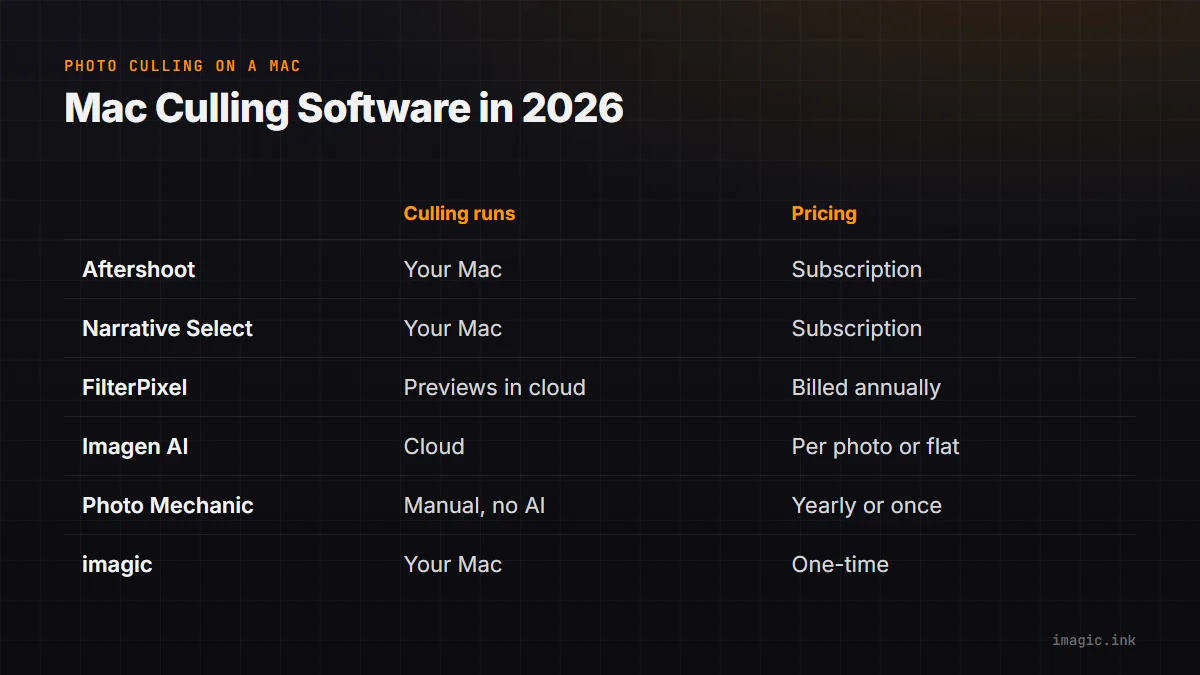
Most photographers who search for photo culling software for a Mac already know the names. What they want to know is which of those tools fits the Mac on their desk: an Apple Silicon laptop with 8 or 16 GB of shared memory, a shoot sitting on an external SSD, a macOS version that may be a year or two old, and often a hotel or venue connection that cannot upload a few thousand RAW files. This guide compares the six tools Mac photographers most often weigh up, Aftershoot, Narrative Select, FilterPixel, Imagen, Photo Mechanic and imagic, by where the culling actually runs, what each needs from your Mac and what it costs. Every price and requirement below was checked on the vendor's own pages on 30 October 2026, in the currency each vendor uses and before sales tax or VAT. If you are on a PC, the same lineup is covered in our best photo culling software for Windows.
What matters on a Mac
Four things separate a good Mac culler from one that merely installs.
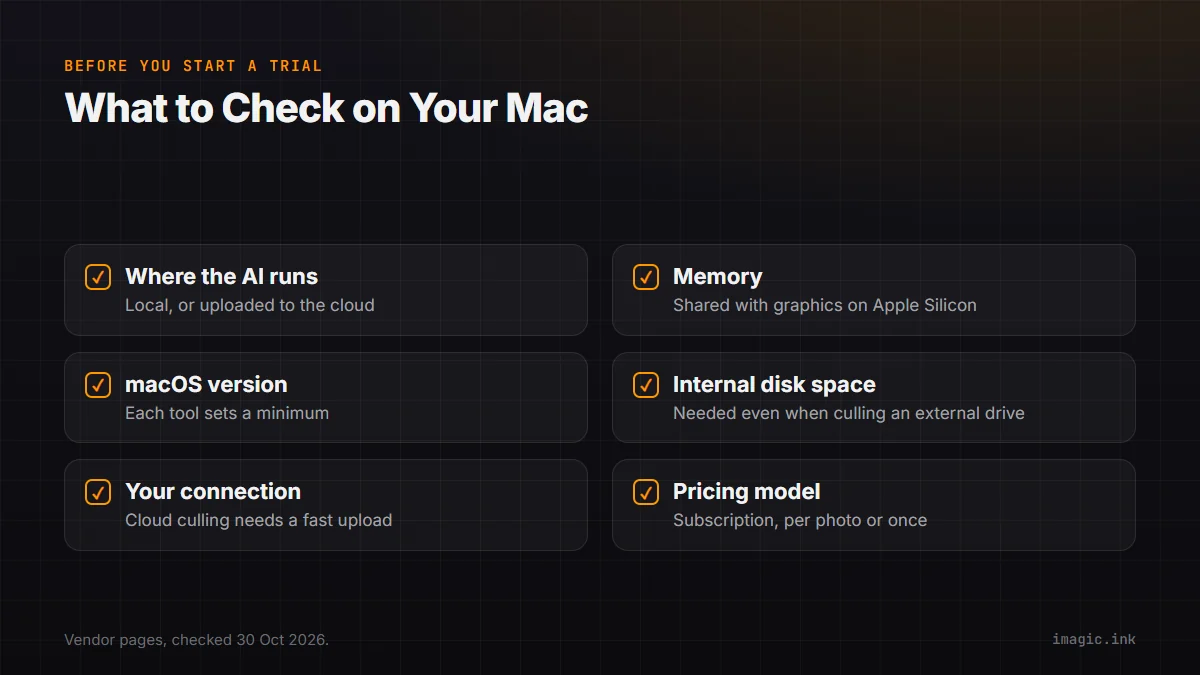
Where the AI runs. A local culler scores every frame on your own Mac, so speed depends on your chip and memory, and it works offline. A cloud culler uploads either the whole project or a small preview from each RAW and does the scoring on its servers, so an older Mac copes fine, but you need a connection that can carry the upload.
Memory. On Apple Silicon, the graphics processor shares the same memory as everything else, so an 8 GB MacBook Air is running macOS, the culler and any RAW previews out of one 8 GB pool. Aftershoot and Narrative both list 8 GB as their minimum. If you shoot 45 or 60 megapixel files in long bursts, more is worth having for any local tool.
macOS version. Each tool sets a floor, and an older Intel Mac that cannot update past a certain macOS release may already be below it. Check this before you start a trial, not after.
Disk. Most Mac photographers cull from an external drive. Narrative, for example, says it needs several GB free on the internal drive as well as on the drive your photos are on, even when the photos live elsewhere. A nearly full internal SSD slows every tool down.
Aftershoot
Aftershoot culls locally. Its technical answers page says it runs on all Windows and macOS desktops and laptops, "works locally on your device", and needs 8 GB of RAM and a relatively recent processor; it also warns that preview rendering and retouching may not work reliably on Intel integrated graphics, which is what many older Intel MacBooks have. Culling scores each frame, groups duplicates and flags closed eyes and blur, and ratings are written to XMP sidecars that Lightroom Classic, Lightroom, Capture One, Bridge and Adobe Camera Raw read.
Select, the culling plan, is $10 a month on yearly billing or $15 month to month; Complete, with editing and retouching, is $45 or $55. There is a free 30-day trial. It suits a recent Apple Silicon Mac and a photographer who wants culling, editing and retouching from one subscription. Aftershoot alternatives covers who leaves it and why.
Narrative Select
Narrative Select also culls on your computer, with unlimited images and projects on every plan. Its system requirements are macOS 12 or later, 8 GB of RAM and at least a dual-core Intel i5, with an SSD recommended; macOS 11 and earlier are no longer supported. That makes it the most forgiving of the local tools for an older Mac.
Lite, for basic AI culling, is $10 a month on yearly billing; Standard, the first plan with advanced AI culling and AI editing, is $20; Premium and Ultra ($40 and $60) add presets trained on your own edits and more users. New accounts get a free trial of Ultra with no card. See Narrative Select pricing for every plan over three years.
FilterPixel
FilterPixel has a dedicated macOS app and splits the work: a basic AI cull that is unlimited, and DeepCull, a genre-trained cull (sports, concert, conference, wedding) that gives every frame a score and a written reason. FilterPixel says your originals never leave your computer; the small preview embedded in each RAW is the only thing it uploads, and DeepCull analyses it in the cloud. That keeps the upload small and means you do not need a powerful Mac, but DeepCull does need a connection.
On its pricing page Standard is $180 a year, Pro $420 and Studio $780, each billed annually, with 20, 70 or 140 DeepCull shoots a year of up to 5,500 photos each; an extra shoot is $7.99. It offers four free projects with no card. FilterPixel pricing explains how the shoot allowance works.
Imagen AI
Imagen's culling starts with uploading the project, and the scoring happens on Imagen's servers rather than on your Mac. That is the right trade if your Mac is old or short of memory and your connection is fast; it is the wrong one on a slow connection with a full card. Culling is an add-on at EUR 11 a month billed yearly (EUR 132) or EUR 16 monthly, and two projects can be culled free. Imagen's main product is editing in your style, from EUR 0.045 per photo on pay-as-you-go with a EUR 7 monthly minimum, or Limitless at EUR 109 a month billed annually with culling included, per its pricing page. New users get 1,000 free edits with no card. Aftershoot vs Imagen AI works through the per-photo maths.
Photo Mechanic
Photo Mechanic is not an AI culler. It is a very fast browser for making every pick yourself, with strong ingest and metadata tools, which is why press and sports photographers on Macs have used it for years. It is one of the few tools here with a perpetual license: $299 once, including a year of updates, or $149 a year on subscription; Camera Bits' 30-day trial is for the perpetual license, and subscriptions start with no trial. A license covers one user on up to two computers. Is Photo Mechanic worth the price looks at the cost in detail.
imagic
imagic culls and edits on your Mac and never uploads your photos. It scores every frame for sharpness, exposure, noise and composition, detects closed eyes and missed focus, and groups bursts and near-duplicates so you keep the strongest frame of each. The same app then edits the keepers on a native RAW pipeline and exports JPEG, PNG or TIFF, with optional XMP sidecars if you finish in Lightroom Classic.
It needs macOS 14 Sonoma or later and ships two Mac builds, one for Apple Silicon and one for Intel; the same license key works on both (our Apple Silicon or Intel guide shows how to tell which you have). The Mac build is signed and notarized by Apple. It is a one-time purchase: Lite EUR 19, Plus EUR 49 or Max EUR 99, with future updates included for each tier, and AI culling is in every tier. The free trial is 500 exports with every Max feature and no card; culling and editing during the trial do not count against it.
The trade-offs: imagic needs a newer macOS than Narrative, it has no genre-trained culling mode like FilterPixel's DeepCull, no multi-user plans, and no editing profile built from your Lightroom catalog. If one of those is the deciding factor, a tool above will suit you better.
The Mac culling tools side by side
| Tool | Where culling runs | Stated Mac minimum | Cheapest AI culling, per year | Trial |
|---|---|---|---|---|
| Aftershoot | Your Mac | 8 GB RAM, recent CPU | $120 (Select) | 30 days |
| Narrative Select | Your Mac | macOS 12, 8 GB RAM | $120 (Lite, basic) or $240 (Standard, advanced) | Ultra plan, no card |
| FilterPixel | Basic cull local, DeepCull on previews in the cloud | Not stated on the pages checked | $180 (Standard, 20 DeepCull shoots) | 4 free projects |
| Imagen AI | Cloud, after upload | Not stated on the pages checked | EUR 132 (culling add-on) | 2 culling projects, 1,000 edits |
| Photo Mechanic | Your Mac, manual only | Not stated on the pages checked | No AI culling ($149 a year or $299 once) | 30 days, perpetual license only |
| imagic | Your Mac, never uploaded | macOS 14, Apple Silicon or Intel | EUR 19 once (Lite) | 500 exports, no card |
How to choose
Start from your Mac and your connection, not the feature list. On an older Intel Mac that cannot run macOS 14, Narrative is the local option with the lowest floor, and the cloud tools (Imagen, FilterPixel's DeepCull) move the heavy work off the machine. On a recent Apple Silicon Mac, every tool here runs well, and the choice comes down to how you want to pay: a monthly or yearly subscription for Aftershoot, Narrative or FilterPixel, per photo or flat for Imagen, or once for Photo Mechanic or imagic. If you often cull on the road with a weak connection, prefer a tool that culls locally.
Whichever you try, cull the same real shoot in two of them and compare the picks with your own. Trials exist for exactly that. For a wider view across both platforms, see the best photo culling software in 2026.
Frequently asked questions
Which photo culling software runs best on Apple Silicon?
Every tool above runs on Apple Silicon Macs. Local cullers (Aftershoot, Narrative Select, imagic and Photo Mechanic) use your Mac's chip and memory, so a recent M-series Mac with 16 GB or more is comfortable for large shoots. Cloud cullers (Imagen, and FilterPixel's DeepCull) depend more on your connection than on your Mac.
Is there photo culling software for Mac that works offline?
Yes. Aftershoot, Narrative Select, Photo Mechanic and imagic all cull on your computer. FilterPixel's basic cull runs locally but its DeepCull analysis happens in the cloud, and Imagen's culling starts by uploading the project.
What is the cheapest AI culling for Mac?
On a subscription, Aftershoot Select and Narrative Lite are each $120 a year on yearly billing, as of October 2026. With no recurring cost, imagic Lite is a one-time EUR 19 and includes AI culling and the RAW editor.
Can I use these on an older Intel Mac?
Check the macOS floor first. Narrative needs macOS 12 or later and imagic needs macOS 14 Sonoma or later, with a separate Intel build. Aftershoot notes that preview rendering and retouching may be unreliable on Intel integrated graphics. Cloud culling is the usual way around an old machine, if your connection allows it.